Certified Payroll Reports: What Contractors Need To Track Before Payroll Runs
Certified payroll reporting is not just a payroll task.
Certified payroll reports depend on accurate time, project, worker classification, wage, overtime, and fringe benefit data captured during the week. If those details are missing from the timecard, payroll teams are forced to rebuild the report manually later.
That is where many contractors struggle.
An employee works on a public project in the morning and a private job in the afternoon. Another worker changes classification for part of the week. A foreman approves overtime, but the project code is missing. Payroll needs prevailing wage details, fringe benefits, deductions, and a weekly compliance report.
When this information is spread across paper timesheets, spreadsheets, payroll notes, and manager emails, certified payroll becomes painful.
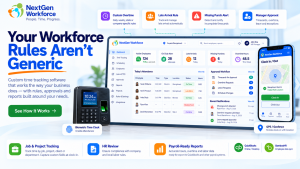
NextGen Workforce helps contractors capture the right workforce data before payroll runs. Time, project codes, job classifications, overtime, approvals, and payroll-ready records can be managed in one connected workflow.
Still Preparing Certified Payroll Manually?
NextGen Workforce helps contractors track project time, job classifications, overtime, approvals, and payroll-ready records before certified payroll reports are prepared.
Give payroll cleaner data before WH-347, LCPtracker-style exports, or public works compliance reports are due.
What Is A Certified Payroll Report?
Quick answer: A certified payroll report is a weekly compliance report used on many public works and federally funded construction projects. It documents employee hours, work classifications, wage rates, deductions, and a signed compliance certification.
Certified payroll reporting is commonly connected to public works and prevailing wage projects.
For federal Davis-Bacon and Related Acts projects, contractors and subcontractors may use Form WH-347 to submit weekly certified payroll information. The report helps show that workers were paid the required prevailing wage rates and fringe benefits for the covered work performed.
The “certified” part matters.
Each certified payroll must be accompanied by a signed Statement of Compliance. That statement confirms the payroll information is accurate and complete, and that workers were paid at least the required prevailing wage and fringe benefits for the work performed.
In practice, this means certified payroll is not only about totals.
It is about proving that the right person worked the right hours, on the right project, under the right classification, at the right wage rate.
Why Certified Payroll Reporting Is Hard To Manage Manually
Quick answer: Certified payroll is hard to manage manually because contractors must connect timecards, project codes, worker classifications, prevailing wages, overtime, fringe benefits, deductions, and compliance forms without errors.
Manual certified payroll usually breaks down before payroll even starts.
The problem starts with data capture.
If employees do not select the correct project or job code, payroll may not know which hours belong to the public works project. If workers change roles during the week, payroll must know which classification applied to each block of time.
Then the payroll team has to handle overtime, fringe benefits, deductions, and report formatting.
That creates several risks:
- Wrong project hours: Public and private job hours may get mixed.
- Wrong classification: A worker may be paid under the wrong prevailing wage rate.
- Missing daily detail: WH-347-style reporting needs day-by-day hours.
- Overtime errors: Straight time and overtime must be separated correctly.
- Fringe benefit confusion: Cash fringe and benefit-plan contributions may need separate tracking.
- Late approvals: Payroll may wait for supervisors to confirm missing details.
- Export cleanup: Data may need spreadsheet work before WH-347 or portal upload.
As a result, certified payroll becomes a weekly scramble.
Contractors do not only need payroll software. They need accurate workforce data before payroll begins.
Key takeaway: Certified payroll reports are only as reliable as the time, project, classification, and wage data behind them.
What Data A Time Tracking System Must Capture
Quick answer: A time tracking system should capture project, employee, classification, daily hours, straight time, overtime, wage rate, fringe benefit, gross pay, deductions, and net pay data to support certified payroll reporting.
For certified payroll, a basic clock-in and clock-out record is not enough.
The timecard should capture the details payroll needs later.
| Data Needed | Why It Matters | Manual Risk |
|---|---|---|
| Project or job code | Separates public works hours from other work | Hours may be reported under the wrong project |
| Labor classification | Determines the correct prevailing wage rate | Worker may be paid under the wrong role |
| Daily hours | Supports day-by-day certified payroll reporting | Payroll may lack daily detail |
| Straight time and overtime | Separates regular and overtime hours | Pay categories may need manual correction |
| Prevailing wage rate | Supports wage compliance by classification | Wrong rate may be applied |
| Fringe benefits | Tracks benefit value or cash fringe handling | Fringe totals may be missed or miscalculated |
| Approvals | Confirms manager review before payroll | Payroll may chase supervisors later |
| Export-ready records | Supports WH-347, payroll, or compliance portal workflows | Spreadsheet cleanup becomes unavoidable |
When this data is captured correctly during the week, certified payroll becomes easier to prepare.
When it is not captured correctly, payroll has to reconstruct the story after the fact.
How NextGen Workforce Helps Contractors Prepare Certified Payroll Data
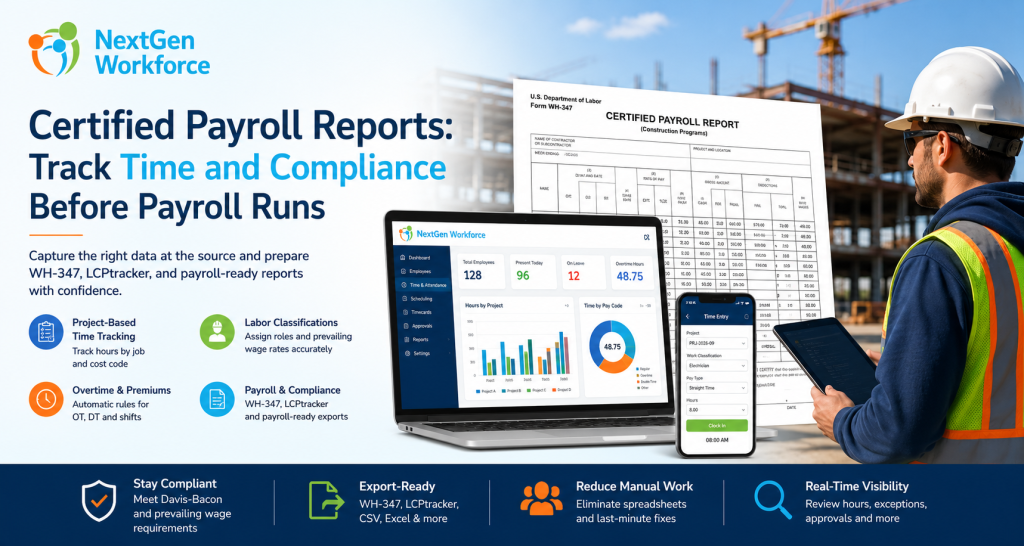
Quick answer: NextGen Workforce helps contractors capture project-based time, labor classifications, job codes, overtime, approvals, and payroll-ready records before certified payroll reports are prepared.
NextGen Workforce is built for businesses that need more than basic time collection.
For contractors, the system can help turn daily time tracking into structured payroll-ready data.
Step 1: Capture Time By Project Or Job Code
Employees should not only clock in.
They should be able to track time against the correct project, job, client, or cost code. This helps separate public works hours from private project hours before payroll begins.
Step 2: Track Labor Classification On The Time Entry
Certified payroll depends on classification.
A worker may perform different types of work during the same week. For example, a crew member may work under one classification on Monday and another classification on Wednesday.
NextGen Workforce can support time tracking workflows where job, task, work code, or classification details are tied to the time entry.
Step 3: Apply Overtime And Premium Rules
Payroll teams need clean pay categories.
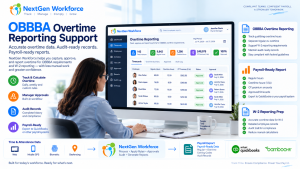
NextGen Workforce can help separate regular hours, overtime, double time, shift premium hours, or other earning categories based on configured attendance rules.
This reduces manual payroll cleanup later.
Step 4: Review Exceptions Before Payroll
Certified payroll errors often start as small timecard issues.
A missing punch, wrong project, wrong classification, or unapproved overtime entry can delay the report.
NextGen Workforce helps managers and payroll teams review exceptions before payroll data is finalized.
Step 5: Prepare Payroll-Ready Records
Certified payroll reporting needs structured data.
NextGen Workforce helps prepare reviewed and categorized workforce records so payroll teams can work with cleaner information for WH-347 preparation, payroll export, or LCPtracker-style upload workflows.
Free Checklist: Certified Payroll Data Capture Checklist
Use this checklist to confirm the time, project, classification, wage, overtime, fringe, approval, and export data needed before certified payroll reports are prepared.
- Project ID: Confirm the public works or funded project code.
- Employee details: Confirm worker identity and required identifiers.
- Labor classification: Confirm the correct role for each time entry.
- Daily hours: Confirm hours by day and project.
- OT split: Separate straight time and overtime.
- Prevailing wage: Confirm wage rate by classification.
- Fringe benefits: Review cash fringe or plan contribution handling.
- Approvals: Resolve manager review before payroll.
- Export format: Confirm WH-347, payroll, or portal upload readiness.
WH-347 Data Mapping: From Timecard To Certified Payroll
Quick answer: WH-347 reporting requires employee information, work classification, daily hours, total hours, wage rates, gross wages, deductions, and net wages. These fields are easier to prepare when time and project data are captured correctly during the week.
The WH-347 form is structured around weekly payroll details.
That means contractors should think about the report before payroll day.
If the timecard does not capture the right fields, payroll has to fill in the gaps manually.
| Certified Payroll Area | What NextGen Workforce Helps Capture | Why It Helps Payroll |
|---|---|---|
| Employee information | Employee profile and workforce identifiers | Reduces manual employee lookup |
| Work classification | Job, role, work code, or classification on time entry | Supports prevailing wage review |
| Day and date hours | Daily project-based time entries | Supports day-by-day report detail |
| Total hours | Weekly totals by employee, project, and pay category | Reduces spreadsheet totaling |
| Rate of pay | Pay rate, job rate, or prevailing wage setup | Helps match hours to correct rate |
| Gross wages | Payroll-ready earning categories | Supports payroll review before submission |
| Deductions | Payroll system or export mapping | Supports final report completion |
| Net wages | Payroll output or integrated payroll data | Completes wage reporting workflow |
NextGen Workforce is not replacing the legal responsibility of the contractor.
Instead, it helps capture and organize the source data that certified payroll reporting depends on.
Certified Payroll And LCPtracker-Style Exports
Quick answer: Many contractors submit certified payroll electronically through compliance platforms. A workforce system should help prepare clean time, job, classification, wage, fringe, and approval data for CSV, Excel, XML, or integration-ready exports.
Certified payroll reporting is no longer only a paper process.
Many public agencies, prime contractors, and subcontractors use electronic compliance systems to collect and manage certified payroll data.
For example, LCPtracker describes its platform as cloud-based software for certified payroll, construction site compliance, and workforce reporting.
That makes clean source data even more important.
If timecards are incomplete, export files are incomplete too.
NextGen Workforce helps contractors prepare structured time and payroll-ready data that can support export workflows for payroll systems, WH-347 preparation, or compliance portal upload requirements.
Key takeaway: The export is only the final step. The real work is capturing clean project, classification, time, wage, and approval data before export.
Manual Certified Payroll Tracking Vs. NextGen Workforce
Quick answer: Manual certified payroll tracking depends on spreadsheets and payroll cleanup. NextGen Workforce helps contractors collect structured time, project, classification, overtime, and approval data before payroll and compliance reporting.
| Certified Payroll Task | Manual Process | NextGen Workforce Workflow |
|---|---|---|
| Project hours | Paper timesheets or notes | Project-based time capture |
| Labor classification | Payroll correction later | Classification tied to time entry |
| Daily hour detail | Manual spreadsheet rows | Daily timecard records |
| Overtime split | Manual calculation | Rule-based pay categories |
| Missing data | Payroll follows up by email | Exception review before payroll |
| Manager approval | Email, text, or verbal approval | Timecard approval workflow |
| Export preparation | Spreadsheet cleanup | Payroll-ready reporting |
Manual tracking forces payroll to rebuild the compliance story every week.
By contrast, NextGen Workforce helps contractors collect structured data during the workweek, so payroll starts with cleaner information.
Who Needs Certified Payroll Tracking Most?
Quick answer: Certified payroll tracking is most useful for contractors and subcontractors working on federally funded, state-funded, municipal, or public works construction projects where prevailing wage and weekly certified payroll rules apply.
This workflow is especially important for businesses that manage field crews, multiple projects, changing classifications, and public contract requirements.
General Contractors
General contractors need visibility across employees, subcontractors, projects, and payroll compliance workflows.
Electrical And Mechanical Contractors
Electricians, mechanics, installers, and skilled trades may have different classifications and wage rates by project.
Road And Public Infrastructure Contractors
Public infrastructure projects often require precise project hours, daily reporting, and prevailing wage tracking.
Specialty Subcontractors
Specialty contractors may work on both public and private jobs during the same week.
Project-based time tracking helps separate those hours correctly.
Signage And Installation Contractors
Signage and installation teams may move between job sites, classifications, and customer projects.
Clean time and project data helps payroll prepare compliance-ready records.
Working On Public Works Or Prevailing Wage Projects?
NextGen Workforce helps contractors capture project time, worker classification, overtime, approvals, and payroll-ready records before certified payroll reports are due.
Certified Payroll Checklist Before Payroll Runs
Quick answer: Before preparing certified payroll, contractors should confirm project codes, worker classifications, daily hours, overtime, prevailing wage rates, fringe benefits, deductions, approvals, and export format requirements.
Payroll should not receive unresolved certified payroll issues.
Before payroll runs, review these items:
- Project status: Confirm whether the project requires certified payroll.
- Project code: Make sure hours are tied to the correct job.
- Labor classification: Confirm the correct role for each shift or task.
- Daily hours: Review hours by employee, day, and project.
- Overtime: Separate straight time and overtime correctly.
- Prevailing wage: Confirm wage rate by classification.
- Fringe benefits: Review benefit plans or cash fringe handling.
- Approvals: Resolve pending manager review.
- Payroll categories: Confirm earning codes before export.
- Report format: Confirm WH-347, agency, or portal requirements.
This gives payroll a cleaner starting point.
It also helps contractors reduce the time spent chasing missing details after the week closes.
How NextGen Workforce Supports Certified Payroll Workflows
Quick answer: NextGen Workforce supports certified payroll workflows by helping contractors track time by project, capture job classifications, apply overtime rules, manage approvals, and prepare payroll-ready reporting before compliance forms or exports are created.
NextGen Workforce is not just a time clock.
It is a configurable workforce management platform for businesses with complex attendance, payroll, and compliance needs.
For certified payroll workflows, NextGen Workforce can help with:
- Project-based time tracking: Capture hours by job, project, cost code, or work assignment.
- Classification tracking: Track the role or work classification tied to a time entry.
- Mobile and field attendance: Support crews working across different job sites.
- Geo-tracking and geofencing: Help validate where field employees clocked in.
- Overtime rules: Separate regular, overtime, double time, or premium categories.
- Approvals: Route timecards and exceptions for review before payroll.
- Payroll-ready reporting: Prepare cleaner data for payroll and compliance workflows.
- Export flexibility: Support structured exports for payroll or compliance reporting needs.
This flexibility matters because every contractor’s workflow is slightly different.
Some need WH-347 support. Others need state-specific reports. Others need LCPtracker-style exports, QuickBooks-ready data, or payroll system mapping.
NextGen Workforce helps contractors build the workflow around the way they actually operate.
Ready To Reduce Certified Payroll Cleanup?
NextGen Workforce helps construction and field service contractors capture cleaner time, project, classification, overtime, approval, and payroll-ready data before certified payroll reports are prepared.
If your team is still building reports from spreadsheets, our implementation team can review your workflow.
Frequently Asked Questions About Certified Payroll Reports
What Is A Certified Payroll Report?
A certified payroll report is a weekly payroll compliance report used on many public works and federally funded construction projects.
It typically includes worker information, work classifications, daily hours, wage rates, deductions, and a signed Statement of Compliance.
Who Needs Certified Payroll Reporting?
Contractors and subcontractors working on covered federal, federally assisted, state, municipal, or public works projects may need certified payroll reporting.
Requirements vary by contract, agency, funding source, state, and project type.
What Is Form WH-347?
Form WH-347 is a U.S. Department of Labor payroll form contractors may use for Davis-Bacon and Related Acts certified payroll reporting.
The form includes payroll details and a Statement of Compliance.
Is WH-347 Required For Every Project?
No. WH-347 is commonly used for federal Davis-Bacon reporting, but requirements may vary.
Some agencies, states, or compliance platforms may use different formats or electronic submission systems.
What Data Is Needed For Certified Payroll?
Certified payroll usually requires employee information, work classification, daily hours, total hours, wage rate, gross wages, deductions, net wages, and compliance certification.
Some projects may also require fringe benefit details, project codes, apprenticeship information, or agency-specific fields.
How Does Time Tracking Help Certified Payroll?
Time tracking helps certified payroll by capturing project hours, daily hours, worker classification, overtime, approvals, and payroll-ready records before payroll reports are prepared.
This reduces spreadsheet cleanup and manual follow-up.
Can Software Export To LCPtracker?
Many contractors use compliance platforms such as LCPtracker for certified payroll reporting.
Export requirements can vary by setup, so workforce software should help prepare clean source data that can be mapped to CSV, Excel, XML, payroll, or compliance upload formats.
Can NextGen Workforce Support Certified Payroll Workflows?
Yes. NextGen Workforce can help contractors track project time, labor classifications, overtime, approvals, payroll-ready records, and export-ready data for certified payroll workflows.
Final filing requirements depend on the contract, agency, payroll system, and reporting platform.
About The Author
Official Sources And Legal Note
For current legal details, review the U.S. Department of Labor WH-347 form instructions, the DOL Davis-Bacon compliance principles, the DOL Davis-Bacon and Related Acts construction guidance, and LCPtracker certified payroll and workforce reporting information.
This article is for general workforce management education only. It is not legal, payroll, or compliance advice. Certified payroll requirements may vary by funding source, agency, state, contract, wage determination, worker classification, benefit setup, payroll system, and reporting portal. Contractors should consult qualified counsel, payroll professionals, or the appropriate government agency before making compliance decisions.

The NGW Workforce team writes about HR tech, time tracking, scheduling, and workforce compliance.