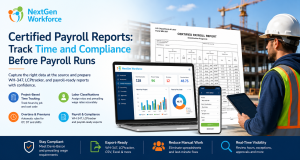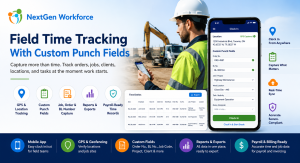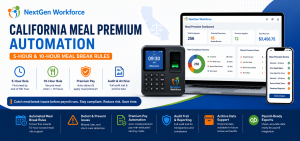
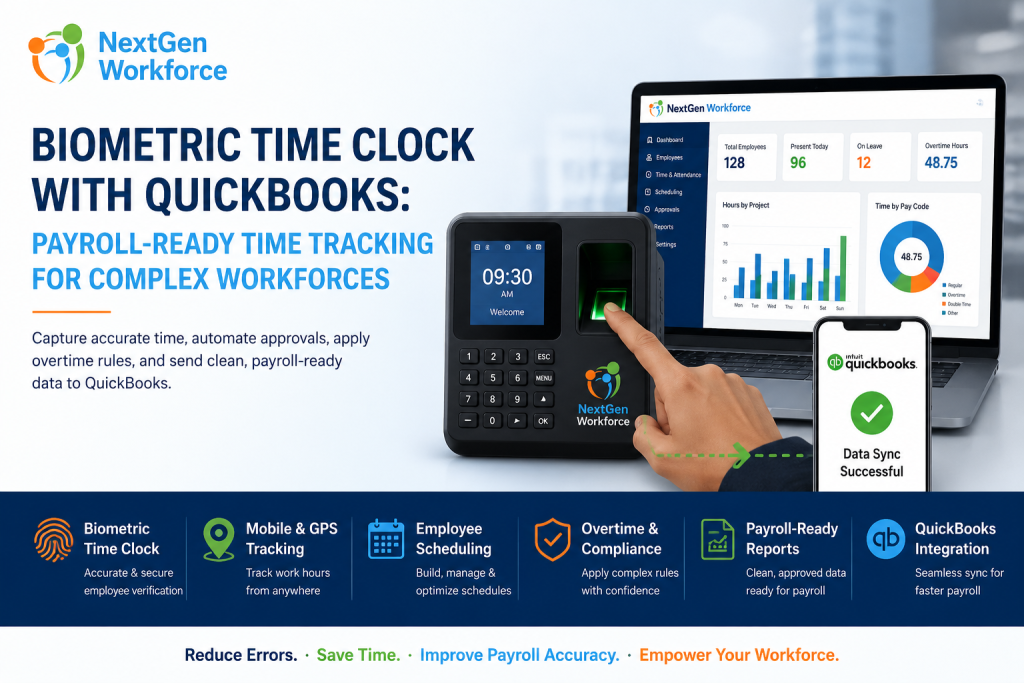
Biometric Time Clock With QuickBooks: Payroll-Ready Time Tracking for Complex Workforces
Payroll errors usually start before payroll runs.
A biometric time clock helps businesses capture more reliable employee attendance data before hours reach QuickBooks. When time tracking, overtime rules, approvals, PTO, schedules, and payroll-ready reports are connected, payroll teams can reduce manual corrections and process payroll with more confidence.
QuickBooks is strong for accounting and payroll workflows.
However, QuickBooks can only work with the time data your business sends into it.
If employees forget punches, managers approve time late, overtime is calculated manually, or PTO is tracked separately, payroll still becomes stressful. The problem is not always payroll software. In many cases, the problem is messy time data before payroll starts.
That is where NextGen Workforce helps.
NextGen Workforce helps businesses connect biometric time clocks, mobile attendance, employee scheduling, overtime rules, approvals, PTO, and payroll-ready reporting before time data is prepared for QuickBooks.
Still Fixing Timesheets Before QuickBooks Payroll?
NextGen Workforce helps businesses capture accurate time, apply attendance rules, review exceptions, approve timecards, and prepare cleaner payroll-ready data.
Reduce spreadsheet cleanup before payroll runs.
Why Biometric Time Tracking Matters Before Payroll
Quick answer: Biometric time tracking helps improve attendance accuracy by tying clock-in and clock-out activity to the employee. This gives payroll teams a stronger starting point before calculating regular hours, overtime, PTO, holidays, and payroll-ready reports.
Payroll accuracy starts with time accuracy.
If the clock-in process is unreliable, everything after it becomes harder. Managers may need to verify who worked, when they worked, and whether the timecard is complete.
For businesses with hourly teams, shift workers, field staff, production employees, or multiple locations, that creates extra work.
A biometric time clock can help reduce common attendance problems such as shared PINs, manual punch edits, missed identity checks, and uncertainty around who actually clocked in.
However, the device is only one part of the workflow.
The real value comes when biometric punches flow into timecards, approvals, overtime rules, PTO, schedules, alerts, and payroll-ready reports.
Key takeaway: A biometric time clock should not be a standalone device. It should be part of a complete attendance-to-payroll workflow.
QuickBooks Payroll Needs Clean Time Data First
Quick answer: QuickBooks can help process payroll, but payroll accuracy depends on clean time data. Businesses should review missing punches, overtime, PTO, approvals, holidays, earning codes, and employee mappings before sending or entering hours into QuickBooks.
Many businesses think payroll problems happen inside QuickBooks.
Often, the issue starts earlier.
For example, payroll may receive timecards with missing punches. A manager may not have approved overtime. PTO may be approved in one place but missing from the timesheet. A shift premium may need manual review. An employee may work across multiple jobs or departments.
When those issues are not resolved before payroll, QuickBooks receives data that still needs cleanup.
That creates last-minute corrections.
NextGen Workforce helps payroll teams prepare cleaner time data before payroll processing. The goal is simple: approve and organize the timecard before it becomes a payroll problem.
Common Payroll Problems With Manual Time Tracking
Quick answer: Manual time tracking creates payroll risk when punches, overtime, approvals, PTO, schedules, and earning codes are tracked in separate places. This forces payroll teams to investigate problems at the end of the pay period.
Manual time tracking may work when the team is very small.
However, as the business grows, the process becomes harder to control.
- Missing punches: Payroll has to chase employees or managers.
- Unapproved overtime: Extra hours are discovered too late.
- PTO mismatch: Approved leave does not match the timesheet.
- Schedule changes: Payroll cannot tell what was planned versus what happened.
- Manual earning codes: Regular, overtime, holiday, and premium hours need cleanup.
- Field attendance issues: Mobile workers may clock in from the wrong location.
- Payroll delays: Payroll waits while managers confirm details.
As a result, payroll becomes reactive.
Instead of running payroll confidently, the team spends time fixing records, reviewing exceptions, and asking managers for clarification.
How NextGen Workforce Connects Biometric Time Clocks With Payroll-Ready Workflows
Quick answer: NextGen Workforce connects biometric time clocks with attendance rules, scheduling, approvals, PTO, alerts, and payroll-ready reporting. This helps businesses prepare cleaner time data before QuickBooks payroll processing.
NextGen Workforce is built for businesses that need more than a basic clock-in tool.
Many customers come to us with real-world workforce rules that do not fit inside a simple time clock setup. They may need custom overtime, biometric devices, mobile GPS tracking, geofencing, shift schedules, PTO approvals, job codes, or QuickBooks-ready payroll records.
Our implementation approach focuses on how the business actually operates.
Biometric Clock-In And Clock-Out
Employees can clock in and out using biometric time clock options.
This helps create a stronger attendance record for on-site teams and reduces manual identity verification.
Mobile, Web, And Kiosk Attendance
Not every employee works at the same location.
NextGen Workforce can support mobile, web, kiosk, and biometric attendance workflows so businesses can manage different employee groups in one platform.
GPS Tracking And Geofencing
Field and mobile teams often need location visibility.
With GPS tracking and geofencing, businesses can review where employees clocked in and whether the punch happened near an approved job site, branch, or work location.
Scheduling And Shift Visibility
Schedules help managers understand what should have happened.
Actual punches show what did happen. NextGen Workforce helps compare scheduled hours with worked hours so managers can review early starts, late clock-outs, missed shifts, and overtime risk before payroll.
Custom Attendance And Overtime Rules
Many businesses have rules that basic time tracking systems cannot handle easily.
NextGen Workforce can support configurable rules for overtime, double time, shift differentials, grace periods, rounding, auto clock-out, meal rules, holidays, job-based time, and customer-specific attendance policies.
Approvals Before Payroll
Payroll should not be the first team to discover missing information.
NextGen Workforce helps route timecards, exceptions, PTO, overtime, and manager approvals before payroll starts.
Payroll-Ready Reports For QuickBooks
After review, payroll teams need clean categories.
NextGen Workforce helps prepare regular hours, overtime, PTO, holidays, shift premiums, and other earning details for payroll review and QuickBooks-ready workflows.
Need Time Tracking That Matches Your Real Payroll Rules?
NextGen Workforce helps businesses configure biometric attendance, mobile GPS clock-in, geofencing, scheduling, overtime, approvals, and payroll-ready reports.
If your current time clock cannot support your payroll rules, our team can review your workflow.
Manual Time Tracking Vs. NextGen Workforce + QuickBooks
Quick answer: Manual time tracking forces payroll teams to fix punches, calculate overtime, check PTO, confirm approvals, and clean up data before QuickBooks. NextGen Workforce helps organize this work before payroll begins.
| Payroll Task | Manual Process | NextGen Workforce Workflow |
|---|---|---|
| Clock-in accuracy | PINs, paper, or manual entry | Biometric, mobile, web, or kiosk attendance |
| Missing punches | Payroll follows up manually | Exceptions reviewed before payroll |
| Overtime | Spreadsheet calculation | Configurable overtime rules |
| PTO and holidays | Checked separately | Time-off data connected to timesheets |
| Manager approvals | Email or verbal approval | Timecard approval workflow |
| Mobile workers | Limited location visibility | GPS and geofencing support |
| QuickBooks payroll | Manual cleanup before processing | Payroll-ready reports and categorized hours |
The difference is control.
Manual time tracking pushes cleanup to the end of the pay period. By contrast, NextGen Workforce helps teams find and fix issues earlier.
Free Checklist: Payroll-Ready Time Tracking Checklist for QuickBooks Users
Quick answer: A payroll-ready time tracking checklist helps businesses review missing punches, overtime, PTO, holidays, approvals, earning codes, mobile punches, geofence exceptions, and QuickBooks export readiness before payroll runs.
Before sending time data to payroll, review the items that usually create corrections.
Download The Payroll-Ready Time Tracking Checklist
Use this checklist before payroll to reduce manual corrections and prepare cleaner time data for QuickBooks.
- Missing punches: Confirm all clock-ins and clock-outs are complete.
- Overtime: Review regular, overtime, and premium hours.
- PTO: Match approved time off with timesheets.
- Holidays: Confirm holiday hours and pay categories.
- Approvals: Resolve pending manager reviews.
- Schedules: Compare scheduled vs. actual hours.
- GPS/geofence exceptions: Review mobile punches outside approved locations.
- Employee mapping: Confirm employee records match payroll records.
- Earning codes: Confirm regular, overtime, PTO, and holiday categories.
- QuickBooks readiness: Prepare clean payroll-ready reports.
Who Benefits Most From Biometric Time Tracking With QuickBooks?
Quick answer: Biometric time tracking with QuickBooks-ready reporting is most useful for businesses with hourly employees, field teams, complex schedules, overtime rules, multiple locations, mobile workers, or payroll cleanup problems.
This workflow is especially useful when time data has to be accurate before payroll runs.
Construction
Construction teams often work across job sites, projects, and crews.
Biometric and mobile attendance, job-based time tracking, GPS visibility, and payroll-ready reports help reduce manual follow-up.
Manufacturing
Manufacturing teams may use shifts, overtime, premiums, and production schedules.
Connected attendance rules help payroll categorize hours correctly before processing.
Security
Security teams often work posts, mobile patrols, overnight shifts, and rotating schedules.
Geofencing, alerts, scheduling, and approvals help managers improve visibility before payroll.
Healthcare
Healthcare teams often deal with changing coverage needs, overtime, PTO, and approvals.
A connected time tracking workflow helps payroll avoid last-minute corrections.
Cleaning And Field Service
Cleaning and field service employees may clock in from customer locations.
Mobile GPS tracking and geofencing help confirm where attendance happened.
Retail And Hospitality
Retail and hospitality teams often manage part-time schedules, shift swaps, late clock-outs, and high-volume timecards.
NextGen Workforce helps managers review exceptions before payroll runs.
Managing Hourly Teams With Complex Payroll Rules?
NextGen Workforce helps businesses manage biometric time tracking, mobile GPS attendance, geofencing, schedules, overtime, PTO, approvals, and payroll-ready reports for QuickBooks workflows.
What To Check Before Sending Time Data To QuickBooks
Quick answer: Before sending time data to QuickBooks, businesses should confirm employee mappings, completed punches, approved timecards, overtime, PTO, holidays, earning codes, schedule exceptions, and payroll-ready totals.
QuickBooks should receive reviewed data, not unresolved attendance problems.
Before payroll runs, review these items:
- Employee records: Confirm employees match payroll setup.
- Completed punches: Resolve missing clock-ins and clock-outs.
- Approved timecards: Confirm manager review is complete.
- Overtime: Review regular, overtime, and double-time rules.
- PTO and sick time: Confirm approved leave is included.
- Holiday hours: Verify holiday time and earning categories.
- Shift premiums: Review shift differentials or special pay rules.
- Geofence exceptions: Check mobile punches outside approved locations.
- Payroll codes: Confirm regular, overtime, PTO, holiday, and premium categories.
- Reports: Prepare clean payroll-ready totals before processing.
This review gives payroll a cleaner starting point.
It also gives managers and employees more confidence that time records are being handled consistently.
Why NextGen Workforce Is Different
Quick answer: NextGen Workforce is built for businesses with real-world workforce complexity. The platform can support biometric clocks, mobile attendance, geofencing, scheduling, approvals, PTO, custom attendance rules, and payroll-ready reports instead of forcing every customer into one fixed time tracking model.
Many businesses do not struggle because they lack a time clock.
They struggle because their actual payroll rules do not fit inside basic time tracking software.
Based on real implementation experience, customers often need support for complex pay periods, multi-location teams, mobile workers, biometric devices, custom overtime rules, shift premiums, approval workflows, and QuickBooks payroll needs.
NextGen Workforce helps configure the workflow around how the business actually operates.
That flexibility is important for companies that need more than “clock in and clock out.”
Ready To Send Cleaner Time Data To QuickBooks?
NextGen Workforce helps businesses track time, manage schedules, apply overtime rules, approve timecards, validate mobile attendance, and prepare payroll-ready data before payroll runs.
If your team is still fixing timesheets manually, now is a good time to review your workflow.
Frequently Asked Questions
Does NextGen Workforce Work With QuickBooks?
NextGen Workforce helps businesses prepare clean, reviewed, payroll-ready time data for QuickBooks workflows.
This includes regular hours, overtime, PTO, holidays, approvals, and categorized time records for payroll review.
What Is A Biometric Time Clock?
A biometric time clock allows employees to clock in and out using biometric verification instead of only paper timesheets, PINs, or manual entry.
This helps improve attendance accuracy for on-site teams.
Can Biometric Time Tracking Reduce Payroll Errors?
Yes. Biometric time tracking can help improve attendance accuracy by reducing uncertainty around who clocked in.
When connected to approvals, rules, and payroll-ready reports, it can also help reduce manual payroll corrections.
Can NextGen Workforce Track Overtime Before QuickBooks Payroll?
Yes. NextGen Workforce can support configurable overtime, double time, shift premium, holiday, and custom attendance rules based on customer requirements.
This helps payroll teams review exceptions before payroll runs.
Can Employees Clock In From Mobile Devices?
Yes. NextGen Workforce supports mobile clock-in workflows for field and remote teams.
Businesses can also use GPS tracking and geofencing to review location-based attendance exceptions.
Can Managers Approve Timesheets Before Payroll?
Yes. Managers can review timecards, exceptions, PTO, overtime, and attendance issues before payroll teams prepare final records.
This helps reduce last-minute payroll cleanup.
Who Is This Best For?
This workflow is best for businesses with hourly employees, field workers, multi-location teams, shift schedules, biometric clock needs, mobile attendance, overtime rules, and QuickBooks payroll workflows.
About The Author

The NGW Workforce team writes about HR tech, time tracking, scheduling, and workforce compliance.