
California Meal Premium Automation: Catch 5-Hour and 10-Hour Meal Break Issues Before Payroll
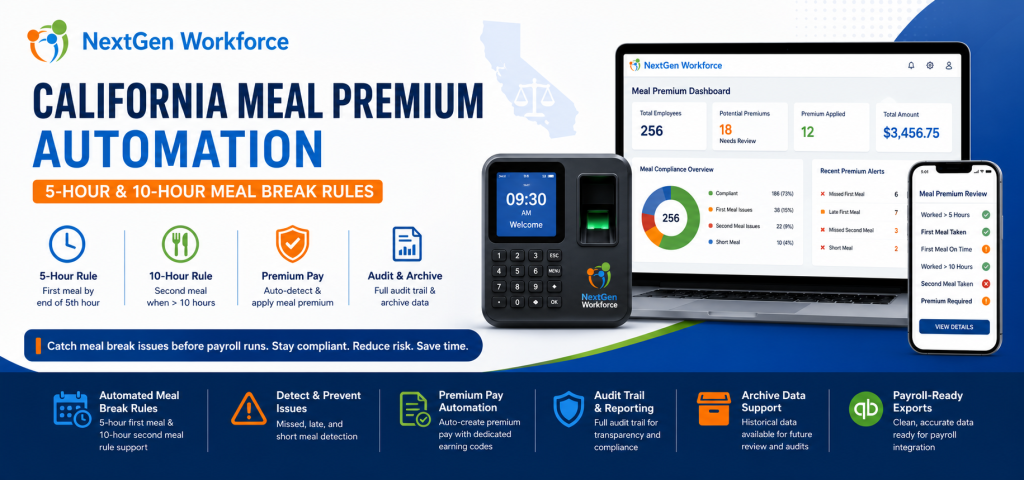
California Meal Premium Automation: Catch 5-Hour and 10-Hour Meal Break Issues Before Payroll By NextGen Workforce Editorial Team Last updated: June 2026 California meal premium errors are usually found too late. California meal premium automation helps employers review first meal, second meal, short meal, missed meal, and late meal issues before payroll runs. For hourly teams, this means payroll can catch 5-hour and 10-hour meal break problems earlier instead of fixing them after timecards are already closed. That is the real payroll problem. California meal period rules are not only a legal policy. They are a daily timecard review workflow. An employee works past the fifth hour without a meal break. Another employee works more than 10 hours and may need a second meal period review. A manager forgets to approve a meal premium. Payroll discovers the issue after the pay period closes. When this review is manual, mistakes are easy to miss. NextGen Workforce is enhancing support and automation for California meal premium workflows, including 5-hour first meal review, 10-hour second meal review, premium pay handling, audit visibility, and archive data for payroll and compliance review. Still Reviewing California Meal Premiums Manually? NextGen Workforce helps businesses detect missed, late, short, first, and second meal break issues before payroll runs. Review meal premium triggers, approvals, audit history, archive data, and payroll-ready premium records in one connected workflow. Talk To An Expert What Is California Meal Premium Pay? Quick answer: California meal premium pay generally applies when an employer does not provide a required meal period. In that situation, the employee may be owed one additional hour of pay at the regular rate for that workday. California meal break compliance matters because the timing and availability of meal periods affect payroll. For many nonexempt employees, a meal period must generally be provided when the work period is more than five hours. The meal period generally must be provided no later than the end of the employee’s fifth hour of work. When an employee works more than 10 hours in a day, a second meal period may also be required. If a required meal period is not provided, meal premium pay may be owed. For payroll teams, this creates a practical problem. They must know whether the employee worked long enough to trigger a meal rule, whether the meal break was taken, whether it was taken on time, whether it was long enough, and whether a premium should be added. Key takeaway: California meal premium review should happen before payroll, not after payroll discovers a missing premium. Why California Meal Premium Errors Happen Quick answer: California meal premium errors happen when timecards, break records, schedules, manager approvals, and payroll codes are reviewed manually or stored in separate systems. Most meal premium issues do not happen because payroll teams are careless. They happen because the workflow is fragmented. A manager may review total hours but not meal timing. Payroll may review overtime but not break length. An employee may have a valid unpaid break, but the break record may be missing. Another employee may work more than 10 hours, but the second meal review may not happen before payroll starts. These problems become harder when teams work long shifts, multiple job sites, changing schedules, or high-volume hourly operations. Manual review creates several risks: Late first meal: The meal may start after the required timing window. Missed meal: No qualifying meal break appears on the timecard. Short meal: The meal break may be shorter than required. Second meal risk: Shifts over 10 hours may need additional review. Duplicate premiums: Payroll may accidentally add the same premium more than once. Missing pay code: Meal premium may not appear under the correct earning code. No audit trail: Managers and payroll may not see who reviewed what. No archive view: Historical records may be hard to verify later. As a result, payroll teams spend time checking records manually instead of starting with clean, reviewed data. The 5-Hour First Meal Rule: Why Timing Matters Quick answer: California meal period review should check whether an employee who works more than five hours received a qualifying meal period no later than the end of the fifth hour, unless a valid exception or waiver applies. The first meal period is one of the most common areas where payroll mistakes happen. It is not enough to know that the employee took a meal break. The system also needs to know when the meal break started, whether it was long enough, and whether the employee’s worked time crossed the rule threshold. For example, if an employee clocks in at 7:00 AM and works a full shift, the system should review whether the first meal period was provided within the expected timing window. When this is done manually, payroll may only see total hours. However, meal premium review requires more than total hours. It requires a time-based check. NextGen Workforce helps automate this review by checking timecard and break data against configured California meal premium rules. The 10-Hour Second Meal Rule: Why It Is Easy To Miss Quick answer: When an employee works more than 10 hours in a day, the timecard may need second meal period review. This is easy to miss when payroll only checks total hours, overtime, or the first meal break. Second meal period review is where manual processes often break down. A long shift may already have overtime. Payroll may focus on regular and overtime categories. Meanwhile, the second meal requirement may not be reviewed carefully. That creates risk. If the employee works more than 10 hours, the system should check whether a second meal period is required, whether it was provided, and whether any waiver or exception applies. NextGen Workforce helps businesses review these 10-hour meal break scenarios before payroll runs. This gives payroll teams better visibility into possible second meal premium issues before timecards are finalized. How NextGen Workforce Automates California Meal Premium Support Quick answer: NextGen Workforce helps automate California meal premium support by reviewing
Certified Payroll Reports: Track Time and Compliance Before Payroll
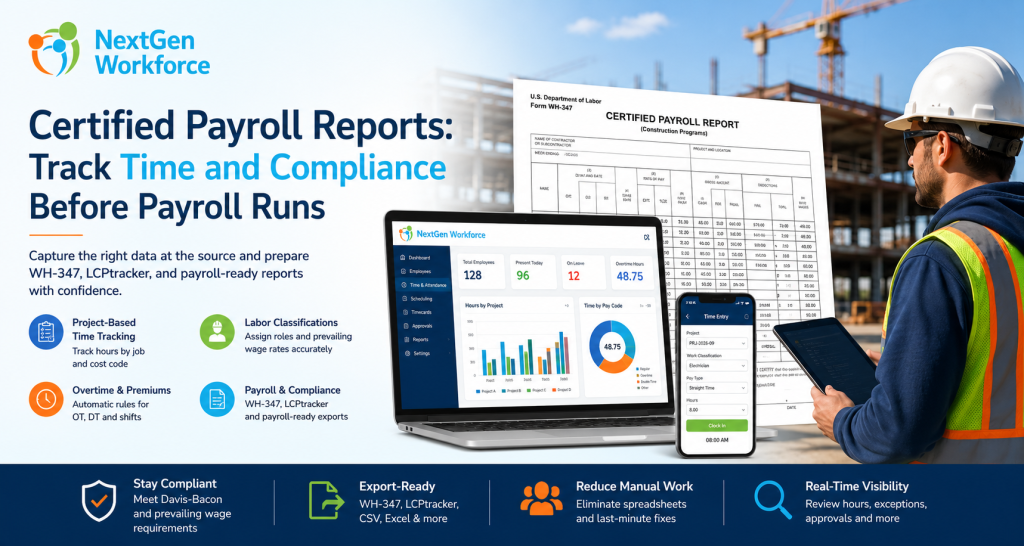
Certified Payroll Reports: What Contractors Need To Track Before Payroll Runs By NextGen Workforce Editorial Team Last updated: June 2026 Certified payroll reporting is not just a payroll task. Certified payroll reports depend on accurate time, project, worker classification, wage, overtime, and fringe benefit data captured during the week. If those details are missing from the timecard, payroll teams are forced to rebuild the report manually later. That is where many contractors struggle. An employee works on a public project in the morning and a private job in the afternoon. Another worker changes classification for part of the week. A foreman approves overtime, but the project code is missing. Payroll needs prevailing wage details, fringe benefits, deductions, and a weekly compliance report. When this information is spread across paper timesheets, spreadsheets, payroll notes, and manager emails, certified payroll becomes painful. NextGen Workforce helps contractors capture the right workforce data before payroll runs. Time, project codes, job classifications, overtime, approvals, and payroll-ready records can be managed in one connected workflow. Still Preparing Certified Payroll Manually? NextGen Workforce helps contractors track project time, job classifications, overtime, approvals, and payroll-ready records before certified payroll reports are prepared. Give payroll cleaner data before WH-347, LCPtracker-style exports, or public works compliance reports are due. Talk To An Expert What Is A Certified Payroll Report? Quick answer: A certified payroll report is a weekly compliance report used on many public works and federally funded construction projects. It documents employee hours, work classifications, wage rates, deductions, and a signed compliance certification. Certified payroll reporting is commonly connected to public works and prevailing wage projects. For federal Davis-Bacon and Related Acts projects, contractors and subcontractors may use Form WH-347 to submit weekly certified payroll information. The report helps show that workers were paid the required prevailing wage rates and fringe benefits for the covered work performed. The “certified” part matters. Each certified payroll must be accompanied by a signed Statement of Compliance. That statement confirms the payroll information is accurate and complete, and that workers were paid at least the required prevailing wage and fringe benefits for the work performed. In practice, this means certified payroll is not only about totals. It is about proving that the right person worked the right hours, on the right project, under the right classification, at the right wage rate. Why Certified Payroll Reporting Is Hard To Manage Manually Quick answer: Certified payroll is hard to manage manually because contractors must connect timecards, project codes, worker classifications, prevailing wages, overtime, fringe benefits, deductions, and compliance forms without errors. Manual certified payroll usually breaks down before payroll even starts. The problem starts with data capture. If employees do not select the correct project or job code, payroll may not know which hours belong to the public works project. If workers change roles during the week, payroll must know which classification applied to each block of time. Then the payroll team has to handle overtime, fringe benefits, deductions, and report formatting. That creates several risks: Wrong project hours: Public and private job hours may get mixed. Wrong classification: A worker may be paid under the wrong prevailing wage rate. Missing daily detail: WH-347-style reporting needs day-by-day hours. Overtime errors: Straight time and overtime must be separated correctly. Fringe benefit confusion: Cash fringe and benefit-plan contributions may need separate tracking. Late approvals: Payroll may wait for supervisors to confirm missing details. Export cleanup: Data may need spreadsheet work before WH-347 or portal upload. As a result, certified payroll becomes a weekly scramble. Contractors do not only need payroll software. They need accurate workforce data before payroll begins. Key takeaway: Certified payroll reports are only as reliable as the time, project, classification, and wage data behind them. What Data A Time Tracking System Must Capture Quick answer: A time tracking system should capture project, employee, classification, daily hours, straight time, overtime, wage rate, fringe benefit, gross pay, deductions, and net pay data to support certified payroll reporting. For certified payroll, a basic clock-in and clock-out record is not enough. The timecard should capture the details payroll needs later. Data Needed Why It Matters Manual Risk Project or job code Separates public works hours from other work Hours may be reported under the wrong project Labor classification Determines the correct prevailing wage rate Worker may be paid under the wrong role Daily hours Supports day-by-day certified payroll reporting Payroll may lack daily detail Straight time and overtime Separates regular and overtime hours Pay categories may need manual correction Prevailing wage rate Supports wage compliance by classification Wrong rate may be applied Fringe benefits Tracks benefit value or cash fringe handling Fringe totals may be missed or miscalculated Approvals Confirms manager review before payroll Payroll may chase supervisors later Export-ready records Supports WH-347, payroll, or compliance portal workflows Spreadsheet cleanup becomes unavoidable When this data is captured correctly during the week, certified payroll becomes easier to prepare. When it is not captured correctly, payroll has to reconstruct the story after the fact. How NextGen Workforce Helps Contractors Prepare Certified Payroll Data Quick answer: NextGen Workforce helps contractors capture project-based time, labor classifications, job codes, overtime, approvals, and payroll-ready records before certified payroll reports are prepared. NextGen Workforce is built for businesses that need more than basic time collection. For contractors, the system can help turn daily time tracking into structured payroll-ready data. Step 1: Capture Time By Project Or Job Code Employees should not only clock in. They should be able to track time against the correct project, job, client, or cost code. This helps separate public works hours from private project hours before payroll begins. Step 2: Track Labor Classification On The Time Entry Certified payroll depends on classification. A worker may perform different types of work during the same week. For example, a crew member may work under one classification on Monday and another classification on Wednesday. NextGen Workforce can support time tracking workflows where job, task, work code, or classification details are tied to
Canada Overtime Rules: Why Time Tracking Software Needs Flexible Attendance Rules
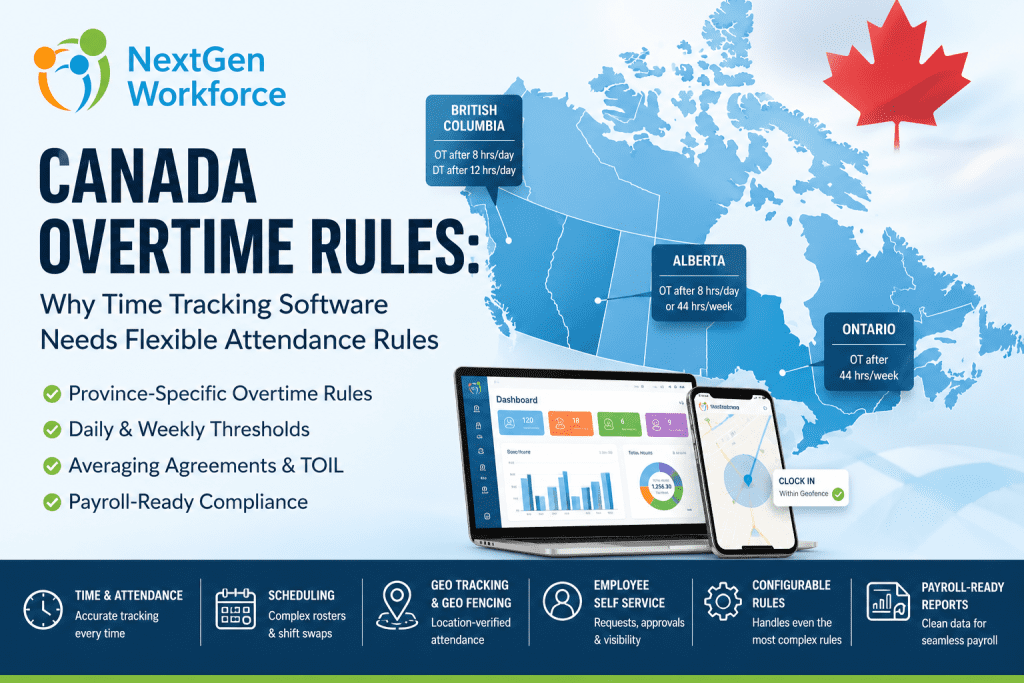
Canada Overtime Rules: Why Time Tracking Software Needs Flexible Attendance Rules By NextGen Workforce Editorial Team Last updated: June 2026 Canada overtime rules are not one-size-fits-all. Canada overtime rules depend on jurisdiction, province, industry, employee classification, union agreements, averaging agreements, and employment contracts. A rule that works for Ontario may not work for Alberta, British Columbia, or a federally regulated workplace. That creates a real problem for HR and payroll teams. In practice, they are not only tracking hours. They are also tracking the rule behind those hours. One employee may trigger weekly overtime. Another may trigger daily overtime. A third may work under an averaging agreement. Meanwhile, another employee may bank overtime as time off in lieu. For field teams, the workflow can get even more complex. A mobile employee may need GPS validation, while a manager may approve a schedule change that creates overtime without realizing it. When this is handled manually, payroll becomes reactive. That is why NextGen Workforce helps businesses manage this complexity with configurable attendance rules, time tracking, scheduling, geofencing, alerts, approvals, employee self-service, and payroll-ready reporting. Still Tracking Canadian Overtime Manually? NextGen Workforce helps businesses configure attendance rules by province, policy, employee group, location, and payroll setup. Track time, manage schedules, apply complex overtime rules, review exceptions, approve timecards, and prepare cleaner payroll-ready reports before payroll runs. Talk To An Expert There Is No Single Standard Canada Overtime Rule Quick answer: Canada does not have one universal overtime rule for every employer. Federal labour standards apply to federally regulated workplaces, while most employers follow provincial or territorial employment standards based on where employees work. This is the first mistake many employers make. They try to configure one overtime rule for every Canadian employee. That may work for a very small team in one province. However, it does not work well for businesses with multi-province teams, field employees, different employee groups, union agreements, or multiple pay policies. Federally regulated workplaces follow federal labour standards. These may apply to industries such as banking, airlines, telecommunications, broadcasting, and interprovincial transportation. Most other employers follow provincial or territorial employment standards. As a result, the system must first know which rule applies before it can calculate overtime correctly. Key takeaway: Canadian overtime configuration should start with jurisdiction. Federal and provincial rules cannot be treated as one standard setup. Canada Overtime Rules By Province: Why Thresholds Change Quick answer: Canadian overtime thresholds vary by province. Ontario commonly applies overtime after 44 hours in a work week, Alberta uses an 8/44 rule, and British Columbia applies daily overtime after 8 hours and double time after 12 hours in a day. This is why flexible attendance rules matter. If the system only checks weekly hours, it may miss daily overtime in provinces where daily overtime applies. However, if the system only checks daily overtime, it may miss weekly overtime. In addition, if the system checks both without proper logic, it may double-count hours. Jurisdiction Common Overtime Trigger Why It Matters Federal Standard hours generally reference 8/day and 40/week Applies to federally regulated workplaces Ontario Generally after 44 hours in a work week Weekly overtime tracking is critical Alberta Over 8/day or 44/week, whichever is greater Daily and weekly thresholds must both be reviewed British Columbia After 8/day; double time after 12/day Daily overtime and double time need automation These are only examples. Rules can also vary by industry, role, agreement, exemption, and specific working arrangement. Therefore, employers should always confirm current requirements using official sources or qualified counsel. Why Manual Overtime Tracking Breaks Down In Canada Quick answer: Manual overtime tracking breaks down when payroll teams manage different rules across provinces, schedules, agreements, employee types, and locations. Spreadsheets cannot reliably apply daily overtime, weekly overtime, averaging periods, banked time, statutory holiday premiums, and approvals together. Manual tracking usually starts with good intentions. However, the process becomes harder as the workforce grows. A manager changes a shift. An employee works in another province. A team uses an averaging agreement. A holiday falls inside the pay period. Meanwhile, another employee chooses banked time instead of paid overtime. A field employee clocks in from the wrong location. Each exception creates another payroll review item. Province rules: Payroll checks each location manually. Daily overtime: Long shifts need separate review. Weekly overtime: Totals must be checked before payroll. Double time: Premium hours need correct categories. Averaging: Multi-week cycles create manual math. Banked time: Overtime may become paid time off. Stat holidays: Holiday premiums need separate tracking. Approvals: Managers must review exceptions early. Payroll teams should not be rebuilding the rule logic every pay period. Instead, they need a system that applies the right rule at the right time. How NextGen Workforce Helps Solve HR And Payroll Concerns Quick answer: NextGen Workforce helps HR, payroll, and operations teams manage complex workforce rules in one connected system. Instead of tracking schedules, attendance, overtime, leave, approvals, GPS records, and payroll data manually, businesses can configure workflows that match their real policies. Canadian workforce management is rarely simple. One company may have employees in different provinces. Another may manage union rules, averaging agreements, banked overtime, statutory holidays, rotating schedules, field teams, and different pay periods. That is where many standard systems become difficult to use. They may work for basic time tracking. However, they often struggle when a customer has complex attendance rules, custom overtime logic, special approvals, shift premiums, or multi-location scheduling requirements. NextGen Workforce is built with flexibility at the center. The platform supports HRMS workflows, employee self-service, time and attendance, scheduling, shift swapping, geo-tracking, geo-fencing, alerts, approvals, and payroll-ready reporting in one connected workflow. Complete HRMS And Employee Self-Service Employees should not need to contact HR for every basic request. With NextGen Workforce, employees can access self-service tools for attendance, schedules, time-off requests, approvals, and personal workforce information. As a result, HR teams reduce manual follow-up while employees get better visibility. Time And Attendance With Payroll Accuracy Payroll accuracy starts with clean attendance data. NextGen Workforce time
Massachusetts Sick Leave Law: How to Track Earned Sick Time Without Manual Payroll Errors
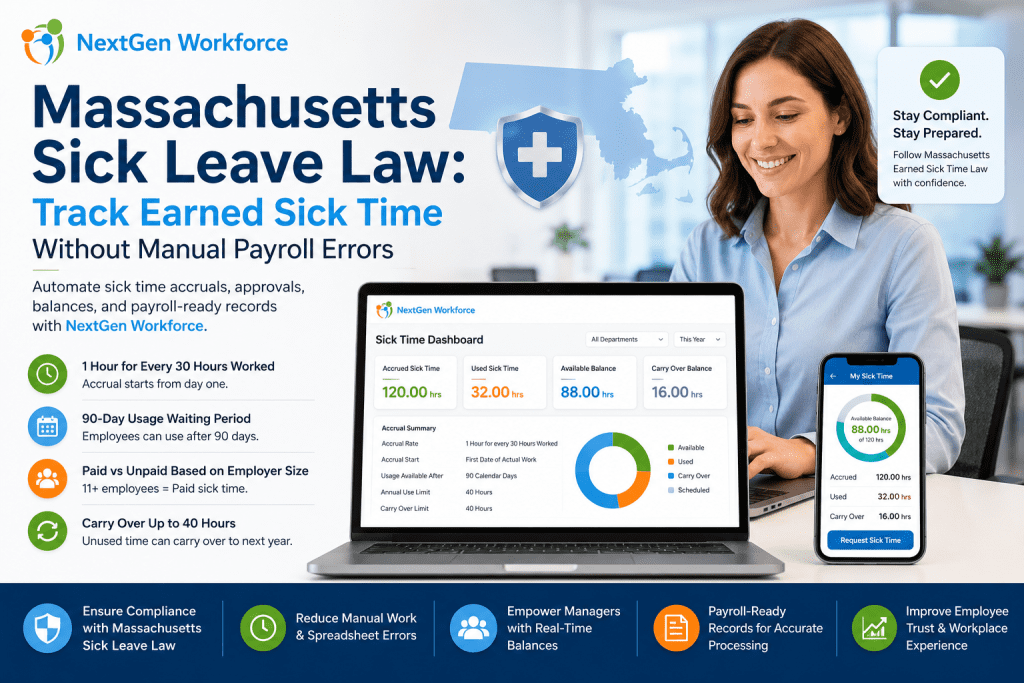
Massachusetts Sick Leave Law: How to Track Earned Sick Time Without Manual Payroll Errors By NextGen Workforce Editorial Team Last updated: May 2026 Massachusetts sick leave tracking looks simple until payroll has to calculate it every pay period. Massachusetts sick leave law requires most employers to provide earned sick time, up to 40 hours per year. Employees generally accrue 1 hour of sick time for every 30 hours worked, and whether that time is paid or unpaid depends on employer headcount. The rule is easy to explain. The tracking is where HR and payroll teams struggle. Part-time employees work different hours. Seasonal employees come and go. New hires start accruing from day one but may not be able to use sick time until later. Carryover needs year-end review. Payroll needs the correct paid or unpaid sick time category. When all of that lives in spreadsheets, email approvals, and manual balance updates, payroll errors become much easier to miss. That is where NextGen Workforce helps. NextGen Workforce connects time tracking, sick time accruals, leave requests, approvals, balance history, and payroll-ready reporting so businesses can manage earned sick time with less manual work. Still Tracking Massachusetts Sick Time Manually? NextGen Workforce helps businesses automate sick time accruals, requests, approvals, balances, and payroll-ready records. Track hours worked, calculate earned sick time, manage eligibility, approve requests, and prepare cleaner payroll records without spreadsheet cleanup. See How It Works What Is The Massachusetts Sick Leave Law? Quick answer: The Massachusetts Earned Sick Time Law gives most workers the right to earn and use job-protected sick time. Employers with 11 or more employees generally must provide paid sick time, while smaller employers must provide sick time that may be unpaid. Massachusetts sick leave law applies broadly to eligible workers whose primary place of work is in Massachusetts. This can include full-time, part-time, seasonal, and temporary employees. For HR teams, the main issue is not only writing the policy. The real work is tracking earned sick time correctly for every employee type. A full-time employee may reach the annual limit quickly. A part-time employee may accrue slowly. A seasonal employee may leave and return. A temporary employee may still count toward employer size calculations depending on the situation. That is why Massachusetts sick leave compliance becomes a workflow problem. You need accurate hours, clear balances, eligibility rules, approval history, and payroll-ready sick time records. How Massachusetts Earned Sick Time Accrual Works Quick answer: Employees generally earn 1 hour of sick time for every 30 hours worked, up to 40 hours per benefit year. Accrual starts on the first date of actual work, but employees generally may begin using accrued sick time after 90 days. Massachusetts sick time accrual depends on hours worked. That means payroll and HR need accurate time records before they can trust the sick leave balance. Accrual Rate Employees generally accrue 1 hour of earned sick time for every 30 hours worked. This includes hours worked toward accrual, and regulations also address different work arrangements such as exempt employees, piece work, and fee-for-service situations. Annual Limit Employees can generally earn and use up to 40 hours of earned sick time per benefit year if they work enough hours. This annual limit matters because payroll should not allow sick time usage beyond the employer’s configured policy and legal requirements. 90-Day Usage Waiting Period Employees generally begin accruing earned sick time from the first date of actual work. However, they may generally begin using accrued earned sick time 90 days after their first date of actual work. Carryover Unused earned sick time may carry over to the next benefit year, up to 40 hours. Employers may still limit annual use to 40 hours, depending on the applicable rules and policy setup. Key takeaway: Massachusetts sick time accrual depends on accurate hours worked. If time tracking is wrong, leave balances can be wrong too. Why Massachusetts Sick Leave Tracking Creates Payroll Risk Quick answer: Massachusetts sick leave tracking creates payroll risk when hours worked, accrual balances, paid or unpaid status, waiting periods, usage limits, and carryover are managed manually. Small tracking errors can turn into payroll corrections and employee disputes. Many businesses understand the law but still struggle with the process. The problem is usually not the policy document. It is the day-to-day tracking. Payroll teams need to know how many hours an employee worked. HR needs to know how much sick time the employee earned. Managers need to know whether the employee has a usable balance. Employees expect their balance to be correct. If those records live in different places, the process breaks down. A sick time request may be approved before eligibility is checked. A part-time employee’s accrual may be miscalculated. A carryover balance may be updated late. Payroll may receive the wrong sick time category. That creates unnecessary manual work. It also creates employee trust issues. Sick time is personal, and employees expect their balance to be accurate when they need it. What HR And Payroll Teams Must Track Manually Quick answer: To manage Massachusetts earned sick time manually, HR and payroll teams must track hire dates, hours worked, accrual earned, usage eligibility, paid or unpaid status, time used, remaining balance, carryover, and payroll categories. This is where spreadsheets become risky. One spreadsheet may track hours. Another may track PTO. A manager may approve time off by email. Payroll may enter the sick time manually later. Each handoff creates room for error. Employer size: Determines paid or unpaid sick time. Employee hire date: Supports the 90-day usage waiting period. Hours worked: Drives sick time accrual. Accrual earned: Shows available sick time. Sick time used: Reduces the employee balance. Remaining balance: Helps managers approve requests. Carryover balance: Supports year-end tracking. Paid or unpaid status: Affects payroll processing. Documentation rules: Helps HR apply policy consistently. Payroll category: Ensures the correct earning code is used. If even one item is tracked separately, payroll may receive the wrong information. NextGen Workforce helps reduce that risk by connecting
California Overtime Rules: How to Prevent Payroll Errors Before They Reach QuickBooks
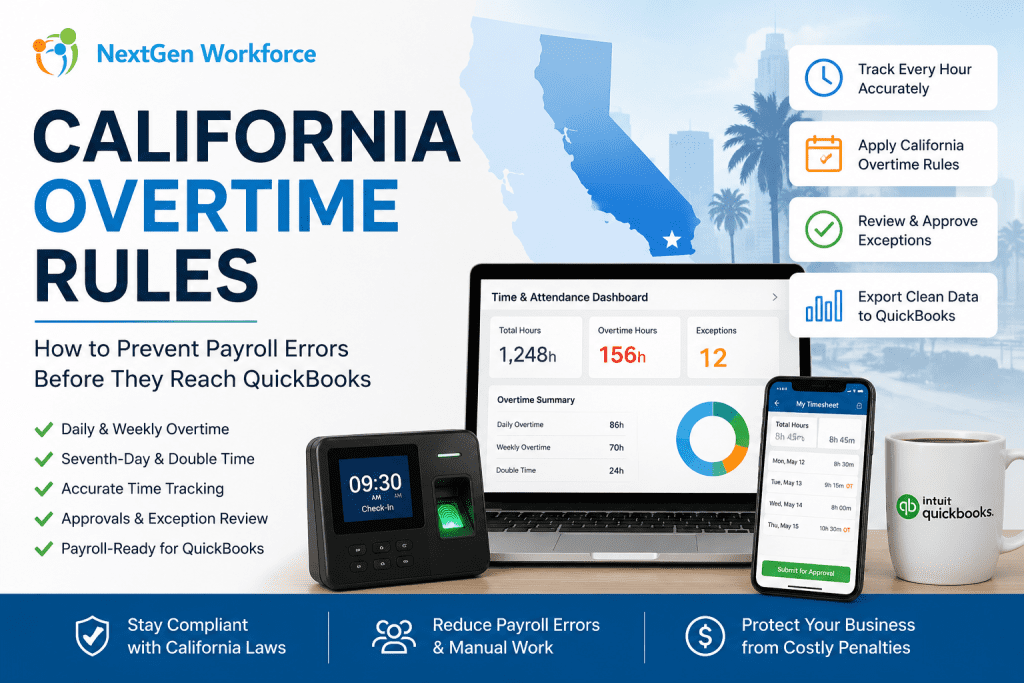
California Overtime Rules: How to Prevent Payroll Errors Before They Reach QuickBooks By NextGen Workforce Editorial Team Last updated: May 2026 California overtime rules can get expensive quickly. California overtime rules require careful review of daily hours, weekly totals, seventh-day work, employee schedules, and payroll approvals. Businesses using QuickBooks need clean, payroll-ready time data before export so overtime, double time, PTO, and attendance exceptions are handled correctly. For many California employers, payroll problems do not start inside QuickBooks. They start earlier. An employee clocks in early. A manager approves a schedule change verbally. A missed punch sits unresolved. A long shift crosses daily overtime. Then payroll arrives, and the team has to fix everything under pressure. That is the real issue. QuickBooks can process payroll, but it depends on the quality of the time data sent into it. If attendance, overtime, PTO, and approvals are not reviewed first, payroll can still become messy. Managing California Overtime Manually? NextGen Workforce helps businesses catch overtime issues before payroll runs. Track time, compare schedules, apply overtime rules, review exceptions, approve timecards, and prepare cleaner payroll-ready data for QuickBooks. See How It Works What Are California Overtime Rules? Quick answer: California overtime rules are more detailed than basic weekly overtime. Many nonexempt employees may qualify for daily overtime, weekly overtime, seventh-day overtime, and double time depending on hours worked and employee classification. Under California guidance, overtime may apply when a nonexempt employee works more than 8 hours in a workday, more than 40 hours in a workweek, or works on the seventh consecutive day in a workweek. California also recognizes double-time situations. This can apply when employees work more than 12 hours in a workday or more than 8 hours on the seventh consecutive day of work in a workweek. That means payroll teams cannot only check weekly totals. They must review daily hours, workweek totals, schedule changes, seventh-day work, and employee classifications. Exemptions and industry-specific rules may also apply, so employers should confirm details with legal counsel or official state guidance. Why California Overtime Creates Payroll Risk Quick answer: California overtime creates payroll risk because small attendance errors can affect regular time, overtime, double time, and payroll export accuracy. Missed punches, late approvals, and schedule changes can lead to incorrect pay categories if they are not reviewed before payroll. California payroll becomes risky when time data is incomplete. A missed clock-out may change daily totals. An early start may trigger overtime. A long shift may create double time. A seventh consecutive workday may need special review. These are not small details for payroll. They affect paychecks, labor cost, employee trust, and compliance exposure. They also create extra work for payroll managers who already have a deadline. California enforcement activity shows why accurate payroll records matter. In 2024, the California Labor Commissioner’s Office announced a $1.7 million wage theft settlement involving more than 550 Wingstop employees in Kern County after an investigation involving wages, overtime, and meal breaks. Manual review makes the problem harder. Payroll teams may need to check spreadsheets, manager notes, timecards, schedules, PTO requests, and QuickBooks export files. When those records do not match, the team has to investigate before payroll can move forward. Key takeaway: California overtime should be reviewed before payroll, not discovered during payroll. What Payroll Teams Should Review Before Running California Payroll Quick answer: Before running California payroll, teams should review missing punches, daily hours, weekly totals, seventh-day work, double-time triggers, PTO, holidays, schedule changes, and manager approvals. This helps reduce corrections before exporting time data to QuickBooks. A strong overtime process starts before payroll day. Payroll teams should not wait until the end of the pay period to discover exceptions. They need a workflow that identifies issues while managers still have time to review them. Missing Punches Missing punches can create incorrect daily totals. If an employee forgets to clock out, the system may not know whether overtime applies. Payroll then has to chase the employee or manager for confirmation. Daily Hours California daily overtime makes daily review important. Even when weekly hours look normal, a single long workday may still create overtime or double time. This is where basic weekly-only reviews can fail. Weekly Totals Weekly overtime still matters. Payroll teams should review total workweek hours and confirm whether overtime categories are separated correctly before export. Seventh-Day Work Seventh-day work needs special attention. If an employee works seven consecutive days in a workweek, payroll should review whether seventh-day overtime or double time applies based on the hours worked. PTO And Holidays PTO and holidays should match the timecard. If approved time off does not appear correctly, payroll teams may have to manually compare records from HR, scheduling, and attendance systems. Manager Approvals Approvals should happen before payroll. Payroll should not depend on emails, text messages, or verbal approval after the pay period closes. Manager review should be part of the timecard workflow. Free Checklist: California Overtime Payroll Audit Checklist Before sending hours to QuickBooks, use a simple checklist to review missing punches, daily overtime, weekly overtime, seventh-day work, PTO, approvals, and export readiness. Review punches: Find missing clock-ins and clock-outs. Check daily hours: Identify days over 8 and 12 hours. Check weekly totals: Review hours over 40 in the workweek. Review seventh-day work: Confirm consecutive-day rules. Confirm approvals: Make sure managers reviewed exceptions. Validate PTO: Match approved time off with timesheets. Prepare export: Confirm earning codes before QuickBooks. Contact for The California Overtime Checklist How Manual Overtime Tracking Breaks Down Quick answer: Manual overtime tracking breaks down when payroll teams rely on spreadsheets, manager memory, email approvals, and last-minute corrections. The risk grows when employees work across multiple locations, shifts, departments, or pay periods. Manual overtime review looks manageable when the team is small. Then the business grows. More employees clock in. More managers approve time. More sites open. More schedules change during the week. That is when manual tracking starts to crack. Spreadsheets drift: One edit can change payroll totals. Emails get buried: