
Custom Time Tracking Software for Complex Workforce Rules
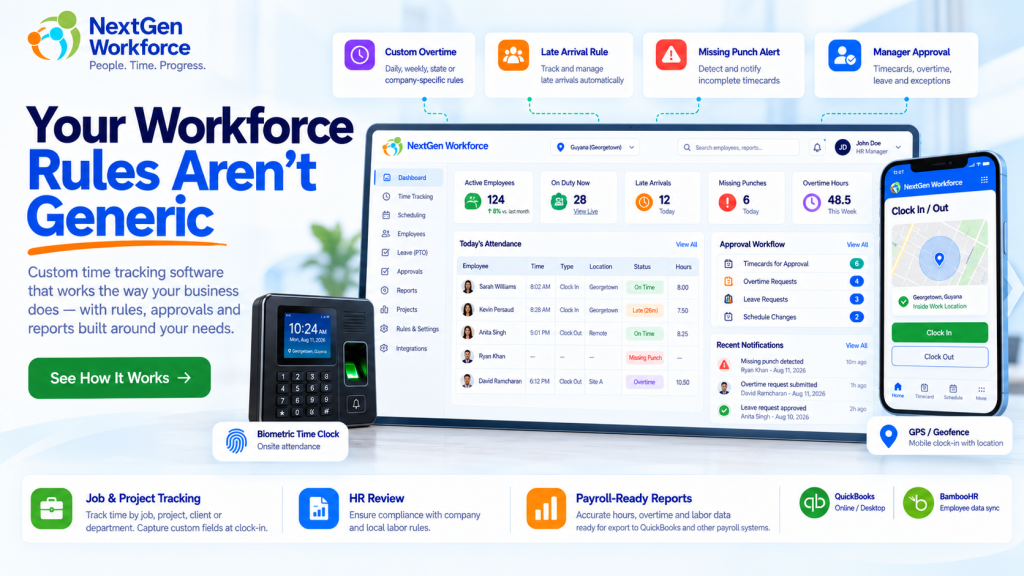
Custom Time Tracking Software for Complex Workforce Rules Most businesses do not struggle because employees cannot clock in. They struggle because the rules around that clock-in are more complicated than the software expects. An employee works overtime after a specific daily threshold. Another department follows a different schedule. A manager approves overtime, but HR must review it before payroll. Field employees need GPS and job information at clock-in. One customer needs travel time. Another needs Saturday, Sunday, or holiday premiums. That is where basic time tracking starts to break down. NextGen Workforce is built for businesses that need more than a standard clock-in and clock-out workflow. It helps companies manage time tracking, attendance, overtime, scheduling, approvals, location rules, custom punch information, and payroll-ready reporting around the way the business actually operates. Your Workforce Rules Aren’t Generic If your team is still adjusting timesheets manually because your software cannot handle the way your business works, let’s review the workflow. Talk To An Expert Image Placeholder: Custom Workforce Rules Hero What Is Custom Time Tracking Software? Custom time tracking software allows a business to define how employee time should be captured, validated, approved, categorized, and reported instead of forcing every employee into one fixed workflow. Basic systems usually answer a simple question: When did the employee start and stop working? Businesses with more complex operations need the system to answer much more: Was the employee scheduled to work? Did they arrive late? Did overtime start after the correct threshold? Does the day qualify for a premium rate? Was the employee at the correct location? Which client, project, job, or order did they work on? Did a manager approve the extra hours? Does HR need to review the approval? Is a punch missing? Is the record ready for payroll? The punch itself is only the starting point. The time clock records what happened. The workforce rules determine what it means. Why Standard Time Tracking Often Stops Being Enough A small business may start with one simple rule: Clock in. Clock out. Calculate the hours. Then the business grows. It adds departments. Different shifts. Field employees. Client sites. Overtime rules. Approval levels. Paid and unpaid leave. Holidays. Mobile workers. Payroll integrations. Before long, payroll is fixing exceptions every pay period. The system may still be collecting punches correctly, but the people around it are doing the real work manually. That usually shows up in spreadsheets, emails, supervisor notes, payroll adjustments, or repeated questions from HR. If the same corrections happen every payroll cycle, the problem may not be employee behavior. The workflow may simply be too rigid. 1. Custom Overtime Thresholds Not every company calculates overtime using the same rule. Some businesses may apply overtime after a daily threshold. Others may use a weekly threshold. Some may need both. Another company may have a customer-specific rule based on the employee group, workday, or agreement. For example: Worked Hours Configured Rule Result 8.00 OT after 8.5 hours 8.00 Regular 8.50 OT after 8.5 hours 8.50 Regular 9.25 OT after 8.5 hours 8.50 Regular + 0.75 OT Another employer may require daily overtime after eight hours and double time after twelve. The important point is that the software should apply the configured rule consistently and keep the calculation reviewable. NextGen Workforce supports configurable overtime logic for businesses that need more than one generic overtime setting. 2. Saturday, Sunday, and Holiday Rules Weekend and holiday hours can create another layer of complexity. A company may need rules such as: Saturday hours at a premium rate Sunday hours at double time Public holiday hours at a separate rate Holiday rules that override normal daily overtime Different weekend treatment by employee or location These are exactly the kinds of rules that become difficult when payroll has to identify and recalculate them manually. A configurable system can classify the hours automatically before they reach payroll. 3. More Than One Approval Level In some organizations, manager approval is enough. In others, it is only the first step. A business may require: Employee Works Extra Hours ↓ Manager Reviews ↓ Manager Approves ↓ HR Reviews ↓ Payroll Ready This matters because operational approval and payroll approval are not always the same thing. A supervisor may confirm that an employee worked the hours. HR may still need to check policy, overtime eligibility, documentation, or pay treatment before payroll receives the record. NextGen Workforce can support multi-step approval workflows where customers need more control over that process. 4. Late Rules With Configurable Grace Periods “Late” sounds simple until you ask what late actually means. One company may flag an employee one minute after the scheduled start. Another may allow five minutes. Another may want the late minutes reported but not treated as an exception until a separate threshold is reached. For example: Shift Start Clock-In Configured Grace Result 8:00 AM 8:03 AM 5 minutes Within tolerance 8:00 AM 8:05 AM 5 minutes Within tolerance 8:00 AM 8:09 AM 5 minutes Late The system can then track: Late occurrences Late minutes by day Total late minutes by employee Department late totals Attendance trends That gives HR something more useful than a simple red icon next to a punch. 5. Missing Punch Alerts Before Payroll Missing punches are one of the simplest problems in attendance management, but they still create a surprising amount of payroll cleanup. An employee clocks in but forgets to clock out. Another employee is scheduled but never records a clock-in. If those exceptions are discovered at the end of the pay period, payroll has to chase people for answers. A better workflow surfaces the problem earlier. For example: Scheduled Shift Starts ↓ No Clock-In Detected ↓ Configured Tolerance Expires ↓ Attendance Exception Created ↓ Manager / Supervisor Alerted NextGen Workforce can support alerts and exception workflows so managers can act before payroll day. 6. Different Rules for Different Employees or Departments One of the biggest limitations of rigid attendance systems is assuming every employee follows the same rule. That is often
Time and Attendance Software for Guyana Businesses
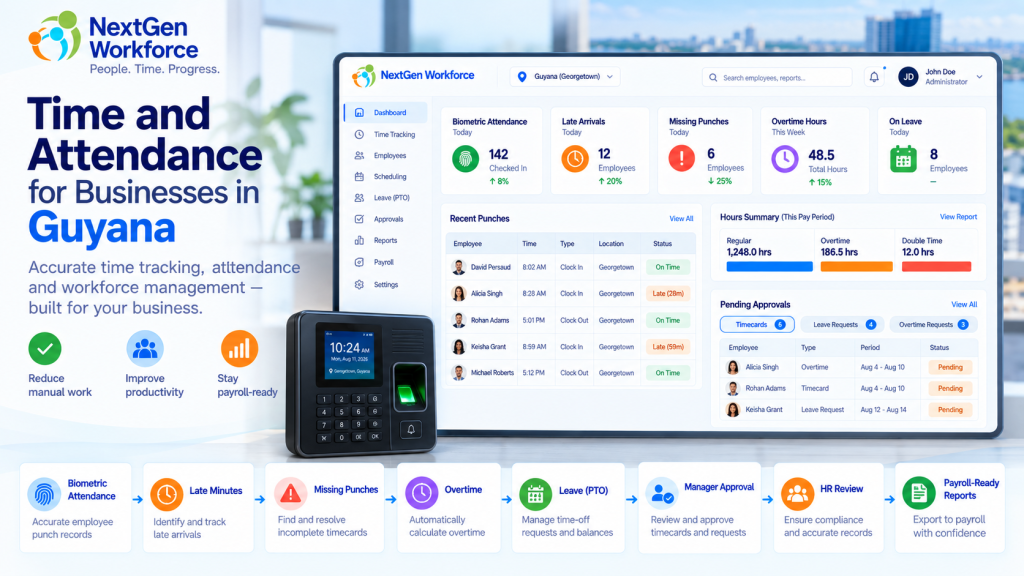
Time and Attendance Software for Guyana Businesses Employee attendance gets complicated quickly when overtime, late arrivals, missed punches, leave, approvals, and payroll all depend on the same time data. A biometric clock may record when someone arrives and leaves. But HR still needs to know whether the employee was late, whether overtime applies, whether a punch is missing, which leave category applies, and whether the record is ready for payroll. That is the gap NextGen Workforce is designed to handle. NextGen Workforce helps businesses in Guyana manage biometric time capture, attendance rules, overtime, late arrivals, leave categories, manager alerts, approvals, and payroll-ready reporting in one connected workflow. For companies with hourly employees, shift workers, multiple departments, or more complex attendance policies, that can remove a lot of manual checking before payroll. Still Checking Attendance Manually Before Payroll? NextGen Workforce helps Guyana businesses move from employee punches to reviewed, approved, payroll-ready attendance data. Talk To An Expert What Does Time and Attendance Software Need to Do for a Guyana Business? Quick answer: A useful attendance system should do more than collect clock-in and clock-out times. It should help HR and payroll review overtime, late arrivals, missed punches, leave, approvals, departments, and payroll-ready totals. Think about a normal payroll week. One employee clocks in late. Another forgets to clock out. A third works overtime. Someone else is on certified sick leave. A manager approves extra hours, but HR still wants a final review before those hours reach payroll. A simple time clock can record some of this. But someone still has to connect the pieces. NextGen Workforce helps bring those pieces into one workflow: Biometric time clock punches Web and mobile clock-in options Employee schedules Late-arrival rules Missing punch alerts Overtime calculation Manager and HR approvals Leave and attendance categories Employee and department summaries Payroll-ready reports Guyana Overtime Rules: What Employers Need to Track Quick answer: Guyana’s Ministry of Labour states that the normal work week is 40 hours over no more than five days, with normal daily working hours of eight hours. Work beyond eight hours in a day generally attracts overtime at one-and-a-half times the normal rate. Source: Guyana Ministry of Labour The same Ministry guidance says workers are generally entitled to at least 1.5× their normal rate for hours worked on Sundays and public holidays. It also sets out special rules for factory workers, including 2× pay on Sundays and certain named public holidays. Source: Guyana Ministry of Labour For factory workers, the Ministry separately notes that Sundays and certain public holidays can attract double time, while other public holidays may attract 1.5×. Source: Guyana Ministry of Labour factory overtime guidance That means employers should not treat every overtime situation as one simple rule. Industry, employee category, company policy, and applicable legislation all matter. NextGen Workforce can be configured around the overtime rules that apply to the business. For example, one employer may configure: Daily overtime after a defined threshold Saturday overtime rules Sunday premium rates Public holiday premium rates Manager approval before overtime is accepted HR review before approved overtime reaches payroll Important: Company-configured attendance rules should always be reviewed against the employer’s applicable Guyana labour requirements. The software can apply the configured rule, but the employer remains responsible for confirming which legal rule applies. Why a Biometric Time Clock Is Only the First Step Quick answer: A biometric time clock gives you reliable punch data. The attendance system still needs to interpret that data for schedules, lateness, overtime, leave, exceptions, and payroll. Biometric devices are useful because they help confirm that the right employee is making the punch. That matters in environments where employees work on-site and businesses want tighter control over attendance records. But the clock itself does not answer questions such as: Was the employee late? How many minutes late? Did overtime apply? Was the overtime approved? Is a punch missing? Was the employee on vacation or sick leave? How many hours did the department work? Is the timecard ready for payroll? NextGen Workforce connects the biometric punch to the attendance workflow. That is where the value becomes much bigger than simply replacing a paper timesheet. Track Late Employees Automatically Quick answer: NextGen Workforce can compare an employee’s actual clock-in time with the scheduled shift start and flag late arrivals based on the company’s configured tolerance. For example, a company may decide that an employee is considered late when they clock in more than five minutes after the scheduled start time. Shift Start Clock-In Attendance Result 8:00 AM 8:03 AM Within configured tolerance 8:00 AM 8:05 AM Within configured tolerance 8:00 AM 8:07 AM Late — 7 minutes 8:00 AM 8:18 AM Late — 18 minutes The system can then report: Late status Late minutes for the day Total late minutes for the month Late occurrences by employee Total late minutes by department This gives HR something more useful than a simple “late” flag. They can see the pattern. Alert Managers When an Employee Is Late or Misses a Punch Quick answer: Attendance alerts can notify managers or supervisors when an employee has not clocked in after the allowed tolerance or when an expected punch is missing. That is much more useful than discovering the problem at the end of the pay period. A typical late-arrival workflow might look like this: The employee is scheduled for 8:00 AM. The company allows a five-minute tolerance. No clock-in exists after the configured threshold. The system flags the attendance exception. The manager or supervisor receives an alert. A missing punch can work in a similar way. For example, an employee may clock in correctly but forget to clock out. Instead of payroll discovering the problem days later, the exception can be surfaced earlier for review. Manager Approval Is Not Always the Final Payroll Approval Quick answer: Some businesses need more than one approval level. A manager may approve overtime first, while HR performs a final review before overtime becomes payroll-ready. This is a common example of why
Overtime Request Automation: Paid Overtime or Time Off in Lieu Before Payroll
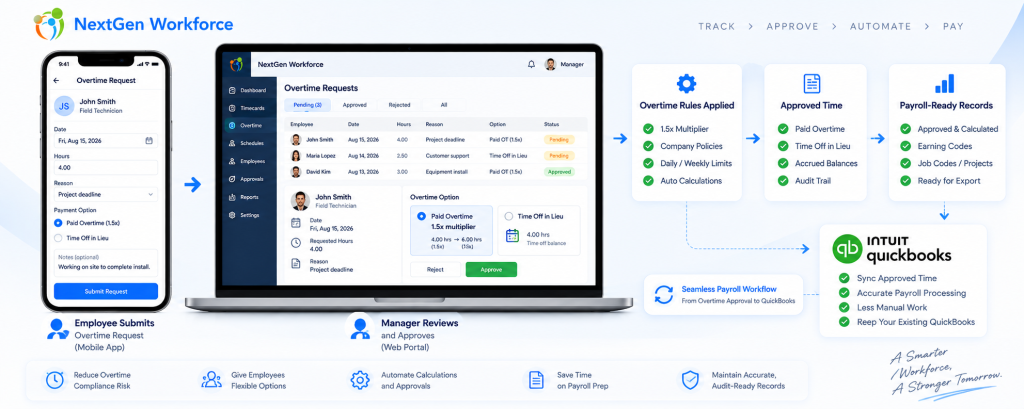
Overtime Request Automation: Paid Overtime or Time Off in Lieu Before Payroll By NextGen Workforce Editorial Team Last updated: September 2026 Overtime approval should happen before payroll, not during payroll cleanup. NextGen Workforce helps businesses manage overtime requests, approvals, paid overtime, time off in lieu, configurable multipliers, audit history, and payroll-ready records before payroll runs. For many businesses, overtime becomes a payroll problem because the approval happens too late. An employee works extra hours. A manager reviews it after the pay period. Payroll has to confirm whether the hours were approved, whether they should be paid, whether they should be converted to time off in lieu, and whether the correct earning code or balance should be updated. That creates manual cleanup. NextGen Workforce helps move this process earlier by giving employees and managers a structured overtime request workflow. Still Approving Overtime by Email or Spreadsheet? NextGen Workforce helps employees request overtime, choose paid overtime or time off in lieu, route approvals, apply configurable multipliers, and prepare payroll-ready records. Talk To An Expert Why Overtime Requests Need a Better Workflow Quick answer: An overtime request workflow helps employees submit extra hours for review, lets managers approve or reject those hours, and gives payroll clear instructions before processing paid overtime or time off in lieu. Overtime is not only a payroll calculation. It is also an approval process. Payroll teams need to know whether the extra time was authorized, why it happened, who approved it, and how it should be handled. Without a structured workflow, overtime decisions often happen through emails, messages, spreadsheets, or verbal approvals. That creates several problems: Employees work extra time without approval. Managers approve overtime too late. Payroll does not know whether overtime should be paid or banked. Time off in lieu balances are updated manually. Rejected overtime has no clear audit history. Payroll-ready reports need last-minute correction. A good overtime request workflow gives everyone the same record. The employee submits the request. The manager reviews it. Payroll receives approved and categorized data. Paid Overtime vs. Time Off in Lieu Quick answer: Paid overtime means approved extra hours are paid through payroll. Time off in lieu means approved overtime is converted into paid time off or banked time, where allowed by law and company policy. Businesses may handle approved overtime in different ways depending on country, province, state, employment agreement, employee classification, and company policy. In many Canadian employment contexts, time off in lieu or banked overtime can be allowed when specific rules are followed. For example, Canadian federal labour standards describe overtime compensation as either overtime pay or time off with pay equivalent to 1.5 hours for every overtime hour worked, subject to applicable rules. However, this is not universal everywhere. In the United States, covered nonexempt private-sector employees are generally entitled to overtime pay under the Fair Labor Standards Act. Employers should verify whether compensatory time off is allowed for their specific workforce before offering it. Option What It Means Payroll or Balance Impact Paid overtime Approved extra hours are paid at the applicable overtime rate Payroll earning code is updated Time off in lieu Approved overtime is converted into paid time off or banked time where allowed Time bank or leave balance is credited Pending approval Request is waiting for manager review Not finalized for payroll Rejected request Manager denies the overtime request Handled based on company policy and legal requirements The key is clarity. Payroll should not have to guess whether approved overtime should be paid or credited as time off in lieu. How the 1.5x Time Off in Lieu Rule Can Work Quick answer: Where time off in lieu is allowed, a company may credit overtime hours at a configured multiplier, such as 1.5x. For example, 2 approved overtime hours can become 3 hours of banked time. Some businesses allow employees to receive paid time off instead of paid overtime. This is often called: time off in lieu TOIL banked overtime compensatory time time bank Example: Approved Overtime Hours Multiplier Time Off in Lieu Credit 1 hour 1.5x 1.5 hours 2 hours 1.5x 3 hours 4 hours 1.5x 6 hours With NextGen Workforce, this can be handled as a configurable policy. For example, if an employee requests 2 hours of approved overtime as time off in lieu, the system can credit 3 hours to the employee’s time bank when the configured multiplier is 1.5x. This helps reduce manual balance updates and gives payroll a clearer audit trail. Why Retroactive Overtime Requests Matter Quick answer: Retroactive overtime requests allow employees to submit overtime after the work was performed, within a configured window such as 72 hours. This helps businesses handle emergency work without losing approval control. Not all overtime is planned in advance. Sometimes employees work extra hours because of an emergency, customer request, production issue, staffing gap, late shift coverage, or urgent project deadline. In those cases, a strict “advance approval only” process may not reflect reality. That is why many businesses need a retroactive overtime request window. For example, a company may allow employees to submit overtime requests for previous days within a configured window, such as 72 hours after the work was performed. This is not presented as a universal legal rule. It is a company policy setting. The benefit is control. Employees can explain why overtime happened. Managers can approve or reject the request. Payroll can see the approval decision before processing. The system can keep an audit record. This helps prevent overtime from becoming an unstructured payroll exception. How NextGen Workforce Automates Overtime Requests Quick answer: NextGen Workforce can automate overtime requests by allowing employees to select the date, hours, reason, and preferred handling method, then route the request to a manager for approval before payroll. A practical overtime request workflow can look like this: Employee selects the overtime date. Employee enters requested overtime hours. Employee chooses paid overtime or time off in lieu, where allowed. Employee adds a reason or note. System checks the request window, such
California Meal Premium Automation: Catch 5-Hour and 10-Hour Meal Break Issues Before Payroll
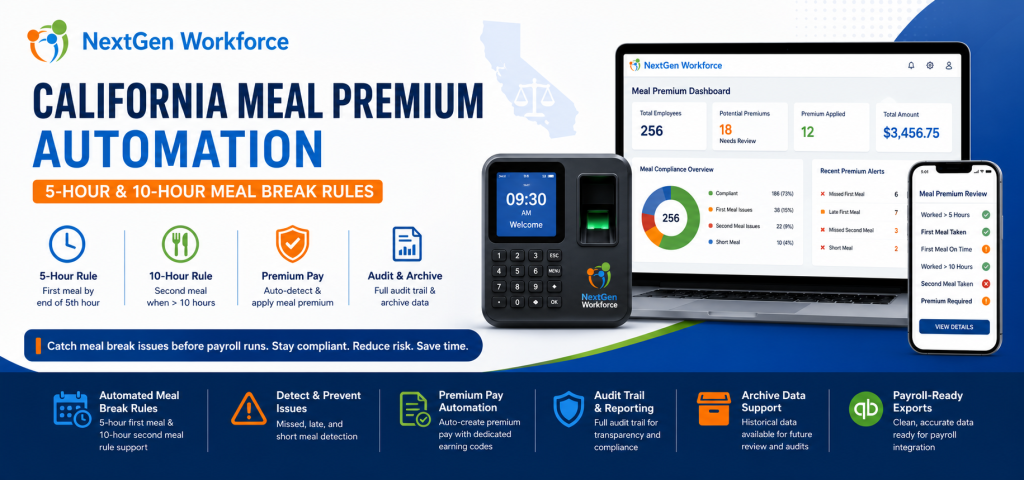
California Meal Premium Automation: Catch 5-Hour and 10-Hour Meal Break Issues Before Payroll By NextGen Workforce Editorial Team Last updated: June 2026 California meal premium errors are usually found too late. California meal premium automation helps employers review first meal, second meal, short meal, missed meal, and late meal issues before payroll runs. For hourly teams, this means payroll can catch 5-hour and 10-hour meal break problems earlier instead of fixing them after timecards are already closed. That is the real payroll problem. California meal period rules are not only a legal policy. They are a daily timecard review workflow. An employee works past the fifth hour without a meal break. Another employee works more than 10 hours and may need a second meal period review. A manager forgets to approve a meal premium. Payroll discovers the issue after the pay period closes. When this review is manual, mistakes are easy to miss. NextGen Workforce is enhancing support and automation for California meal premium workflows, including 5-hour first meal review, 10-hour second meal review, premium pay handling, audit visibility, and archive data for payroll and compliance review. Still Reviewing California Meal Premiums Manually? NextGen Workforce helps businesses detect missed, late, short, first, and second meal break issues before payroll runs. Review meal premium triggers, approvals, audit history, archive data, and payroll-ready premium records in one connected workflow. Talk To An Expert What Is California Meal Premium Pay? Quick answer: California meal premium pay generally applies when an employer does not provide a required meal period. In that situation, the employee may be owed one additional hour of pay at the regular rate for that workday. California meal break compliance matters because the timing and availability of meal periods affect payroll. For many nonexempt employees, a meal period must generally be provided when the work period is more than five hours. The meal period generally must be provided no later than the end of the employee’s fifth hour of work. When an employee works more than 10 hours in a day, a second meal period may also be required. If a required meal period is not provided, meal premium pay may be owed. For payroll teams, this creates a practical problem. They must know whether the employee worked long enough to trigger a meal rule, whether the meal break was taken, whether it was taken on time, whether it was long enough, and whether a premium should be added. Key takeaway: California meal premium review should happen before payroll, not after payroll discovers a missing premium. Why California Meal Premium Errors Happen Quick answer: California meal premium errors happen when timecards, break records, schedules, manager approvals, and payroll codes are reviewed manually or stored in separate systems. Most meal premium issues do not happen because payroll teams are careless. They happen because the workflow is fragmented. A manager may review total hours but not meal timing. Payroll may review overtime but not break length. An employee may have a valid unpaid break, but the break record may be missing. Another employee may work more than 10 hours, but the second meal review may not happen before payroll starts. These problems become harder when teams work long shifts, multiple job sites, changing schedules, or high-volume hourly operations. Manual review creates several risks: Late first meal: The meal may start after the required timing window. Missed meal: No qualifying meal break appears on the timecard. Short meal: The meal break may be shorter than required. Second meal risk: Shifts over 10 hours may need additional review. Duplicate premiums: Payroll may accidentally add the same premium more than once. Missing pay code: Meal premium may not appear under the correct earning code. No audit trail: Managers and payroll may not see who reviewed what. No archive view: Historical records may be hard to verify later. As a result, payroll teams spend time checking records manually instead of starting with clean, reviewed data. The 5-Hour First Meal Rule: Why Timing Matters Quick answer: California meal period review should check whether an employee who works more than five hours received a qualifying meal period no later than the end of the fifth hour, unless a valid exception or waiver applies. The first meal period is one of the most common areas where payroll mistakes happen. It is not enough to know that the employee took a meal break. The system also needs to know when the meal break started, whether it was long enough, and whether the employee’s worked time crossed the rule threshold. For example, if an employee clocks in at 7:00 AM and works a full shift, the system should review whether the first meal period was provided within the expected timing window. When this is done manually, payroll may only see total hours. However, meal premium review requires more than total hours. It requires a time-based check. NextGen Workforce helps automate this review by checking timecard and break data against configured California meal premium rules. The 10-Hour Second Meal Rule: Why It Is Easy To Miss Quick answer: When an employee works more than 10 hours in a day, the timecard may need second meal period review. This is easy to miss when payroll only checks total hours, overtime, or the first meal break. Second meal period review is where manual processes often break down. A long shift may already have overtime. Payroll may focus on regular and overtime categories. Meanwhile, the second meal requirement may not be reviewed carefully. That creates risk. If the employee works more than 10 hours, the system should check whether a second meal period is required, whether it was provided, and whether any waiver or exception applies. NextGen Workforce helps businesses review these 10-hour meal break scenarios before payroll runs. This gives payroll teams better visibility into possible second meal premium issues before timecards are finalized. How NextGen Workforce Automates California Meal Premium Support Quick answer: NextGen Workforce helps automate California meal premium support by reviewing
NGWorkforce AI Compliance Engine — Automated Labor Law Audits
🛡️ AI-Powered Compliance, Built Into Every Payroll Run NGWorkforce’s AI Compliance Engine continuously audits your workforce data against federal and state labor laws — catching violations before they become fines, lawsuits, or audit flags. Book a Live Demo See Pricing The Problem Every Employer Faces Labor law compliance isn’t optional — and it’s getting more complex every year. FLSA overtime rules, state meal-break requirements, Davis-Bacon prevailing wages, I-9 eligibility deadlines, and 50 different sets of state wage laws create a compliance minefield. Manual audits are slow, error-prone, and always one payroll cycle behind. The average FLSA violation costs $1,000–$10,000 per employee per year — and most violations go undetected until an audit. ⏱️ Real-Time Violation Detection Our engine analyzes every time record as it’s submitted — flagging missed meal breaks, unapproved overtime, and punch irregularities instantly, not days later when payroll has already run. 📋 Rule-Based Audit Engine Configure compliance rules that mirror your exact obligations — federal FLSA standards, California daily overtime, Illinois break laws, and more. Standard rules are built in; custom rules are a few clicks away. 🔗 Payroll Integration Gate Before data flows to ADP, QuickBooks, Paychex, or Gusto, our engine runs a final compliance scan. Only clean, validated records reach payroll — no surprises, no clawbacks. 📊 Audit-Ready Reports Every compliance run generates a detailed findings report: which employees were flagged, which rules triggered, and what the violation looked like — exportable as PDF or CSV, ready for your legal or HR team. 🤖 AI-Driven Pattern Recognition Beyond rule checks, our LLM layer identifies anomalies that rigid rules miss — suspicious punch patterns, potential misclassification signals, and scheduling practices that create legal exposure. 🗂️ Multi-Jurisdiction Support Operating across states? Our engine applies the right rules to the right employees automatically — no manual configuration per location. Federal floor, state ceiling, local ordinance: all handled. How the AI Compliance Engine Works Four steps from raw workforce data to a clean, compliant payroll run. 1 Connect Your Data Link your time-tracking, scheduling, and payroll data sources. We support MySQL, REST APIs, SFTP feeds, and direct integrations with ADP, QuickBooks, Paychex, and more. 2 Configure Your Rules Select from our library of 50+ pre-built federal and state compliance rules, or create custom rules for your industry, union agreements, or internal policies. 3 Auto-Audit Every Record The AI engine extracts, transforms, and evaluates every time entry, punch record, and schedule against your configured rules — fully automated, no manual review required. 4 Review & Act on Findings Violations surface in a clear dashboard with employee-level detail, violation type, and remediation guidance. Resolve issues before payroll runs or export findings for HR review. Compliance Coverage: Federal & All 50 States Our rule library covers the labor laws that matter most — and we add new rules as regulations change. Here’s what’s covered out of the box: FLSA Overtime (Federal) Automatic detection of employees working over 40 hours/week without 1.5× pay. Flags exempt vs. non-exempt misclassification risks and salary threshold violations. State Meal & Rest Break Laws California’s 30-minute meal break for 5+ hour shifts, Illinois’ 20-minute break for 7.5-hour shifts, New York, Washington, and more — all enforced automatically per employee location. California Daily Overtime Daily overtime triggers at 8 hours (1.5×) and 12 hours (2×), plus seventh-day rules. Our engine applies California rules to California employees and FLSA rules to everyone else. Davis-Bacon & Prevailing Wage Certified payroll compliance for federally funded construction projects. Validates prevailing wage rates, fringe benefits, and generates Form WH-347 ready data for submission. I-9 Employment Eligibility Tracks I-9 completion deadlines (Section 2 within 3 business days), flags expired work authorizations, and surfaces employees approaching re-verification dates. State Minimum Wage Floors Maintains a live table of minimum wage rates by state and locality. Automatically cross-checks effective pay rates against current minimums, including scheduled annual increases. Worker Misclassification Identifies patterns that suggest 1099 contractors are being treated as employees — consistent schedules, equipment provision, single-client dependency — and flags them for legal review. Custom Organization Rules Add your own rules: union contract provisions, industry-specific requirements, internal policies. Write them in plain language — our AI interprets and enforces them automatically. Stop Discovering Compliance Issues at Audit Time Let our AI Compliance Engine catch violations before they cost you. Set up in minutes, runs automatically on every payroll cycle. Book a Live Demo View Pricing
Certified Payroll Reports: Track Time and Compliance Before Payroll
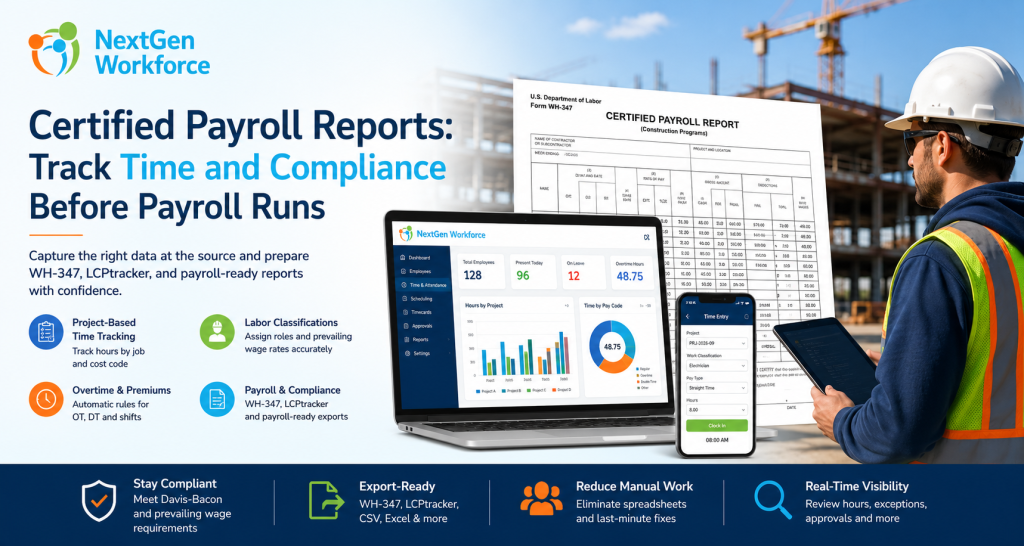
Certified Payroll Reports: What Contractors Need To Track Before Payroll Runs By NextGen Workforce Editorial Team Last updated: June 2026 Certified payroll reporting is not just a payroll task. Certified payroll reports depend on accurate time, project, worker classification, wage, overtime, and fringe benefit data captured during the week. If those details are missing from the timecard, payroll teams are forced to rebuild the report manually later. That is where many contractors struggle. An employee works on a public project in the morning and a private job in the afternoon. Another worker changes classification for part of the week. A foreman approves overtime, but the project code is missing. Payroll needs prevailing wage details, fringe benefits, deductions, and a weekly compliance report. When this information is spread across paper timesheets, spreadsheets, payroll notes, and manager emails, certified payroll becomes painful. NextGen Workforce helps contractors capture the right workforce data before payroll runs. Time, project codes, job classifications, overtime, approvals, and payroll-ready records can be managed in one connected workflow. Still Preparing Certified Payroll Manually? NextGen Workforce helps contractors track project time, job classifications, overtime, approvals, and payroll-ready records before certified payroll reports are prepared. Give payroll cleaner data before WH-347, LCPtracker-style exports, or public works compliance reports are due. Talk To An Expert What Is A Certified Payroll Report? Quick answer: A certified payroll report is a weekly compliance report used on many public works and federally funded construction projects. It documents employee hours, work classifications, wage rates, deductions, and a signed compliance certification. Certified payroll reporting is commonly connected to public works and prevailing wage projects. For federal Davis-Bacon and Related Acts projects, contractors and subcontractors may use Form WH-347 to submit weekly certified payroll information. The report helps show that workers were paid the required prevailing wage rates and fringe benefits for the covered work performed. The “certified” part matters. Each certified payroll must be accompanied by a signed Statement of Compliance. That statement confirms the payroll information is accurate and complete, and that workers were paid at least the required prevailing wage and fringe benefits for the work performed. In practice, this means certified payroll is not only about totals. It is about proving that the right person worked the right hours, on the right project, under the right classification, at the right wage rate. Why Certified Payroll Reporting Is Hard To Manage Manually Quick answer: Certified payroll is hard to manage manually because contractors must connect timecards, project codes, worker classifications, prevailing wages, overtime, fringe benefits, deductions, and compliance forms without errors. Manual certified payroll usually breaks down before payroll even starts. The problem starts with data capture. If employees do not select the correct project or job code, payroll may not know which hours belong to the public works project. If workers change roles during the week, payroll must know which classification applied to each block of time. Then the payroll team has to handle overtime, fringe benefits, deductions, and report formatting. That creates several risks: Wrong project hours: Public and private job hours may get mixed. Wrong classification: A worker may be paid under the wrong prevailing wage rate. Missing daily detail: WH-347-style reporting needs day-by-day hours. Overtime errors: Straight time and overtime must be separated correctly. Fringe benefit confusion: Cash fringe and benefit-plan contributions may need separate tracking. Late approvals: Payroll may wait for supervisors to confirm missing details. Export cleanup: Data may need spreadsheet work before WH-347 or portal upload. As a result, certified payroll becomes a weekly scramble. Contractors do not only need payroll software. They need accurate workforce data before payroll begins. Key takeaway: Certified payroll reports are only as reliable as the time, project, classification, and wage data behind them. What Data A Time Tracking System Must Capture Quick answer: A time tracking system should capture project, employee, classification, daily hours, straight time, overtime, wage rate, fringe benefit, gross pay, deductions, and net pay data to support certified payroll reporting. For certified payroll, a basic clock-in and clock-out record is not enough. The timecard should capture the details payroll needs later. Data Needed Why It Matters Manual Risk Project or job code Separates public works hours from other work Hours may be reported under the wrong project Labor classification Determines the correct prevailing wage rate Worker may be paid under the wrong role Daily hours Supports day-by-day certified payroll reporting Payroll may lack daily detail Straight time and overtime Separates regular and overtime hours Pay categories may need manual correction Prevailing wage rate Supports wage compliance by classification Wrong rate may be applied Fringe benefits Tracks benefit value or cash fringe handling Fringe totals may be missed or miscalculated Approvals Confirms manager review before payroll Payroll may chase supervisors later Export-ready records Supports WH-347, payroll, or compliance portal workflows Spreadsheet cleanup becomes unavoidable When this data is captured correctly during the week, certified payroll becomes easier to prepare. When it is not captured correctly, payroll has to reconstruct the story after the fact. How NextGen Workforce Helps Contractors Prepare Certified Payroll Data Quick answer: NextGen Workforce helps contractors capture project-based time, labor classifications, job codes, overtime, approvals, and payroll-ready records before certified payroll reports are prepared. NextGen Workforce is built for businesses that need more than basic time collection. For contractors, the system can help turn daily time tracking into structured payroll-ready data. Step 1: Capture Time By Project Or Job Code Employees should not only clock in. They should be able to track time against the correct project, job, client, or cost code. This helps separate public works hours from private project hours before payroll begins. Step 2: Track Labor Classification On The Time Entry Certified payroll depends on classification. A worker may perform different types of work during the same week. For example, a crew member may work under one classification on Monday and another classification on Wednesday. NextGen Workforce can support time tracking workflows where job, task, work code, or classification details are tied to