Canada Overtime Rules: Why Time Tracking Software Needs Flexible Attendance Rules
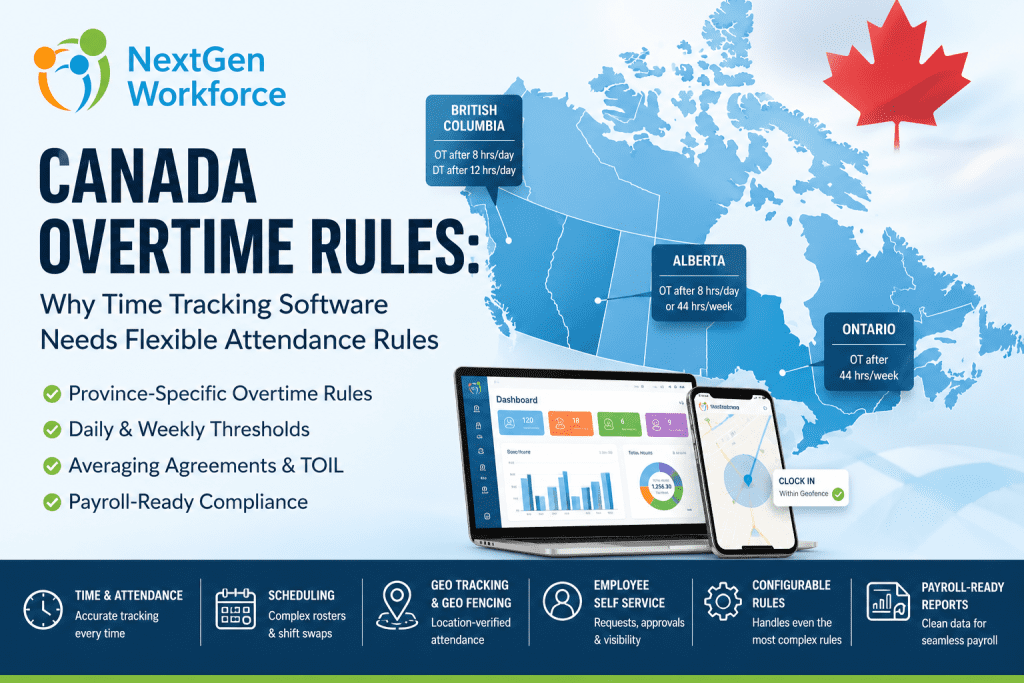
Canada Overtime Rules: Why Time Tracking Software Needs Flexible Attendance Rules By NextGen Workforce Editorial Team Last updated: June 2026 Canada overtime rules are not one-size-fits-all. Canada overtime rules depend on jurisdiction, province, industry, employee classification, union agreements, averaging agreements, and employment contracts. A rule that works for Ontario may not work for Alberta, British Columbia, or a federally regulated workplace. That creates a real problem for HR and payroll teams. In practice, they are not only tracking hours. They are also tracking the rule behind those hours. One employee may trigger weekly overtime. Another may trigger daily overtime. A third may work under an averaging agreement. Meanwhile, another employee may bank overtime as time off in lieu. For field teams, the workflow can get even more complex. A mobile employee may need GPS validation, while a manager may approve a schedule change that creates overtime without realizing it. When this is handled manually, payroll becomes reactive. That is why NextGen Workforce helps businesses manage this complexity with configurable attendance rules, time tracking, scheduling, geofencing, alerts, approvals, employee self-service, and payroll-ready reporting. Still Tracking Canadian Overtime Manually? NextGen Workforce helps businesses configure attendance rules by province, policy, employee group, location, and payroll setup. Track time, manage schedules, apply complex overtime rules, review exceptions, approve timecards, and prepare cleaner payroll-ready reports before payroll runs. Talk To An Expert There Is No Single Standard Canada Overtime Rule Quick answer: Canada does not have one universal overtime rule for every employer. Federal labour standards apply to federally regulated workplaces, while most employers follow provincial or territorial employment standards based on where employees work. This is the first mistake many employers make. They try to configure one overtime rule for every Canadian employee. That may work for a very small team in one province. However, it does not work well for businesses with multi-province teams, field employees, different employee groups, union agreements, or multiple pay policies. Federally regulated workplaces follow federal labour standards. These may apply to industries such as banking, airlines, telecommunications, broadcasting, and interprovincial transportation. Most other employers follow provincial or territorial employment standards. As a result, the system must first know which rule applies before it can calculate overtime correctly. Key takeaway: Canadian overtime configuration should start with jurisdiction. Federal and provincial rules cannot be treated as one standard setup. Canada Overtime Rules By Province: Why Thresholds Change Quick answer: Canadian overtime thresholds vary by province. Ontario commonly applies overtime after 44 hours in a work week, Alberta uses an 8/44 rule, and British Columbia applies daily overtime after 8 hours and double time after 12 hours in a day. This is why flexible attendance rules matter. If the system only checks weekly hours, it may miss daily overtime in provinces where daily overtime applies. However, if the system only checks daily overtime, it may miss weekly overtime. In addition, if the system checks both without proper logic, it may double-count hours. Jurisdiction Common Overtime Trigger Why It Matters Federal Standard hours generally reference 8/day and 40/week Applies to federally regulated workplaces Ontario Generally after 44 hours in a work week Weekly overtime tracking is critical Alberta Over 8/day or 44/week, whichever is greater Daily and weekly thresholds must both be reviewed British Columbia After 8/day; double time after 12/day Daily overtime and double time need automation These are only examples. Rules can also vary by industry, role, agreement, exemption, and specific working arrangement. Therefore, employers should always confirm current requirements using official sources or qualified counsel. Why Manual Overtime Tracking Breaks Down In Canada Quick answer: Manual overtime tracking breaks down when payroll teams manage different rules across provinces, schedules, agreements, employee types, and locations. Spreadsheets cannot reliably apply daily overtime, weekly overtime, averaging periods, banked time, statutory holiday premiums, and approvals together. Manual tracking usually starts with good intentions. However, the process becomes harder as the workforce grows. A manager changes a shift. An employee works in another province. A team uses an averaging agreement. A holiday falls inside the pay period. Meanwhile, another employee chooses banked time instead of paid overtime. A field employee clocks in from the wrong location. Each exception creates another payroll review item. Province rules: Payroll checks each location manually. Daily overtime: Long shifts need separate review. Weekly overtime: Totals must be checked before payroll. Double time: Premium hours need correct categories. Averaging: Multi-week cycles create manual math. Banked time: Overtime may become paid time off. Stat holidays: Holiday premiums need separate tracking. Approvals: Managers must review exceptions early. Payroll teams should not be rebuilding the rule logic every pay period. Instead, they need a system that applies the right rule at the right time. How NextGen Workforce Helps Solve HR And Payroll Concerns Quick answer: NextGen Workforce helps HR, payroll, and operations teams manage complex workforce rules in one connected system. Instead of tracking schedules, attendance, overtime, leave, approvals, GPS records, and payroll data manually, businesses can configure workflows that match their real policies. Canadian workforce management is rarely simple. One company may have employees in different provinces. Another may manage union rules, averaging agreements, banked overtime, statutory holidays, rotating schedules, field teams, and different pay periods. That is where many standard systems become difficult to use. They may work for basic time tracking. However, they often struggle when a customer has complex attendance rules, custom overtime logic, special approvals, shift premiums, or multi-location scheduling requirements. NextGen Workforce is built with flexibility at the center. The platform supports HRMS workflows, employee self-service, time and attendance, scheduling, shift swapping, geo-tracking, geo-fencing, alerts, approvals, and payroll-ready reporting in one connected workflow. Complete HRMS And Employee Self-Service Employees should not need to contact HR for every basic request. With NextGen Workforce, employees can access self-service tools for attendance, schedules, time-off requests, approvals, and personal workforce information. As a result, HR teams reduce manual follow-up while employees get better visibility. Time And Attendance With Payroll Accuracy Payroll accuracy starts with clean attendance data. NextGen Workforce time
Massachusetts Sick Leave Law: How to Track Earned Sick Time Without Manual Payroll Errors
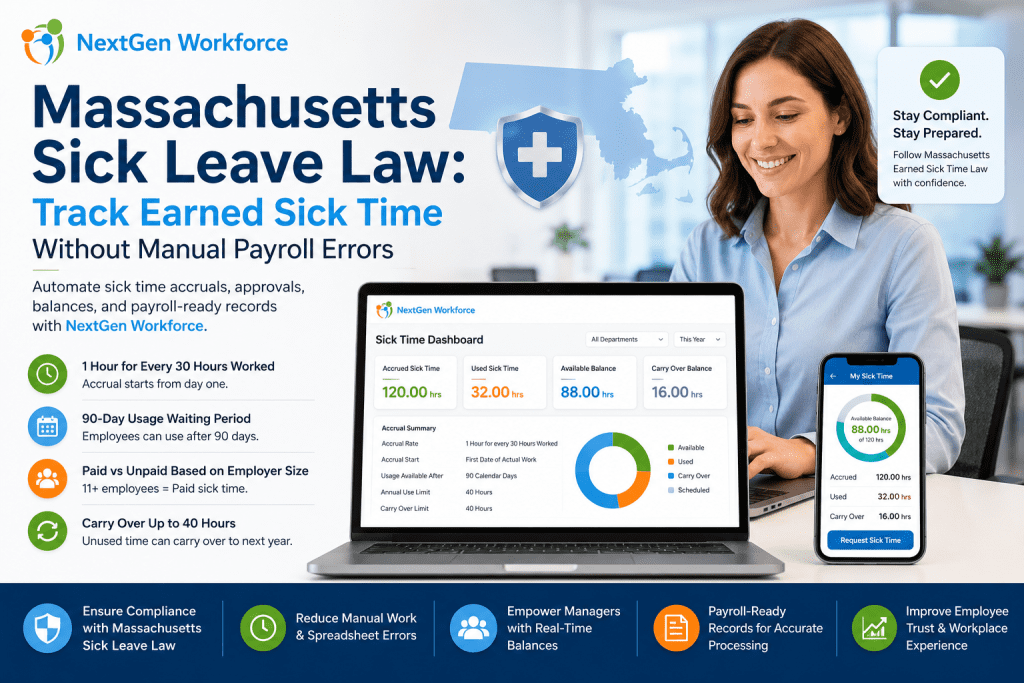
Massachusetts Sick Leave Law: How to Track Earned Sick Time Without Manual Payroll Errors By NextGen Workforce Editorial Team Last updated: May 2026 Massachusetts sick leave tracking looks simple until payroll has to calculate it every pay period. Massachusetts sick leave law requires most employers to provide earned sick time, up to 40 hours per year. Employees generally accrue 1 hour of sick time for every 30 hours worked, and whether that time is paid or unpaid depends on employer headcount. The rule is easy to explain. The tracking is where HR and payroll teams struggle. Part-time employees work different hours. Seasonal employees come and go. New hires start accruing from day one but may not be able to use sick time until later. Carryover needs year-end review. Payroll needs the correct paid or unpaid sick time category. When all of that lives in spreadsheets, email approvals, and manual balance updates, payroll errors become much easier to miss. That is where NextGen Workforce helps. NextGen Workforce connects time tracking, sick time accruals, leave requests, approvals, balance history, and payroll-ready reporting so businesses can manage earned sick time with less manual work. Still Tracking Massachusetts Sick Time Manually? NextGen Workforce helps businesses automate sick time accruals, requests, approvals, balances, and payroll-ready records. Track hours worked, calculate earned sick time, manage eligibility, approve requests, and prepare cleaner payroll records without spreadsheet cleanup. See How It Works What Is The Massachusetts Sick Leave Law? Quick answer: The Massachusetts Earned Sick Time Law gives most workers the right to earn and use job-protected sick time. Employers with 11 or more employees generally must provide paid sick time, while smaller employers must provide sick time that may be unpaid. Massachusetts sick leave law applies broadly to eligible workers whose primary place of work is in Massachusetts. This can include full-time, part-time, seasonal, and temporary employees. For HR teams, the main issue is not only writing the policy. The real work is tracking earned sick time correctly for every employee type. A full-time employee may reach the annual limit quickly. A part-time employee may accrue slowly. A seasonal employee may leave and return. A temporary employee may still count toward employer size calculations depending on the situation. That is why Massachusetts sick leave compliance becomes a workflow problem. You need accurate hours, clear balances, eligibility rules, approval history, and payroll-ready sick time records. How Massachusetts Earned Sick Time Accrual Works Quick answer: Employees generally earn 1 hour of sick time for every 30 hours worked, up to 40 hours per benefit year. Accrual starts on the first date of actual work, but employees generally may begin using accrued sick time after 90 days. Massachusetts sick time accrual depends on hours worked. That means payroll and HR need accurate time records before they can trust the sick leave balance. Accrual Rate Employees generally accrue 1 hour of earned sick time for every 30 hours worked. This includes hours worked toward accrual, and regulations also address different work arrangements such as exempt employees, piece work, and fee-for-service situations. Annual Limit Employees can generally earn and use up to 40 hours of earned sick time per benefit year if they work enough hours. This annual limit matters because payroll should not allow sick time usage beyond the employer’s configured policy and legal requirements. 90-Day Usage Waiting Period Employees generally begin accruing earned sick time from the first date of actual work. However, they may generally begin using accrued earned sick time 90 days after their first date of actual work. Carryover Unused earned sick time may carry over to the next benefit year, up to 40 hours. Employers may still limit annual use to 40 hours, depending on the applicable rules and policy setup. Key takeaway: Massachusetts sick time accrual depends on accurate hours worked. If time tracking is wrong, leave balances can be wrong too. Why Massachusetts Sick Leave Tracking Creates Payroll Risk Quick answer: Massachusetts sick leave tracking creates payroll risk when hours worked, accrual balances, paid or unpaid status, waiting periods, usage limits, and carryover are managed manually. Small tracking errors can turn into payroll corrections and employee disputes. Many businesses understand the law but still struggle with the process. The problem is usually not the policy document. It is the day-to-day tracking. Payroll teams need to know how many hours an employee worked. HR needs to know how much sick time the employee earned. Managers need to know whether the employee has a usable balance. Employees expect their balance to be correct. If those records live in different places, the process breaks down. A sick time request may be approved before eligibility is checked. A part-time employee’s accrual may be miscalculated. A carryover balance may be updated late. Payroll may receive the wrong sick time category. That creates unnecessary manual work. It also creates employee trust issues. Sick time is personal, and employees expect their balance to be accurate when they need it. What HR And Payroll Teams Must Track Manually Quick answer: To manage Massachusetts earned sick time manually, HR and payroll teams must track hire dates, hours worked, accrual earned, usage eligibility, paid or unpaid status, time used, remaining balance, carryover, and payroll categories. This is where spreadsheets become risky. One spreadsheet may track hours. Another may track PTO. A manager may approve time off by email. Payroll may enter the sick time manually later. Each handoff creates room for error. Employer size: Determines paid or unpaid sick time. Employee hire date: Supports the 90-day usage waiting period. Hours worked: Drives sick time accrual. Accrual earned: Shows available sick time. Sick time used: Reduces the employee balance. Remaining balance: Helps managers approve requests. Carryover balance: Supports year-end tracking. Paid or unpaid status: Affects payroll processing. Documentation rules: Helps HR apply policy consistently. Payroll category: Ensures the correct earning code is used. If even one item is tracked separately, payroll may receive the wrong information. NextGen Workforce helps reduce that risk by connecting
California Overtime Rules: How to Prevent Payroll Errors Before They Reach QuickBooks
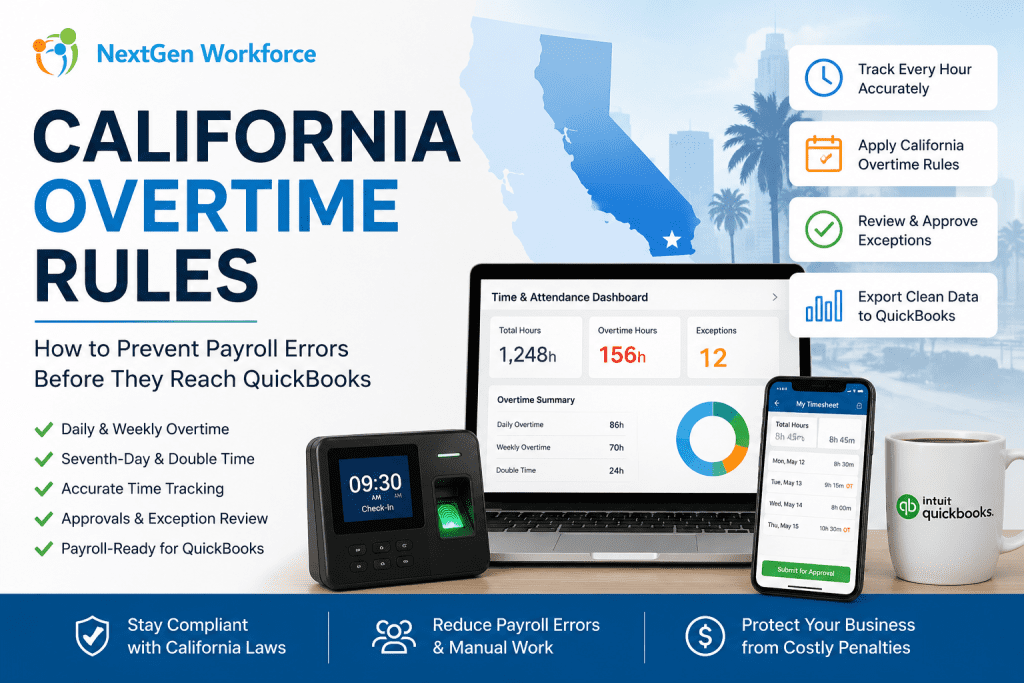
California Overtime Rules: How to Prevent Payroll Errors Before They Reach QuickBooks By NextGen Workforce Editorial Team Last updated: May 2026 California overtime rules can get expensive quickly. California overtime rules require careful review of daily hours, weekly totals, seventh-day work, employee schedules, and payroll approvals. Businesses using QuickBooks need clean, payroll-ready time data before export so overtime, double time, PTO, and attendance exceptions are handled correctly. For many California employers, payroll problems do not start inside QuickBooks. They start earlier. An employee clocks in early. A manager approves a schedule change verbally. A missed punch sits unresolved. A long shift crosses daily overtime. Then payroll arrives, and the team has to fix everything under pressure. That is the real issue. QuickBooks can process payroll, but it depends on the quality of the time data sent into it. If attendance, overtime, PTO, and approvals are not reviewed first, payroll can still become messy. Managing California Overtime Manually? NextGen Workforce helps businesses catch overtime issues before payroll runs. Track time, compare schedules, apply overtime rules, review exceptions, approve timecards, and prepare cleaner payroll-ready data for QuickBooks. See How It Works What Are California Overtime Rules? Quick answer: California overtime rules are more detailed than basic weekly overtime. Many nonexempt employees may qualify for daily overtime, weekly overtime, seventh-day overtime, and double time depending on hours worked and employee classification. Under California guidance, overtime may apply when a nonexempt employee works more than 8 hours in a workday, more than 40 hours in a workweek, or works on the seventh consecutive day in a workweek. California also recognizes double-time situations. This can apply when employees work more than 12 hours in a workday or more than 8 hours on the seventh consecutive day of work in a workweek. That means payroll teams cannot only check weekly totals. They must review daily hours, workweek totals, schedule changes, seventh-day work, and employee classifications. Exemptions and industry-specific rules may also apply, so employers should confirm details with legal counsel or official state guidance. Why California Overtime Creates Payroll Risk Quick answer: California overtime creates payroll risk because small attendance errors can affect regular time, overtime, double time, and payroll export accuracy. Missed punches, late approvals, and schedule changes can lead to incorrect pay categories if they are not reviewed before payroll. California payroll becomes risky when time data is incomplete. A missed clock-out may change daily totals. An early start may trigger overtime. A long shift may create double time. A seventh consecutive workday may need special review. These are not small details for payroll. They affect paychecks, labor cost, employee trust, and compliance exposure. They also create extra work for payroll managers who already have a deadline. California enforcement activity shows why accurate payroll records matter. In 2024, the California Labor Commissioner’s Office announced a $1.7 million wage theft settlement involving more than 550 Wingstop employees in Kern County after an investigation involving wages, overtime, and meal breaks. Manual review makes the problem harder. Payroll teams may need to check spreadsheets, manager notes, timecards, schedules, PTO requests, and QuickBooks export files. When those records do not match, the team has to investigate before payroll can move forward. Key takeaway: California overtime should be reviewed before payroll, not discovered during payroll. What Payroll Teams Should Review Before Running California Payroll Quick answer: Before running California payroll, teams should review missing punches, daily hours, weekly totals, seventh-day work, double-time triggers, PTO, holidays, schedule changes, and manager approvals. This helps reduce corrections before exporting time data to QuickBooks. A strong overtime process starts before payroll day. Payroll teams should not wait until the end of the pay period to discover exceptions. They need a workflow that identifies issues while managers still have time to review them. Missing Punches Missing punches can create incorrect daily totals. If an employee forgets to clock out, the system may not know whether overtime applies. Payroll then has to chase the employee or manager for confirmation. Daily Hours California daily overtime makes daily review important. Even when weekly hours look normal, a single long workday may still create overtime or double time. This is where basic weekly-only reviews can fail. Weekly Totals Weekly overtime still matters. Payroll teams should review total workweek hours and confirm whether overtime categories are separated correctly before export. Seventh-Day Work Seventh-day work needs special attention. If an employee works seven consecutive days in a workweek, payroll should review whether seventh-day overtime or double time applies based on the hours worked. PTO And Holidays PTO and holidays should match the timecard. If approved time off does not appear correctly, payroll teams may have to manually compare records from HR, scheduling, and attendance systems. Manager Approvals Approvals should happen before payroll. Payroll should not depend on emails, text messages, or verbal approval after the pay period closes. Manager review should be part of the timecard workflow. Free Checklist: California Overtime Payroll Audit Checklist Before sending hours to QuickBooks, use a simple checklist to review missing punches, daily overtime, weekly overtime, seventh-day work, PTO, approvals, and export readiness. Review punches: Find missing clock-ins and clock-outs. Check daily hours: Identify days over 8 and 12 hours. Check weekly totals: Review hours over 40 in the workweek. Review seventh-day work: Confirm consecutive-day rules. Confirm approvals: Make sure managers reviewed exceptions. Validate PTO: Match approved time off with timesheets. Prepare export: Confirm earning codes before QuickBooks. Contact for The California Overtime Checklist How Manual Overtime Tracking Breaks Down Quick answer: Manual overtime tracking breaks down when payroll teams rely on spreadsheets, manager memory, email approvals, and last-minute corrections. The risk grows when employees work across multiple locations, shifts, departments, or pay periods. Manual overtime review looks manageable when the team is small. Then the business grows. More employees clock in. More managers approve time. More sites open. More schedules change during the week. That is when manual tracking starts to crack. Spreadsheets drift: One edit can change payroll totals. Emails get buried:
QuickBooks Time Tracking: Why Payroll Accuracy Starts Before Payroll Runs
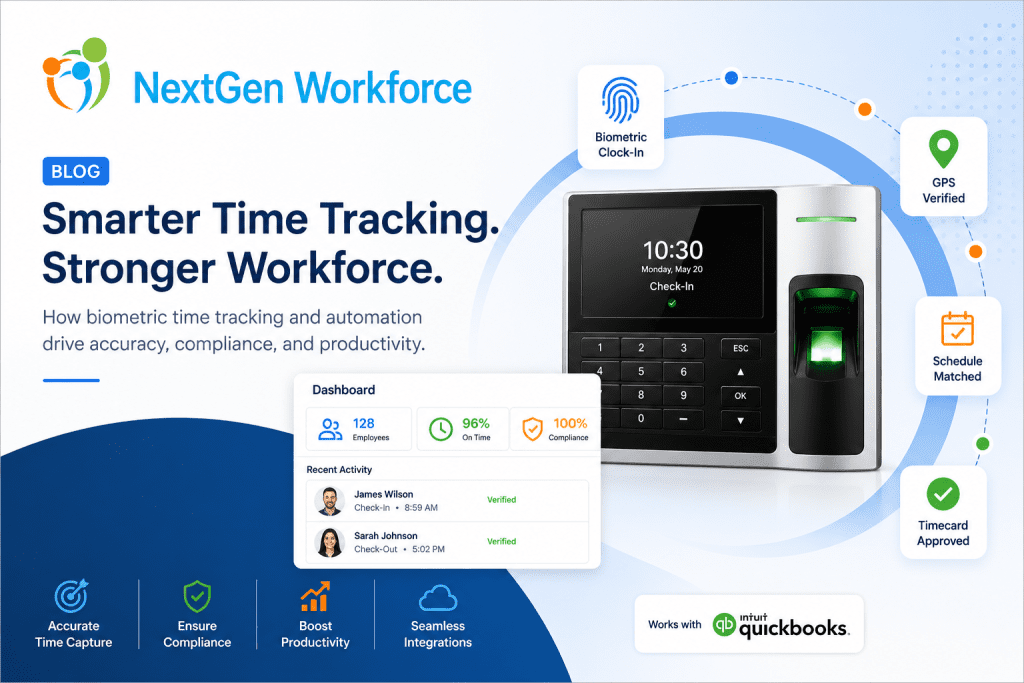
What Is QuickBooks Time Tracking? QuickBooks time tracking refers to the process of capturing employee work hours, overtime, PTO, attendance, and approvals before payroll processing inside QuickBooks. Businesses often use workforce management systems to prepare payroll-ready timesheets and reduce payroll errors. QuickBooks is a powerful tool for payroll and accounting. Many businesses in the USA and Canada rely on it every pay period to process wages, manage payroll records, and keep their financial operations moving. But here’s the thing. QuickBooks can only work with the data it receives. Businesses often discover that payroll software alone cannot solve workforce data quality issues without connected attendance and approval workflows. If employee hours are incomplete, overtime is not reviewed, punches are missing, or PTO is not properly tracked, payroll still becomes stressful. The payroll system may be ready, but the time data is not. And that is where many payroll problems begin. For a lot of businesses, payroll accuracy does not start inside QuickBooks. It starts earlier — with how employee time is captured, reviewed, approved, and prepared before payroll ever runs. That is why QuickBooks time tracking should not be treated as just a clock-in and clock-out process. It should be part of a larger workforce workflow that connects attendance, schedules, overtime, PTO, approvals, and payroll-ready timesheets. The Real Payroll Problem Is Usually Bad Time Data Quick answer: Payroll errors usually happen when employee time data is incomplete, unapproved, or not reviewed before payroll processing. Most payroll teams are not struggling because they do not know how to run payroll. They are struggling because the information coming into payroll is messy. A manager forgot to approve hours. An employee missed a punch. Someone worked outside their scheduled shift. Overtime was triggered but not reviewed. A PTO request was approved, but the timesheet does not reflect it clearly. A field employee clocked in, but there is no location validation. Individually, these issues may seem small. But at payroll time, they add up quickly. That is when payroll managers end up chasing supervisors, fixing timesheets manually, reviewing exceptions, and trying to make sure employees are paid correctly before the deadline. This creates stress for payroll teams, confusion for employees, and risk for the business. Using QuickBooks but Still Fixing Payroll Errors Manually? NextGen Workforce helps businesses prepare cleaner, payroll-ready time data before payroll runs. With connected time tracking, scheduling, overtime rules, PTO, approvals, mobile clock-in, geofencing, and payroll-ready exports, your team can reduce last-minute corrections and run payroll with more confidence. See How It Works QuickBooks Is Strong — But It Cannot Fix Every Time Tracking Issue Quick answer: QuickBooks can process payroll, but businesses still need clean attendance, PTO, overtime, and approval data before sending hours into payroll. QuickBooks helps businesses manage payroll and accounting. But it should not be expected to solve every workforce data problem by itself. If attendance records are not clean before they reach QuickBooks, the payroll team still has to deal with the same issues. For example: Missing punches still need to be corrected Overtime still needs to be reviewed PTO and holidays still need to be confirmed Employee schedules still need to match actual hours Manager approvals still need to be completed Mobile or field punches may still need location validation QuickBooks can process payroll, but the accuracy depends heavily on the quality of the time data behind it. That is why businesses need a time tracking system that prepares the data before payroll begins. What Payroll-Ready Time Tracking Should Include A strong QuickBooks time tracking process should do more than collect hours. It should help your team answer practical payroll questions before the pay period closes. For example: Did every employee clock in and out correctly? Missing punches are one of the most common causes of payroll corrections. A good system should make them easy to find and fix. Was overtime calculated correctly? Overtime can become complicated when employees work across different schedules, locations, departments, or pay periods. Were PTO, holidays, and time off handled properly? Approved time off should flow clearly into payroll-ready timesheets, so payroll teams do not have to manually compare multiple systems. Did managers review and approve timecards? Payroll should not depend on last-minute email confirmations or verbal approvals. Were mobile punches captured from the right location? For field teams, construction crews, cleaning companies, healthcare workers, security teams, and multi-location businesses, location validation can be just as important as the punch itself. When these items are handled before payroll, QuickBooks receives cleaner, more reliable information. That makes payroll smoother. Free Checklist: Payroll-Ready Checklist for QuickBooks Users Before sending employee hours to payroll, your team should review the most common issues that create payroll corrections. Use this checklist to catch missing punches, unapproved overtime, PTO gaps, schedule mismatches, manager approval delays, and mobile punch issues before payroll runs. Employee punch review Schedule vs. actual hours check Overtime review PTO and holiday verification Mobile and GPS punch validation Manager approval status QuickBooks export readiness Why This Matters for Businesses in the USA and Canada Businesses in the USA and Canada often deal with different payroll rules, overtime requirements, work locations, employee types, and approval processes. Even small companies can run into complexity quickly. A business may have hourly employees, salaried employees, field workers, part-time staff, multiple departments, and different pay periods. Add PTO, holidays, overtime, scheduling changes, and mobile work into the mix, and payroll becomes much harder to manage manually. This is especially true for industries like: Healthcare Construction Security Cleaning and field service Retail Hospitality BPO and call centers Multi-location businesses In these environments, payroll accuracy depends on daily workforce visibility. Waiting until payroll day to clean everything up is risky. It also puts too much pressure on payroll and HR teams. A better approach is to catch problems earlier. How NextGen Workforce Helps Before Payroll Runs Quick answer: NextGen Workforce helps businesses prepare payroll-ready timesheets by connecting time tracking, scheduling, overtime rules, PTO, approvals, mobile attendance, and QuickBooks-ready exports. NextGen
Why Payroll Errors Happen (And How to Prevent Them Before Payroll Runs)
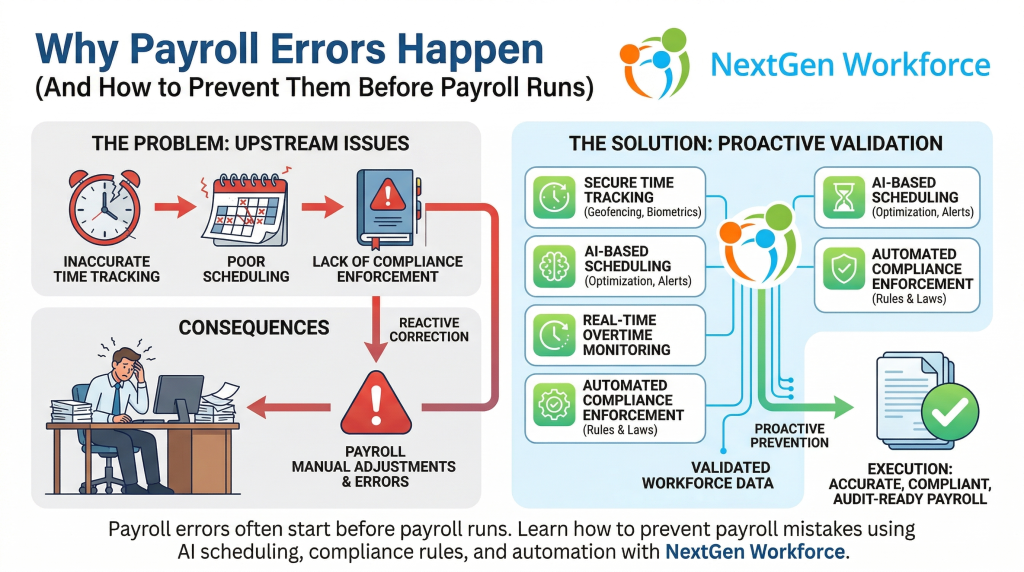
Summary Payroll errors are rarely caused by payroll software. Most payroll mistakes originate from inaccurate time tracking, poor scheduling, and lack of compliance enforcement. Businesses can prevent payroll errors by using systems that validate workforce data before payroll processing. NextGen Workforce combines time tracking, scheduling, compliance rules, and automation to ensure accurate and audit-ready payroll. Introduction Payroll is one of the most critical functions in any organization. But despite using modern payroll systems, many businesses still face: incorrect employee hours overtime miscalculations missed compliance rules manual adjustments during payroll processing The assumption is often that payroll software is the problem. In reality, payroll errors usually happen before payroll even begins. What Causes Payroll Errors? Payroll errors are typically the result of upstream issues. 1. Inaccurate Time Tracking If employee work hours are not captured accurately, payroll calculations will be wrong. Common issues include: missed clock-ins or clock-outs manual time edits buddy punching or proxy attendance lack of real-time validation When inaccurate data enters payroll, errors become unavoidable. 2. Poor Scheduling Practices Scheduling directly impacts payroll. Without proper scheduling controls: employees may exceed daily or weekly limits overtime may go unnoticed until payroll shifts may be assigned without considering compliance rules Scheduling mistakes lead to payroll corrections later. 3. Overtime Mismanagement Overtime is one of the biggest contributors to payroll errors. Businesses often struggle with: tracking weekly vs daily overtime identifying when employees cross thresholds managing unexpected overtime Without proactive monitoring, overtime issues surface during payroll processing. 4. Lack of Compliance Enforcement Labor laws vary by region and can include: overtime regulations meal and rest break requirements shift length rules If these rules are not enforced during scheduling and attendance tracking, payroll teams are left to fix issues manually. 5. Manual Adjustments During Payroll When systems do not validate data in advance, payroll teams must: review timesheets manually correct errors adjust hours verify compliance This increases processing time and creates room for human error. What Is the Real Problem? The real issue is not payroll software. It is the lack of data validation before payroll processing. Most businesses treat payroll as the point of correction. Instead, payroll should be the point of execution. How to Prevent Payroll Errors Before Payroll Runs To eliminate payroll errors, businesses must shift from reactive correction to proactive validation. 1. Use Accurate Time Tracking Systems Implement systems that ensure: real-time clock-in validation biometric or secure attendance tracking location-based verification (geofencing) automatic logging of work hours Accurate input leads to accurate payroll. 2. Optimize Scheduling Before Shifts Begin Scheduling should consider: employee availability labor rules overtime thresholds workload distribution Preventing issues at the scheduling stage reduces payroll corrections later. 3. Monitor Overtime in Real Time Instead of detecting overtime during payroll: track employee hours continuously receive alerts before thresholds are crossed adjust schedules proactively This helps control labor costs and avoid last-minute adjustments. 4. Enforce Compliance Automatically Use systems that apply labor rules automatically, such as: overtime calculations break requirements shift restrictions Automation reduces dependency on manual checks. 5. Integrate Scheduling, Attendance, and Payroll Disconnected systems create gaps. An integrated approach ensures: scheduling aligns with attendance attendance data flows into payroll accurately compliance rules are consistently applied This creates a single source of truth. What Is AI Employee Scheduling’s Role in Payroll Accuracy? AI employee scheduling helps prevent payroll issues before they occur. It does this by: analyzing workforce data identifying overtime risks optimizing shift assignments ensuring compliance during scheduling Instead of reacting to errors, businesses can avoid them entirely. How NextGen Workforce Helps Prevent Payroll Errors NextGen Workforce is designed to eliminate payroll errors at the source. The platform combines: AI-based employee scheduling biometric time tracking geofencing and real-time attendance validation automated compliance rules intelligent timesheet review payroll-ready data processing This ensures that by the time payroll runs: the data is already accurate, compliant, and validated. The Human Impact of Payroll Errors Behind every payroll error is a person. A payroll manager working late to fix discrepancies.An HR leader dealing with employee complaints.A business owner worrying about compliance penalties. Preventing payroll errors is not just about efficiency. It is about reducing stress, improving trust, and ensuring confidence in every payroll cycle. Final Thoughts Payroll errors are not a payroll problem. They are a workforce management problem. Businesses that focus on accurate time tracking, optimized scheduling, compliance automation, and integrated systems can eliminate most payroll issues before payroll runs. This is where modern workforce platforms like NextGen Workforce create real value. Frequently Asked Questions Why do payroll errors happen? Payroll errors usually happen due to inaccurate time tracking, poor scheduling, overtime mismanagement, and lack of compliance enforcement before payroll processing. Can scheduling impact payroll accuracy? Yes. Scheduling decisions directly affect employee hours, overtime, and compliance, which all influence payroll outcomes. How can businesses reduce payroll errors? Businesses can reduce payroll errors by using integrated systems that validate time tracking, scheduling, and compliance before payroll runs. What role does AI play in payroll accuracy? AI helps analyze workforce data, optimize scheduling, detect overtime risks, and ensure compliance, reducing errors before payroll processing.
AI Employee Scheduling Software
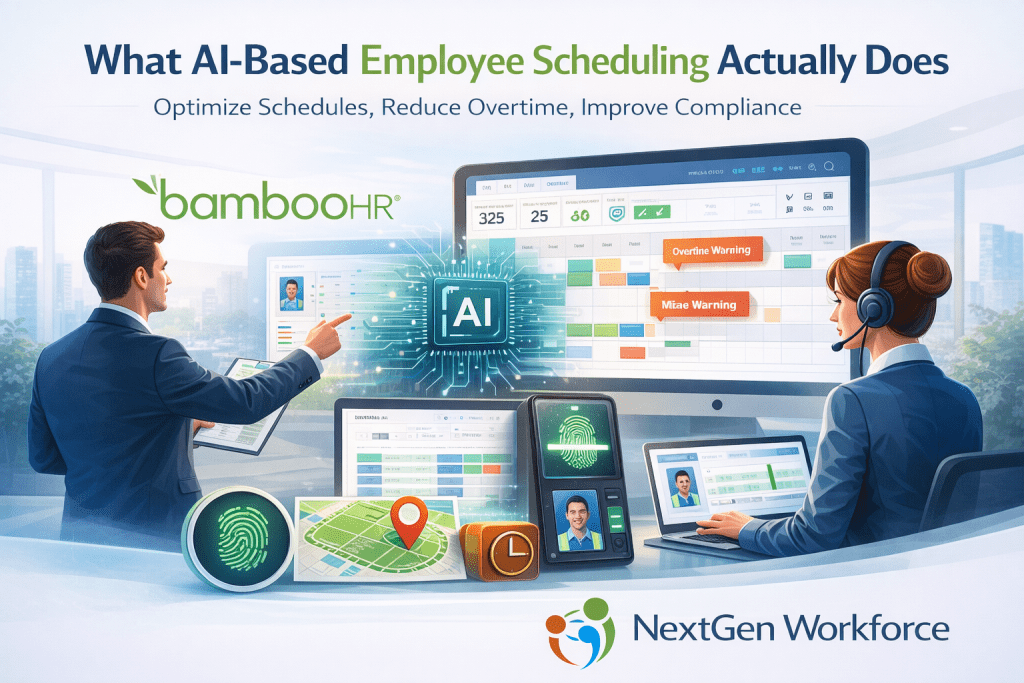
AI-based employee scheduling uses artificial intelligence to analyze workforce data and automatically generate optimized work schedules. It considers employee availability, labor laws, overtime thresholds, skill requirements, and business demand to create efficient schedules. AI scheduling helps organizations reduce overtime costs, prevent compliance violations, and improve workforce productivity. Platforms like NextGen Workforce combine AI scheduling with biometric time tracking, geofencing, and automated compliance monitoring to provide real-time workforce management. Why Traditional Scheduling Methods Fall Short Many organizations still rely on: spreadsheets basic scheduling software manual shift adjustments manager intuition While these methods work for small teams, they quickly become inefficient as workforce complexity grows. Managers often face challenges such as: uneven shift distribution overtime stacking last-minute coverage issues skill mismatches compliance violations These problems lead to higher labor costs, operational inefficiencies, and administrative stress. AI scheduling addresses these issues by using workforce data to guide scheduling decisions. What AI-Based Employee Scheduling Actually Does AI scheduling systems analyze workforce data continuously and help managers make smarter scheduling decisions. Instead of simply assigning shifts, the system evaluates multiple factors simultaneously, including: employee availability skill requirements overtime thresholds labor compliance rules shift coverage needs historical workforce patterns The result is a schedule optimized for efficiency, compliance, and fairness. This allows organizations to move from reactive scheduling to predictive workforce management. AI employee scheduling is a workforce management approach that uses artificial intelligence to automatically generate optimized work schedules. Instead of relying on manual planning, AI scheduling systems analyze employee availability, skills, compliance rules, overtime limits, and historical workforce data to create efficient schedules. This helps organizations reduce labor costs, improve compliance, and ensure the right employees are assigned to the right shifts. Intelligent Shift Optimization One of the most powerful features of AI scheduling is shift optimization. AI systems analyze operational demand and workforce capacity to recommend the best possible shift distribution. This helps organizations: avoid overstaffing prevent understaffing balance employee workloads reduce unnecessary overtime Managers can generate schedules faster while maintaining full operational coverage. Overtime Risk Detection Overtime costs can quickly escalate when schedules are created manually. AI scheduling tools monitor employee hours in real time and flag potential overtime risks before they occur. The system can detect patterns such as: employees approaching overtime thresholds inefficient shift overlaps extended shift durations Managers can then adjust schedules before the payroll impact occurs. This proactive approach helps control labor costs. Compliance Monitoring Labor compliance is becoming more complex across regions and industries. Scheduling systems must consider rules such as: overtime regulations meal break requirements rest period laws shift length limitations AI scheduling engines can apply these compliance rules automatically when generating schedules. This reduces the risk of violations and helps organizations maintain audit-ready workforce records. Workforce Demand Forecasting AI scheduling tools also use historical workforce data to predict future staffing needs. By analyzing past trends such as seasonal demand, attendance patterns, and shift coverage requirements, the system can forecast staffing levels. This allows organizations to: plan schedules more accurately reduce last-minute shift changes improve workforce stability Predictive planning helps managers stay ahead of operational demand. Integrating Scheduling With Attendance Data Scheduling becomes even more powerful when connected to real-time attendance tracking. NextGen Workforce integrates AI scheduling with biometric time clocks, geofencing, and real-time workforce monitoring. This integration ensures: scheduled shifts match actual worked hours attendance data is validated at clock-in overtime risks are detected early workforce visibility improves across locations Managers gain a complete view of workforce activity and scheduling performance. Benefits of AI-Based Employee Scheduling Organizations that adopt AI scheduling often see improvements in several areas: Reduced labor costsOptimized scheduling helps prevent unnecessary overtime and inefficient staffing. Improved complianceAutomated rule enforcement reduces the risk of labor law violations. Faster schedule creationManagers can generate optimized schedules in minutes instead of hours. Better employee satisfactionFair scheduling and predictable shifts improve workforce morale. Increased operational visibilityReal-time workforce insights help leaders make informed decisions. How NextGen Workforce Uses AI Scheduling NextGen Workforce provides AI-based employee scheduling designed for organizations managing complex workforce operations. The platform combines: AI scheduling optimization biometric time clocks geofencing attendance verification real-time workforce tracking automated compliance monitoring intelligent timesheet review This integrated approach allows businesses to manage scheduling, attendance, and compliance in one system. Final Thoughts Employee scheduling is no longer just an administrative task. It is a critical operational function that affects labor cost, workforce productivity, and regulatory compliance. AI-based employee scheduling enables organizations to create smarter schedules, reduce manual effort, and manage workforce complexity more effectively. Businesses that adopt intelligent scheduling tools gain a significant advantage in operational efficiency and workforce management.
AI Scheduling & Meal Break Compliance for California QuickBooks Users
Protect Your Payroll Before It Runs. California payroll compliance is not failing because QuickBooks is weak. It’s failing because timecards and scheduling are unmanaged before payroll processing begins. If you use QuickBooks for payroll in California, your real exposure is upstream — in shift planning, meal break enforcement, and timesheet validation. NextGen Workforce provides AI-powered scheduling, biometric time tracking, and automated meal break compliance protection designed specifically for California employers using QuickBooks. Why California QuickBooks Users Face Higher Payroll Risk California labor law is among the strictest in the United States. Employers must ensure: A 30-minute unpaid meal break before the end of the 5th hour of work A second meal break before the end of the 10th hour Premium pay if a violation occurs Proper documentation of waivers or operational exceptions Accurate overtime calculation Failure to comply can result in: Meal premium penalties Waiting time penalties Labor commissioner audits Class-action exposure Attorney fees QuickBooks runs payroll efficiently. But it does not prevent violations before payroll is processed. That gap is where most California liability begins. The Real Problem: Manual Timecard Review Most payroll teams in California rely on: Supervisor oversight Manual timesheet review After-the-fact adjustments Spreadsheet tracking Payroll corrections during close This approach is reactive. By the time payroll is being processed, violations have already occurred. The payroll manager now carries the burden of: Identifying missed meal breaks Calculating premium pay manually Explaining inconsistencies Documenting compliance defensibility This is where stress compounds — especially at pay period close. How NextGen Workforce Protects QuickBooks Payroll in California NextGen Workforce acts as the intelligence layer before payroll runs. 1. AI-Powered Scheduling That Prevents Violations Our AI scheduling engine analyzes: Shift duration patterns Historical meal violations Overtime stacking risk California-specific compliance rules Employee workload distribution Before shifts begin. Instead of discovering violations during payroll processing, the system prevents them during scheduling. 2. Real-Time Meal Break Monitoring & Alerts NextGen implements a proactive and reactive compliance framework based on California meal break law. Proactive alerts include: Notifications 30 minutes before the 5th hour Escalation alerts if no meal punch occurs Supervisor notifications Multi-channel delivery (in-app, SMS, email) Reactive safeguards include: Automatic detection of missed or late meals Employee attestation prompts Violation flags on timesheets Automated premium pay calculation (if configured) Audit-ready documentation logs This transforms compliance from reporting to intervention. 3. AI Timesheet Review Before Payroll Submission Instead of payroll managers reviewing every timecard manually, NextGen’s AI engine scans for: Late meal starts Short meal durations Second meal violations Overtime miscalculations Split shift triggers Minor labor law risk Pattern-based exposure indicators The system flags what matters. Payroll teams review exceptions — not every record. This significantly reduces manual workload and audit exposure. 4. Biometric Time Clocks for Legal Defensibility California disputes often stem from: Buddy punching Early clock-ins Location discrepancies Unverified field punches NextGen biometric time clocks provide: Identity verification Geolocation validation Secure audit trails Reduced time theft Increased documentation defensibility When labor audits occur, records are structured, timestamped, and export-ready. Why This Matters to California CFOs California penalties are cumulative. A recurring scheduling flaw across multiple employees can multiply exposure rapidly. Preventing violations before payroll reduces: Retroactive adjustments Premium stacking Legal vulnerability Administrative cost Executive stress Compliance automation protects margins. Why QuickBooks Users Choose NextGen Workforce QuickBooks is powerful for payroll processing. But payroll accuracy begins long before payroll is calculated. NextGen Workforce integrates seamlessly with QuickBooks and provides: AI scheduling Meal break automation Overtime validation Biometric attendance tracking Compliance alerts Audit-ready reporting For California employers, this layered approach closes the compliance gap. Who This Is Designed For Multi-location retail businesses Healthcare providers Construction companies Hospitality operators Field workforce teams Manufacturing facilities Any California employer using QuickBooks payroll If you process payroll in California and rely on manual timecard review, you are carrying avoidable risk. Frequently Asked Questions Does NextGen replace QuickBooks payroll? No. NextGen enhances QuickBooks by preventing compliance errors before payroll processing. Can the system automate California meal premium pay? Yes, when configured, violations can trigger automatic premium calculations and documentation. Does it work for multi-location businesses? Yes. The system supports location-based compliance rules and escalation workflows. Is it suitable for businesses under 200 employees? Yes. The platform scales from small to mid-sized organizations. Final Thought: Compliance Starts Before Payroll California labor compliance is not about calculating hours. It’s about preventing violations before they occur. If you use QuickBooks payroll in California, adding AI scheduling, biometric time capture, and automated meal break protection creates a defensible payroll environment. The cost of prevention is significantly lower than the cost of correction. Schedule a California Payroll Risk Review If you operate in California and use QuickBooks payroll, request a compliance risk assessment. We will review: Your meal break exposure Overtime risk patterns Timecard validation process Payroll exception workflow Contact NextGen Workforce today to learn how AI scheduling and biometric time tracking can protect your payroll operations.
What Sets Smart Time-Tracking Tools Apart for Local Labor Law Compliance
If you manage people across cities, states, or countries, you already know: compliance isn’t one-size-fits-all. Overtime thresholds, break rules, youth restrictions, and paid leave entitlements vary by jurisdiction and are subject to frequent changes. The difference between a regular time clock and a smart time-tracking platform is straightforward: one records hours, while the other protects your business. Below is a practical guide to what truly matters in a time-tracking tool when local labor law compliance is the goal. 1) A Localized Rule Engine (Not Just Generic Settings) Why it matters: California has daily overtime, Michigan has 40-hour weekly OT, the Bahamas has Sunday double-time, and Switzerland has rest periods. Your tool should encode local rules, not force HR to remember them. What good looks like Configurable rules by country/state/city/site Daily and weekly overtime thresholds, double-time, and premium differentials Meal/break logic (length, timing, auto-deduct with safeguards) Minor labor protections (max hours, mandatory breaks) Win: Managers schedule confidently; payroll exports are already law-aligned. 2) Effective-Dated Policies (Because Laws Change) Why it matters: Minimum wage bumps, new sick leave rules, and union agreement policies evolve. Re-keying settings mid-pay period creates disputes. What good looks like Effective-dated pay rules and policies “From/To” windows for grandfathered agreements Historical recalculation that preserves audit trails Win: Smooth transitions with audit-ready records. 3) Schedule-Aware Timekeeping Why it matters: Compliance issues often come from the gap between schedule and reality, unapproved early starts, short rest between shifts, and accidental OT. What good looks like Time entries validated against the schedule Warnings for clopening (close-then-open) and insufficient rest Overtime forecasts before publishing schedules Win: Prevents violations upstream, not after payroll. 4) Location Controls: Geofencing and Job-Site Validation Why it matters: Some laws and client contracts require on-site presence. Location spoofing or off-site punches create compliance risk. What good looks like Geofencing to allow clock-ins only within approved zones Auto clock-out when a worker leaves the site (optional, policy-based) Route history and location tags in the timecard Read more about geo-fencing and auto clock-out. Win: Verifiable attendance and fewer disputes about where work happened. 5) Built-In Leave & Sick Time Compliance Why it matters: Many regions require paid sick leave accruals with carryover limits and protected reasons. Penalizing protected absences risks legal trouble. What good looks like Accrual engines (e.g., 1 per 30/35 hours worked) Front-load or accrual models with caps and carryover Protected leave exclusion rules (no points, no attendance penalties) Manager workflows with balances visible at approval time Win: No double-booking; no accidental penalties for protected time. 6) Exception Handling With Documentation & Appeals Why it matters: Real life happens with illness, transit issues, and system outages. A fair process protects both the business and the employee. What good looks like Reason codes and attachments on exceptions The manager approves/denies with notes All changes are audit-logged (who, what, when, why) Win: Transparent, defensible decisions and fewer grievances. 7) Data Privacy, Consent, and Access Controls Why it matters: GDPR, nFADP, and local privacy rules govern how you store time, location, and biometric data. What good looks like Role-based permissions, data minimization, and encryption Clear consent flows for biometrics/location (where applicable) Region-specific data retention policies Win: Compliance isn’t only labor law, it’s privacy law too. 8) Multilingual UX & Policy Communication Why it matters: Compliance fails when people can’t understand the rules. What good looks like Multilingual UI and policy labels Plain-language prompts (“Meal break due in 10 minutes”) Mobile notifications that explain what to do Win: Better adherence because instructions are clear and local. 9) Payroll-Ready, Audit-Ready Reporting Why it matters: The best time data is useless if payroll can’t consume it or if inspectors can’t verify it. What good looks like Exports with regular/OT/DT, premiums, paid leave, differentials Effective-dated pay rates and cost centers Reports that show scheduled vs. worked vs. overtime, exceptions, and break compliance Tamper-evident audit logs for every edit Win: Faster payroll, fewer corrections, and confident audits. 10) Integrations That Actually Reduce Risk Why it matters: Re-typing data between systems creates errors that become compliance issues. What good looks like HRIS sync for people/teams/locations Payroll integrations (ISL, ADP, QuickBooks, etc.) with mapped codes Calendar and scheduling integrations to prevent overlaps Webhooks or APIs for downstream compliance reporting Win: One source of truth, less manual work, and fewer mistakes. Red Flags to Avoid “One policy for all locations” with no local overrides No visibility into break compliance or rest periods No effective dates for changing policies Lack of appeals or documentation on exceptions No audit log (or editable histories) Only mobile punches with no location control Exports that don’t separate OT/DT/premiums clearly A Short, Practical Checklist Use this list when you evaluate tools: Can I configure overtime, breaks, minors, and premiums per location? Are policies effective-dated with audit-safe history? Does scheduling predict overtime and enforce rest periods? Are there geofencing and auto clock-out options? Does leave management exclude protected absences from points/discipline? Are exceptions documented with reasons and attachments? Is the platform privacy-aware (consent, retention, encryption)? Do I get payroll-ready OT/DT/premiums and clean cost center mapping? Are reports audit-ready with a tamper-proof log? Do integrations remove manual entry across HRIS, scheduling, and payroll? How NextGen Workforce Checks the Boxes Local rule engine for OT, premiums, breaks, minors; site-level overrides Effective-dated policies with historical recalculation Schedule-aware timekeeping and overtime forecasts Geofencing and optional auto clock-out with violation alerts Leave accruals (front-load or per-hour) with protected-leave exclusions Exception workflows with evidence, reason codes, and audit trails Privacy-first design: access control, encryption, regional retention Payroll-ready exports + HRIS integrations (e.g., BambooHR) Reporting: scheduled vs. worked vs. OT, break compliance, exception trends Result: A single system that helps HR and operations stay compliant by default, reduces admin effort, and keeps employees informed. Final Thought Compliance is not a checkbox; it’s a living process. Choose a time-tracking platform that treats local labor law as a first-class citizen, not an afterthought. When rules are embedded, schedules are aware, and data is audit-ready, you get what you actually need: clarity, control, and confidence. [Connect
Attendance Point System: A Practical Guide for HR & Operations
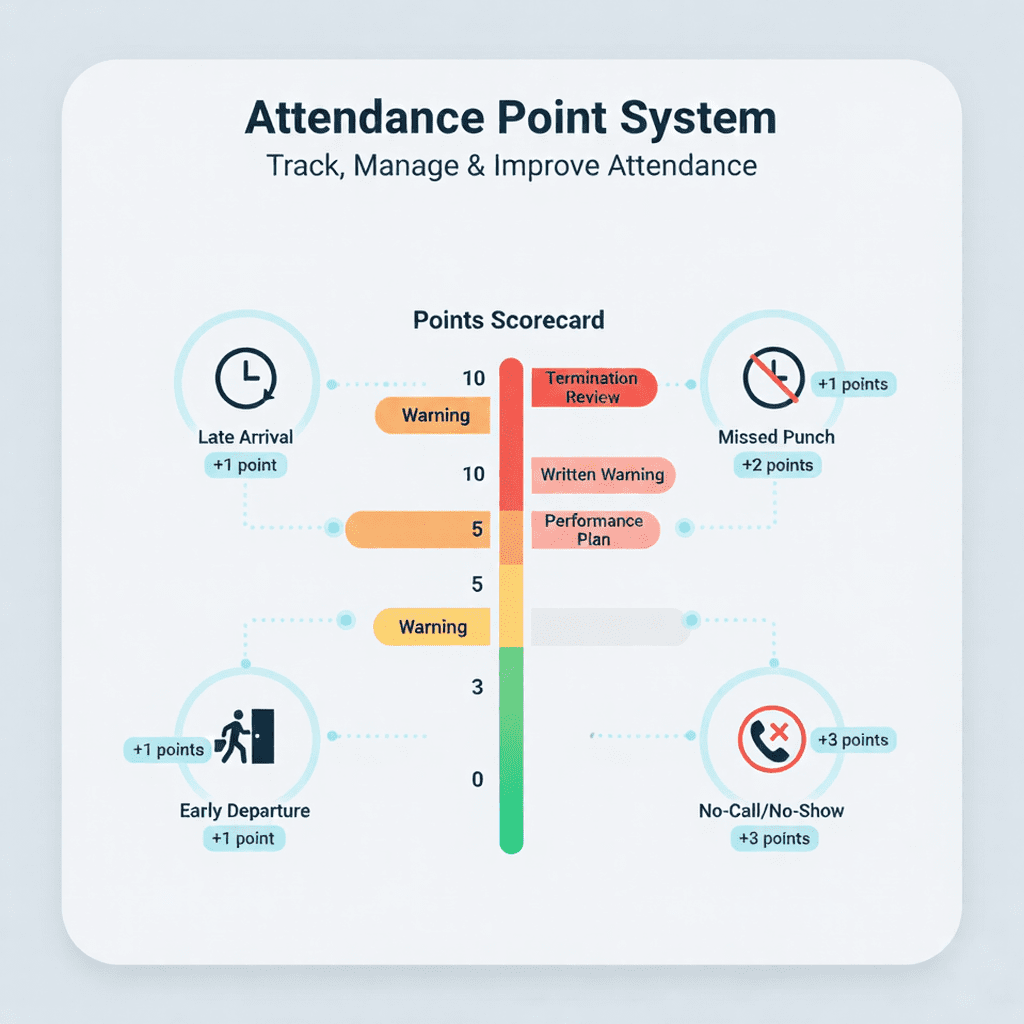
What it is, how it works, and how NextGen Workforce makes it fair, consistent, and easy to manage What Is an Attendance Point System? An attendance point system is a straightforward, rules-based method to manage attendance by assigning points to events, such as late arrivals, early departures, missed punches, or no-call/no-shows. When an employee hits certain thresholds, the company takes predetermined actions, such as giving a verbal warning, a written warning, a performance plan, suspension, or starting a termination review. Think of it as a scorecard for attendance: both employees and managers know the rules, the points, and the consequences. This transparency increases fairness, lowers disputes, and helps HR apply policies consistently across locations, departments, and shifts. Common Events and Typical Point Values (example) Late arrival (beyond grace period): 0.5–1 point Early departure (unauthorized): 0.5–1 point Missed punch (not corrected in time): 0.5–1 point No-call/no-show: 2–3 points Late return from break: 0.25–0.5 point Partial day absence (unapproved): 0.5–1 point Approved leave (PTO, sick with documentation, holiday): 0 points Shift swap (approved): 0 points Your actual values should reflect your industry, union agreements (if any), local laws, and culture. The goal is consistency, not punishment. Thresholds & Progressive Actions (example) 3 points: verbal or written warning 7 points: final warning and performance plan 8 points: suspension or termination review Point “Decay” & Rewards To maintain a constructive approach, many employers allow points to expire (or “roll off”) after a set period, like 12 months from the event. You can also reward perfect attendance; for example, deduct 1 point after 60 or 90 days without incidents. This promotes improvement instead of locking employees into past mistakes. How Is a Point System Used in Time Tracking? A point system works best when it’s part of your time tracking and scheduling processes, ensuring points are based on actual, approved time data, not manual estimates. Where It Fits in Your Workflow Scheduling: You publish schedules. Employees see their assignments and can request time off or swap shifts if needed. Time Capture: Employees clock in/out using mobile devices, the web, kiosks, or biometrics. Grace periods and rounding rules prevent minor variations from unfairly triggering points. Exception Detection: The system flags late arrivals, missed punches, early departures, and no-shows based on the schedule. Manager Review: Supervisors review and approve timecards. Points are assigned upon approval, not on draft data. Notifications & Actions: When thresholds are met, HR and managers receive notifications. The platform records the action taken, such as coaching or warnings. Reporting & Appeals: Employees can view their point history. Managers can approve justified exceptions (like medical issues, weather, or system outages) with a full audit trail. Result: a fair, auditable system that turns attendance from a gray area into a clear process everyone understands. How NextGen Workforce Helps You Run a Better Point System NextGen Workforce is designed to make policy-driven attendance simple. You set the rules, and we handle the rest. Policy Builder (Your Rules, Your Way) Custom events → point values (late, early out, no-show, missed punch, late break, partial day, etc.) Grace periods and rounding to prevent unfair minor penalties Exclusions for protected or approved absences (PTO, certified sick leave, FMLA/local equivalents) Point decay (automatic expiration after X months) and perfect attendance credits Thresholds → automated actions (notify, warn, coaching plan, restrict scheduling, flag HR review) Integrated Time Capture (Accurate Inputs = Fair Outcomes) Clock-in options: mobile app, web portal, shared kiosk, and biometric clocks Geo-fencing and location rules (optional) ensure on-site punches for jobs that need physical presence Auto clock-out on exit (optional) prevents overbilling by ending open punches Real-time sync: punches, edits, and approvals update instantly across devices Scheduling & Shift Control (Fewer Incidents, Fewer Points) Open shifts employees can claim, with manager approval Built-in shift swaps—approved swaps do not incur points Coverage warnings to keep you fully staffed without over-scheduling Tools to avoid overtime to control costs and reduce errors Read Shift Scheduling Exception Handling & Appeals (Fairness by Design) Reason codes allow manager overrides (like traffic incidents, medical reasons, or weather) Document attachments provide proof when needed Automated audit trails keep track of every edit, approval, and override Visibility for Everyone (Buy-In and Accountability) Employee self-service: current points, history, upcoming thresholds Manager dashboards: team risk, hotspots by site or shift, trend lines HR reports: threshold breaches, policy exceptions, comparative analysis by location/department Payroll & HR Integrations (Clean Handoffs) Send approved hours, overtime, and leave straight to payroll (ISL, Sage, QuickBooks, BambooHR, etc.) Sync people, departments, and policies with your HRIS (like BambooHR) Keep effective-dated pay rates and cost centers aligned Read Payroll Integrations Compliance & Audit Readiness Tamper-evident logs track who changed what, when, and why Legally compliant records include daily start/end times, approvals, and reason codes Data retention controls align with corporate policies and local laws What to Consider When Creating Your Attendance Point System A good system balances consistency, legal compliance, and human context. Use this checklist when designing or revising your policy. Define Events Clearly Clearly outline what counts as late, early out, missed punch, no-call/no-show, partial absence, and late break. Include grace periods, like up to 5 minutes late = 0 points, to avoid minor penalties. Set Fair Point ValuesAssign reasonable penalties: a no-call/no-show should be more serious than a late return from break. Use your data—identify which events have a real operational impact—and adjust accordingly. Use Progressive ThresholdsCreate thresholds that gradually escalate consequences (like 3 / 7 / 8 points). Link each level to a specific action, such as coaching, written warning, or termination review. Consistency benefits both the employer and employees. Add Decay and Positive CreditsAvoid “permanent punishment.” Allow points to roll off after a defined period (like 12 months), and give perfect attendance credits for consistent improvement. This keeps the policy positive. Respect Protected Leave & Legal NuanceDo not assign points for approved or protected absences (PTO, certified sick leave, parental leave, jury duty, etc.). Follow local labor laws and any union agreements. Build exceptions into the system, not through
Why Integrating BambooHR with NextGen Workforce Is a Game-Changer for HR Teams
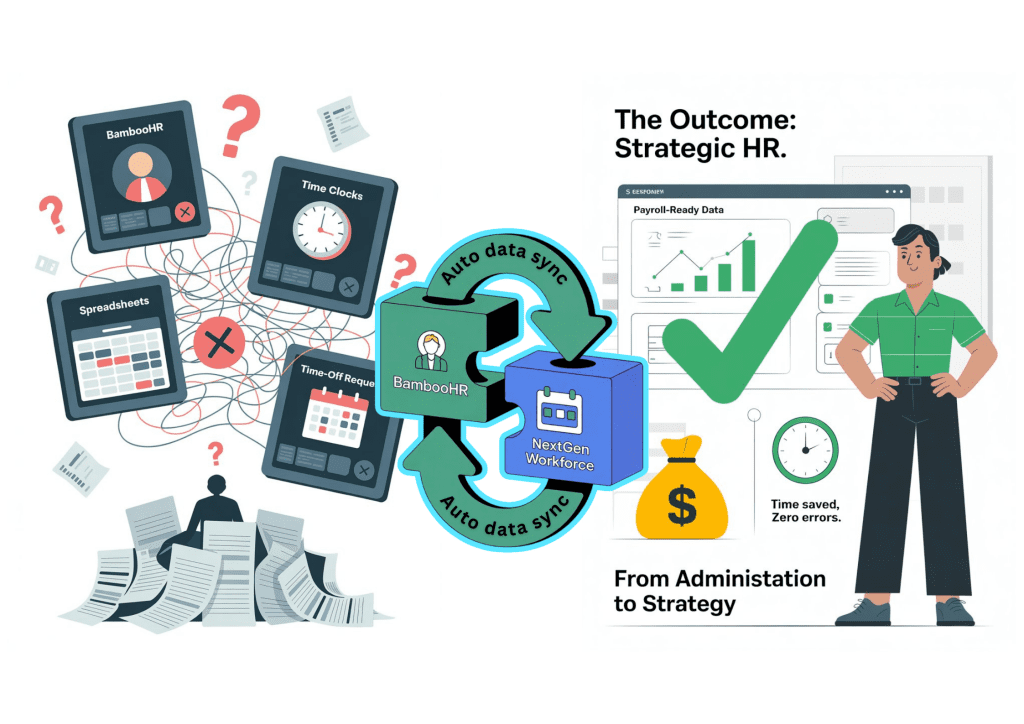
HR professionals today are managing more complexity than ever. Between remote work policies, evolving compliance rules, and the constant pressure to deliver an exceptional employee experience, the modern HR function has become both strategic and deeply operational. Yet, many HR teams still spend hours every week juggling between systems: one for employee data, another for time tracking, a separate tool for payroll, and multiple spreadsheets to fill the gaps. The result? Data silos, duplicate entries, time-consuming reconciliations, and rising administrative fatigue. That’s where the integration between BambooHR and NextGen Workforce changes everything. It brings together BambooHR’s powerful HR data management with NextGen’s intelligent scheduling, attendance, and compliance automation, creating a single, unified ecosystem for modern HR teams. This isn’t just about convenience. It’s about transforming how HR operates, giving teams clarity, control, and confidence across every employee touchpoint. The HR Reality: Too Many Systems, Too Little Time Let’s start with the day-to-day challenges HR professionals face: 1. Manual Data Entry & Duplication Without integration, every new hire, time-off request, or attendance record must be entered into multiple systems. HR teams end up retyping the same information across BambooHR, payroll tools, and time tracking platforms, increasing the risk of errors and wasting valuable hours. 2. Attendance and Timesheet Inconsistencies When attendance data isn’t synced with HR records, time-off balances and payroll totals rarely align. This forces HR to manually reconcile differences between timecards and BambooHR timesheets before each payroll run, an exhausting, repetitive process. 3. Scheduling Disconnects Managers often plan shifts in one system while HR maintains employee profiles and job roles in another. This disconnect leads to scheduling conflicts, unassigned shifts, and confusion over who’s available when. 4. Compliance Complexity For multi-location or hybrid teams, ensuring labor law compliance from overtime limits to rest period tracking becomes harder when systems don’t communicate. HR leaders must piece together data manually, leaving room for mistakes or audit risks. 5. Lack of Real-Time Insights Fragmented tools mean HR leaders don’t have a single, reliable view of workforce data. They can’t see how attendance impacts productivity, how absences affect staffing, or how time-off policies influence payroll. These pain points add up to one common frustration: HR spends too much time managing data instead of managing people. The Integration That Changes the Game By integrating NextGen Workforce with BambooHR, organizations eliminate these friction points. Here’s how the integration transforms HR operations: 1. Seamless Data Flow Between Systems When an employee is added, updated, or terminated in BambooHR, those details automatically sync to NextGen Workforce no duplicate entry, no manual updates. That means: New hires in BambooHR appear instantly in scheduling and attendance dashboards. Department changes or role updates are reflected in real time. Terminated employees are automatically deactivated across systems, protecting data security. Result: Clean, consistent employee data across HR, scheduling, and payroll. 2. Unified Scheduling and Attendance Management With the integration, HR no longer has to toggle between tools to manage shifts and attendance. Smart Scheduling: Managers can assign or adjust shifts directly in NextGen, while BambooHR automatically reflects those changes in the employee’s profile. See how BambooHR Users Can Simplify Shift Scheduling and Attendance Tracking. Open Shifts & Shift Swaps: Employees can claim or trade shifts within set rules, reducing last-minute coverage issues. Unavailability & Time-Off Sync: Approved time-off requests in BambooHR automatically block out those dates in NextGen’s scheduling view, ensuring managers never assign someone unavailable. This end-to-end visibility makes workforce planning more accurate and employee scheduling far more efficient. 3. Real-Time Attendance Data in BambooHR Timesheets Every clock-in, break, and clock-out captured in NextGen Workforce flows directly into BambooHR Timesheets. No exporting, no uploading CSV files, no reconciliation headaches. HR teams can trust that what’s in BambooHR reflects real-time, validated attendance data. Late arrivals or missed punches trigger alerts before payroll submission. Overtime and regular hours sync automatically. Attendance corrections are instantly updated across both systems. Result: Payroll-ready data that’s accurate, transparent, and audit-proof. 4. Streamlined Payroll and Compliance HR teams know payroll is where everything comes together or falls apart. The integration ensures all data feeding into payroll, from schedules and attendance to leave balances, is already clean, compliant, and verified. NextGen’s advanced compliance layer adds an extra safeguard: Automatic calculation of overtime, double-time, and shift premiums. Rule-based validation for local labor laws. Custom policies for weekend pay, holiday pay, and rest periods. When BambooHR receives this structured data, payroll accuracy skyrockets and compliance confidence follows. 5. A Better Employee Experience Integration doesn’t just help HR; it improves the day-to-day experience for employees and managers, too. Mobile App Access: Employees can clock in, view shifts, or request time off right from the NextGen mobile app and see everything reflected in BambooHR instantly. Self-Service Transparency: Workers can review their logged hours, confirm attendance accuracy, and raise corrections before payroll closes. One Login (SSO): With single sign-on, employees move seamlessly between BambooHR and NextGen, with no separate passwords and no confusion. A unified experience builds trust, autonomy, and accountability. 6. Analytics That Connect People and Performance Integration turns raw data into meaningful insight. NextGen’s Reports dashboard lets HR and leadership teams visualize: Attendance trends and absenteeism. Overtime costs compared to staffing plans. Scheduling efficiency and coverage gaps. How time-off patterns affect project delivery or payroll cycles. And because this data is synced with BambooHR’s employee profiles, organizations can see how engagement, productivity, and attendance intersect, leading to smarter, people-first decisions. The Human Impact: Less Administration, More Strategy When HR systems integrate seamlessly, the results are tangible: Hours saved: No more rekeying data or reconciling mismatched records. Fewer errors: Automated sync eliminates manual mistakes. Improved morale: Employees trust the system because their hours and pay align. Stronger compliance: Audit trails, automated validations, and unified reporting keep the organization safe. But the biggest benefit? HR teams finally get to spend time on what truly matters: strategy, engagement, and growth. With BambooHR + NextGen, HR isn’t buried in spreadsheets; they’re shaping culture, supporting leaders, and building better workplaces. Real-World Example: From Chaos to Clarity