
Time and Attendance Software for Guyana Businesses
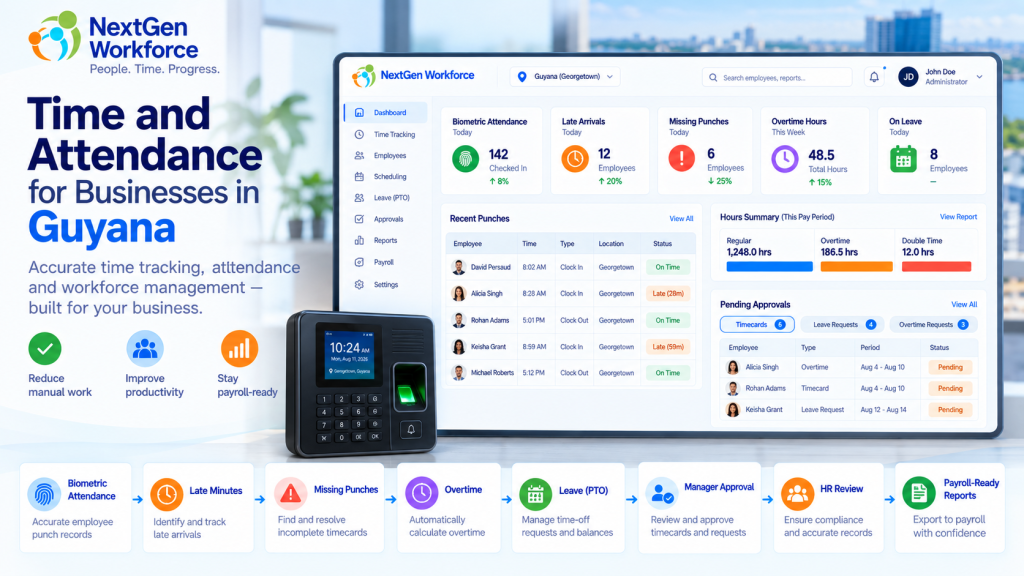
Time and Attendance Software for Guyana Businesses Employee attendance gets complicated quickly when overtime, late arrivals, missed punches, leave, approvals, and payroll all depend on the same time data. A biometric clock may record when someone arrives and leaves. But HR still needs to know whether the employee was late, whether overtime applies, whether a punch is missing, which leave category applies, and whether the record is ready for payroll. That is the gap NextGen Workforce is designed to handle. NextGen Workforce helps businesses in Guyana manage biometric time capture, attendance rules, overtime, late arrivals, leave categories, manager alerts, approvals, and payroll-ready reporting in one connected workflow. For companies with hourly employees, shift workers, multiple departments, or more complex attendance policies, that can remove a lot of manual checking before payroll. Still Checking Attendance Manually Before Payroll? NextGen Workforce helps Guyana businesses move from employee punches to reviewed, approved, payroll-ready attendance data. Talk To An Expert What Does Time and Attendance Software Need to Do for a Guyana Business? Quick answer: A useful attendance system should do more than collect clock-in and clock-out times. It should help HR and payroll review overtime, late arrivals, missed punches, leave, approvals, departments, and payroll-ready totals. Think about a normal payroll week. One employee clocks in late. Another forgets to clock out. A third works overtime. Someone else is on certified sick leave. A manager approves extra hours, but HR still wants a final review before those hours reach payroll. A simple time clock can record some of this. But someone still has to connect the pieces. NextGen Workforce helps bring those pieces into one workflow: Biometric time clock punches Web and mobile clock-in options Employee schedules Late-arrival rules Missing punch alerts Overtime calculation Manager and HR approvals Leave and attendance categories Employee and department summaries Payroll-ready reports Guyana Overtime Rules: What Employers Need to Track Quick answer: Guyana’s Ministry of Labour states that the normal work week is 40 hours over no more than five days, with normal daily working hours of eight hours. Work beyond eight hours in a day generally attracts overtime at one-and-a-half times the normal rate. Source: Guyana Ministry of Labour The same Ministry guidance says workers are generally entitled to at least 1.5× their normal rate for hours worked on Sundays and public holidays. It also sets out special rules for factory workers, including 2× pay on Sundays and certain named public holidays. Source: Guyana Ministry of Labour For factory workers, the Ministry separately notes that Sundays and certain public holidays can attract double time, while other public holidays may attract 1.5×. Source: Guyana Ministry of Labour factory overtime guidance That means employers should not treat every overtime situation as one simple rule. Industry, employee category, company policy, and applicable legislation all matter. NextGen Workforce can be configured around the overtime rules that apply to the business. For example, one employer may configure: Daily overtime after a defined threshold Saturday overtime rules Sunday premium rates Public holiday premium rates Manager approval before overtime is accepted HR review before approved overtime reaches payroll Important: Company-configured attendance rules should always be reviewed against the employer’s applicable Guyana labour requirements. The software can apply the configured rule, but the employer remains responsible for confirming which legal rule applies. Why a Biometric Time Clock Is Only the First Step Quick answer: A biometric time clock gives you reliable punch data. The attendance system still needs to interpret that data for schedules, lateness, overtime, leave, exceptions, and payroll. Biometric devices are useful because they help confirm that the right employee is making the punch. That matters in environments where employees work on-site and businesses want tighter control over attendance records. But the clock itself does not answer questions such as: Was the employee late? How many minutes late? Did overtime apply? Was the overtime approved? Is a punch missing? Was the employee on vacation or sick leave? How many hours did the department work? Is the timecard ready for payroll? NextGen Workforce connects the biometric punch to the attendance workflow. That is where the value becomes much bigger than simply replacing a paper timesheet. Track Late Employees Automatically Quick answer: NextGen Workforce can compare an employee’s actual clock-in time with the scheduled shift start and flag late arrivals based on the company’s configured tolerance. For example, a company may decide that an employee is considered late when they clock in more than five minutes after the scheduled start time. Shift Start Clock-In Attendance Result 8:00 AM 8:03 AM Within configured tolerance 8:00 AM 8:05 AM Within configured tolerance 8:00 AM 8:07 AM Late — 7 minutes 8:00 AM 8:18 AM Late — 18 minutes The system can then report: Late status Late minutes for the day Total late minutes for the month Late occurrences by employee Total late minutes by department This gives HR something more useful than a simple “late” flag. They can see the pattern. Alert Managers When an Employee Is Late or Misses a Punch Quick answer: Attendance alerts can notify managers or supervisors when an employee has not clocked in after the allowed tolerance or when an expected punch is missing. That is much more useful than discovering the problem at the end of the pay period. A typical late-arrival workflow might look like this: The employee is scheduled for 8:00 AM. The company allows a five-minute tolerance. No clock-in exists after the configured threshold. The system flags the attendance exception. The manager or supervisor receives an alert. A missing punch can work in a similar way. For example, an employee may clock in correctly but forget to clock out. Instead of payroll discovering the problem days later, the exception can be surfaced earlier for review. Manager Approval Is Not Always the Final Payroll Approval Quick answer: Some businesses need more than one approval level. A manager may approve overtime first, while HR performs a final review before overtime becomes payroll-ready. This is a common example of why
OBBBA Overtime Reporting: Why Employers Need Cleaner Time Data Before Payroll
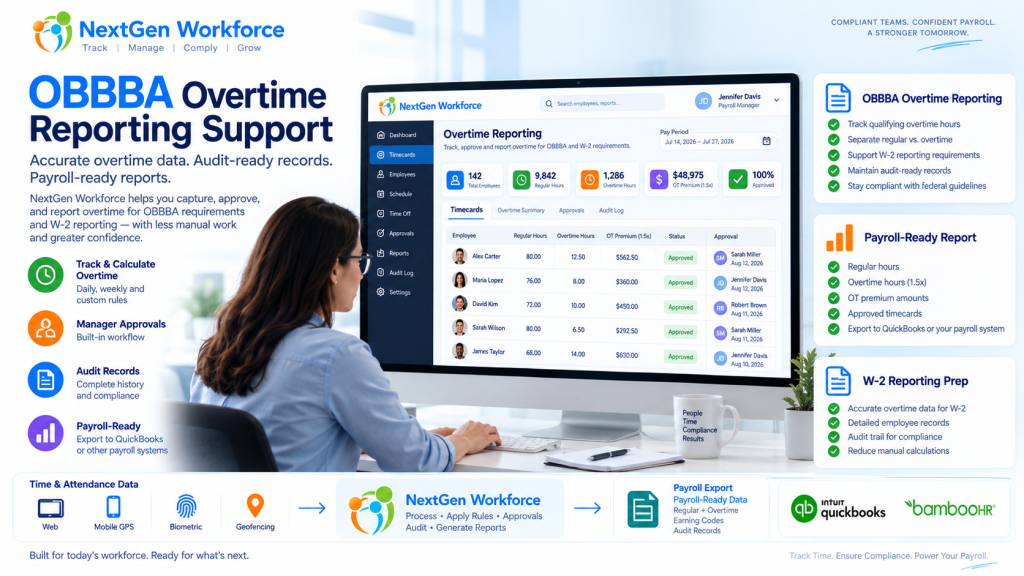
OBBBA Overtime Reporting: Why Employers Need Cleaner Time Data Before Payroll New overtime reporting rules are giving employers one more reason to clean up time data before payroll starts. The One Big Beautiful Bill Act, often shortened as OBBBA, added a new deduction for qualified overtime compensation for tax years 2025 through 2028. IRS guidance says the deduction generally applies to the overtime pay that exceeds the employee’s regular rate of pay, such as the “half” portion of time-and-a-half overtime compensation, when it meets the rules and is properly reported. Source: IRS qualified overtime compensation FAQs That sounds like a tax rule. But for employers, it quickly becomes a workforce data problem. Can your team clearly separate regular hours, overtime hours, overtime premium amounts, approvals, pay periods, employee records, and audit details before payroll reporting? If not, payroll may have to rebuild the story later. NextGen Workforce supports OBBBA-ready overtime tracking and reporting workflows to help employers review approved overtime, separate overtime premium data, maintain audit history, and prepare payroll-ready reports. We are not saying software alone makes an employer “fully compliant.” Eligibility, tax treatment, payroll reporting, and final filing decisions should be confirmed with your payroll provider, CPA, or legal advisor. But one thing is clear: if overtime is messy in the timecard, it will be messy in payroll reporting. Preparing for OBBBA “No Tax on Overtime” Reporting? NextGen Workforce helps employers track overtime, review approvals, separate overtime premium data, and generate payroll-ready overtime reports before payroll reporting. Talk To An Expert What Changed Under OBBBA? Quick answer: OBBBA created a temporary deduction for certain qualified overtime compensation for tax years 2025 through 2028. IRS guidance says employers and other payors must separately report qualified overtime compensation for 2026 and later years. Source: IRS The OBBBA “No Tax on Overtime” provision does not mean every overtime dollar is automatically tax-free. The IRS explains that the deduction applies to qualified overtime compensation. In general, this refers to the amount above the employee’s regular rate of pay that is required under section 7 of the Fair Labor Standards Act, commonly known as FLSA overtime. Source: IRS announcement For a simple time-and-a-half example, if an employee’s regular rate is $20 per hour and overtime is paid at $30 per hour, the possible qualified overtime compensation is generally the extra $10 premium portion, not the full $30 overtime rate. That distinction matters. Payroll teams may need to identify overtime hours, regular rate amounts, overtime premium amounts, and reporting details. If the source timecard data is not clean, the reporting process becomes harder. Why Employers Should Not Wait Until Year-End Quick answer: Overtime reporting starts when time is recorded, reviewed, approved, and categorized. Waiting until year-end can leave payroll teams sorting through missing punches, unclear overtime, and incomplete audit history. Year-end reporting is not where overtime data begins. It begins when the employee works extra time. Then it passes through several steps: the employee clocks in and out the system calculates regular and overtime hours the manager reviews the timecard exceptions are corrected overtime is approved or flagged payroll reviews totals reports or exports are prepared If those steps are not clean, payroll may be forced to fix the data later. That is not a good place to be when reporting rules require more detail. A relatable example: an employee works 46 hours in a week. The timecard shows the total hours, but one punch was edited, overtime approval is missing, and the employee worked across two job codes. Payroll now has to answer three questions before reporting anything: were the extra hours valid, how much was overtime premium, and which records support the calculation? That is why employers should treat OBBBA reporting as a time data readiness project, not just a tax form update. What Employers Need to Track for OBBBA-Ready Overtime Reporting Quick answer: Employers should be able to review regular hours, overtime hours, overtime premium amounts, manager approvals, pay periods, employee details, audit history, and payroll-ready report outputs. Every employer’s final reporting workflow may be different. However, the workforce data behind the process usually includes the same building blocks. Data Area Why It Matters Employee record Payroll needs the correct employee, pay period, and worker details. Clock-in and clock-out data Overtime starts with accurate time records. Regular hours Payroll needs to know the base hours before overtime is calculated. Overtime hours Overtime must be separated from regular time. Overtime premium portion The OBBBA deduction generally focuses on the premium amount above the regular rate, when it qualifies. Manager approval Approved overtime is easier to defend and process than unreviewed overtime. Edits and corrections Missing punches and changed records should have a clear audit trail. Pay code or earning code Payroll may need separate categories for regular, overtime, premium, or reportable overtime data. Payroll-ready report Payroll needs a clean output for review, export, or final reporting workflows. The main idea is simple. Do not make payroll search for overtime data across spreadsheets, emails, edits, and manager messages. Put the review process inside the workforce workflow. Regular Hours, Overtime Hours, and Overtime Premium Are Not the Same Quick answer: For OBBBA-related overtime reporting, employers may need to distinguish between total overtime pay and the overtime premium portion that exceeds the regular rate of pay. This is where many teams may get confused. Overtime reporting is not always just “show me everyone with more than 40 hours.” For example: Item Example Regular rate $20 per hour Overtime rate $30 per hour Regular portion inside overtime hour $20 Overtime premium portion $10 That $10 difference is the part employers may need to identify for qualified overtime compensation workflows, depending on the employee, pay type, FLSA rules, and final payroll reporting process. That is why time tracking and payroll data need to speak the same language. It is not enough to know that overtime happened. You need to know how it was calculated, reviewed, approved, and reported. 2025 Transition Year vs. 2026 Reporting Quick answer:
Payroll-Ready Workforce Management Software for Complex Hourly Teams
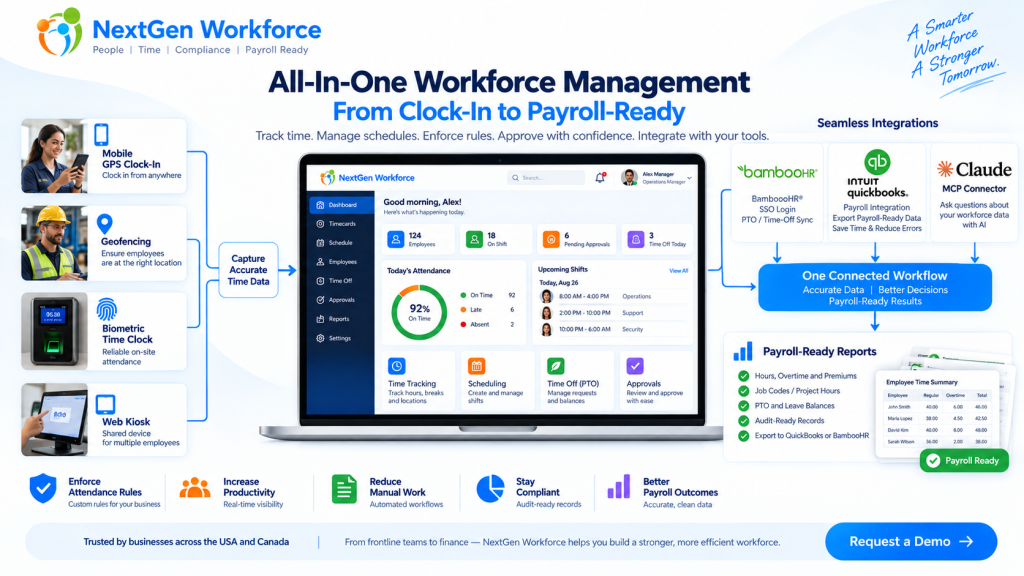
Payroll-Ready Workforce Management Software for Complex Hourly Teams You do not need another time clock. You need clean workforce data before payroll runs. That is the real problem for many growing businesses. Employees clock in. Managers adjust schedules. PTO gets approved. Overtime happens. Job codes change. Someone forgets a punch. A field employee clocks in from the wrong location. Then payroll day arrives, and the team has to clean everything manually. Sound familiar? Payroll-ready workforce management software helps businesses collect employee time, apply attendance rules, manage schedules, review exceptions, approve records, and prepare cleaner data before payroll processing. NextGen Workforce brings time tracking, attendance, scheduling, biometric clocks, mobile GPS, geofencing, PTO, approvals, custom rules, and payroll-ready reports into one connected workflow. Still Cleaning Time Data Before Every Payroll? NextGen Workforce helps your team capture accurate time, review exceptions, approve hours, and prepare payroll-ready reports before payroll runs. Talk To An Expert What Is Payroll-Ready Workforce Management? Quick answer: Payroll-ready workforce management connects the work that happens before payroll: time tracking, attendance, scheduling, PTO, overtime, approvals, job codes, and reporting. A basic time clock records hours. That is useful, but it is only the beginning. Payroll needs more than a clock-in and clock-out time. It needs clean, reviewed, categorized, and approved workforce data. That means payroll teams need to know: Did the employee work the scheduled shift? Are there missing punches? Was overtime approved? Was PTO already approved in the HR system? Did the employee work at the correct location? Which job, project, department, or client should the hours go to? Did the manager approve the timecard? Are the hours ready to send to payroll? Payroll-ready workforce management is the system that helps answer those questions before payroll day. For a business with simple office hours, this may not feel urgent. But for hourly teams, field employees, multi-location operations, manufacturing teams, hospitality groups, healthcare teams, construction crews, and businesses with custom rules, this can become a weekly problem. Why Payroll Problems Usually Start Before Payroll Quick answer: Payroll errors often start earlier in the workflow, when punches, schedules, PTO, overtime, approvals, and job data are incomplete or disconnected. Payroll software can process payroll. But it cannot magically fix messy attendance data. If an employee forgot to clock out, payroll still needs someone to fix the record. If overtime was not approved, someone has to ask the manager. If PTO is approved in one system but not visible on the timesheet, payroll has to compare records manually. Here is a simple example. A field employee visits a client site. They clock in from mobile, work for six hours, and leave. Payroll later needs to know the employee’s hours, location, client, project, order number, and approval status. If that information was not captured during the workday, someone has to reconstruct it later. That is where time gets wasted. Payroll cleanup is rarely just a payroll problem. It is usually a workforce data problem. Why Time Tracking Alone Is Not Enough Quick answer: Time tracking tells you when employees worked. Payroll-ready workforce management also tells you whether the work was scheduled, approved, categorized, compliant with company rules, and ready for payroll. A time clock answers one question: When did the employee work? A payroll-ready workforce system answers a better question: Is this record complete, correct, approved, and ready for payroll? That is a big difference. For example, a timecard may show 46 hours for the week. But before payroll processes those hours, the business may still need to review: regular hours overtime hours double-time rules where applicable holiday rules meal or break rules job codes department allocation project or client hours manager approval audit history Without that review layer, payroll teams end up doing manual checking. And manual checking does not scale well. The Core Pieces of a Payroll-Ready Workforce System Quick answer: A payroll-ready workforce system should connect time capture, scheduling, attendance rules, PTO, approvals, reporting, and payroll integrations. Each part matters on its own. But the real value comes when they work together. 1. Time Tracking Employees need a reliable way to clock in and out. NextGen Workforce supports multiple time capture workflows, including web clock, kiosk, mobile app, and biometric time clock options. This gives businesses flexibility. Office employees may use a web clock. Field employees may use mobile GPS. On-site teams may use biometric devices. Shared workstations may use kiosk workflows. 2. Attendance Management Attendance is more than recording time. Managers need visibility into late arrivals, early departures, missed punches, long shifts, exceptions, and incomplete records. NextGen Workforce helps teams review attendance issues before they become payroll problems. 3. Employee Scheduling Schedules help payroll and operations compare planned work with actual hours. When scheduling and time tracking are disconnected, managers may not notice coverage gaps, unexpected overtime, or schedule mismatches until later. NextGen Workforce connects schedules with attendance records so teams can review what was planned versus what actually happened. 4. PTO and Time-Off Visibility PTO affects payroll, scheduling, coverage, and attendance review. If PTO is approved but not visible in the timecard workflow, payroll has to check another system. NextGen Workforce supports PTO and time-off workflows, including integrations such as BambooHR time-off sync where configured. 5. Custom Attendance Rules Every business says, “Our rules are simple.” Then payroll day comes. One department has a different overtime rule. One location has holiday rules. One customer needs custom job codes. One policy requires manager approval before overtime becomes payable. Another team needs meal premium tracking or break deductions. This is where many basic time tracking tools struggle. NextGen Workforce is designed for configurable attendance rules, including overtime, breaks, rounding, holidays, premiums, exceptions, approval rules, and customer-specific workflows. 6. Approvals Payroll should not have to guess whether time is approved. A strong workflow should show whether the employee submitted the record, the manager approved it, and payroll can process it. NextGen Workforce supports manager review and approval workflows so payroll can work from clearer records. 7. Payroll-Ready Reports and Exports Payroll-ready
Overtime Request Automation: Paid Overtime or Time Off in Lieu Before Payroll
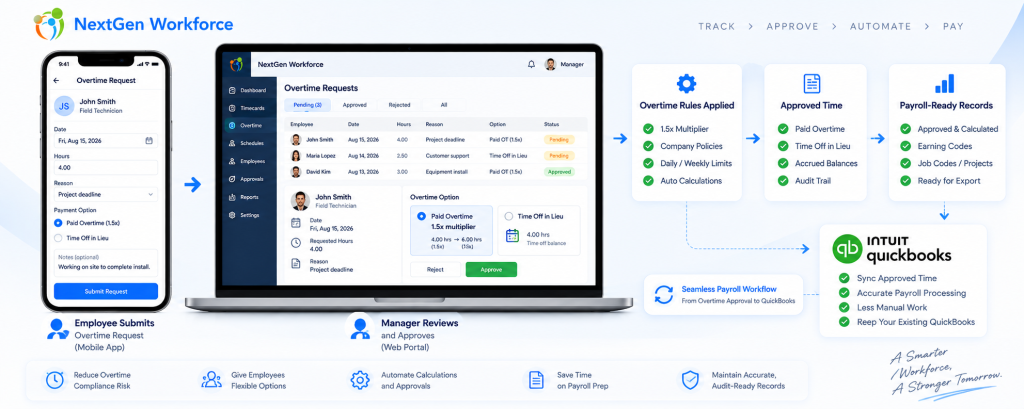
Overtime Request Automation: Paid Overtime or Time Off in Lieu Before Payroll By NextGen Workforce Editorial Team Last updated: September 2026 Overtime approval should happen before payroll, not during payroll cleanup. NextGen Workforce helps businesses manage overtime requests, approvals, paid overtime, time off in lieu, configurable multipliers, audit history, and payroll-ready records before payroll runs. For many businesses, overtime becomes a payroll problem because the approval happens too late. An employee works extra hours. A manager reviews it after the pay period. Payroll has to confirm whether the hours were approved, whether they should be paid, whether they should be converted to time off in lieu, and whether the correct earning code or balance should be updated. That creates manual cleanup. NextGen Workforce helps move this process earlier by giving employees and managers a structured overtime request workflow. Still Approving Overtime by Email or Spreadsheet? NextGen Workforce helps employees request overtime, choose paid overtime or time off in lieu, route approvals, apply configurable multipliers, and prepare payroll-ready records. Talk To An Expert Why Overtime Requests Need a Better Workflow Quick answer: An overtime request workflow helps employees submit extra hours for review, lets managers approve or reject those hours, and gives payroll clear instructions before processing paid overtime or time off in lieu. Overtime is not only a payroll calculation. It is also an approval process. Payroll teams need to know whether the extra time was authorized, why it happened, who approved it, and how it should be handled. Without a structured workflow, overtime decisions often happen through emails, messages, spreadsheets, or verbal approvals. That creates several problems: Employees work extra time without approval. Managers approve overtime too late. Payroll does not know whether overtime should be paid or banked. Time off in lieu balances are updated manually. Rejected overtime has no clear audit history. Payroll-ready reports need last-minute correction. A good overtime request workflow gives everyone the same record. The employee submits the request. The manager reviews it. Payroll receives approved and categorized data. Paid Overtime vs. Time Off in Lieu Quick answer: Paid overtime means approved extra hours are paid through payroll. Time off in lieu means approved overtime is converted into paid time off or banked time, where allowed by law and company policy. Businesses may handle approved overtime in different ways depending on country, province, state, employment agreement, employee classification, and company policy. In many Canadian employment contexts, time off in lieu or banked overtime can be allowed when specific rules are followed. For example, Canadian federal labour standards describe overtime compensation as either overtime pay or time off with pay equivalent to 1.5 hours for every overtime hour worked, subject to applicable rules. However, this is not universal everywhere. In the United States, covered nonexempt private-sector employees are generally entitled to overtime pay under the Fair Labor Standards Act. Employers should verify whether compensatory time off is allowed for their specific workforce before offering it. Option What It Means Payroll or Balance Impact Paid overtime Approved extra hours are paid at the applicable overtime rate Payroll earning code is updated Time off in lieu Approved overtime is converted into paid time off or banked time where allowed Time bank or leave balance is credited Pending approval Request is waiting for manager review Not finalized for payroll Rejected request Manager denies the overtime request Handled based on company policy and legal requirements The key is clarity. Payroll should not have to guess whether approved overtime should be paid or credited as time off in lieu. How the 1.5x Time Off in Lieu Rule Can Work Quick answer: Where time off in lieu is allowed, a company may credit overtime hours at a configured multiplier, such as 1.5x. For example, 2 approved overtime hours can become 3 hours of banked time. Some businesses allow employees to receive paid time off instead of paid overtime. This is often called: time off in lieu TOIL banked overtime compensatory time time bank Example: Approved Overtime Hours Multiplier Time Off in Lieu Credit 1 hour 1.5x 1.5 hours 2 hours 1.5x 3 hours 4 hours 1.5x 6 hours With NextGen Workforce, this can be handled as a configurable policy. For example, if an employee requests 2 hours of approved overtime as time off in lieu, the system can credit 3 hours to the employee’s time bank when the configured multiplier is 1.5x. This helps reduce manual balance updates and gives payroll a clearer audit trail. Why Retroactive Overtime Requests Matter Quick answer: Retroactive overtime requests allow employees to submit overtime after the work was performed, within a configured window such as 72 hours. This helps businesses handle emergency work without losing approval control. Not all overtime is planned in advance. Sometimes employees work extra hours because of an emergency, customer request, production issue, staffing gap, late shift coverage, or urgent project deadline. In those cases, a strict “advance approval only” process may not reflect reality. That is why many businesses need a retroactive overtime request window. For example, a company may allow employees to submit overtime requests for previous days within a configured window, such as 72 hours after the work was performed. This is not presented as a universal legal rule. It is a company policy setting. The benefit is control. Employees can explain why overtime happened. Managers can approve or reject the request. Payroll can see the approval decision before processing. The system can keep an audit record. This helps prevent overtime from becoming an unstructured payroll exception. How NextGen Workforce Automates Overtime Requests Quick answer: NextGen Workforce can automate overtime requests by allowing employees to select the date, hours, reason, and preferred handling method, then route the request to a manager for approval before payroll. A practical overtime request workflow can look like this: Employee selects the overtime date. Employee enters requested overtime hours. Employee chooses paid overtime or time off in lieu, where allowed. Employee adds a reason or note. System checks the request window, such