
QuickBooks Time Alternative for Complex Attendance Rules
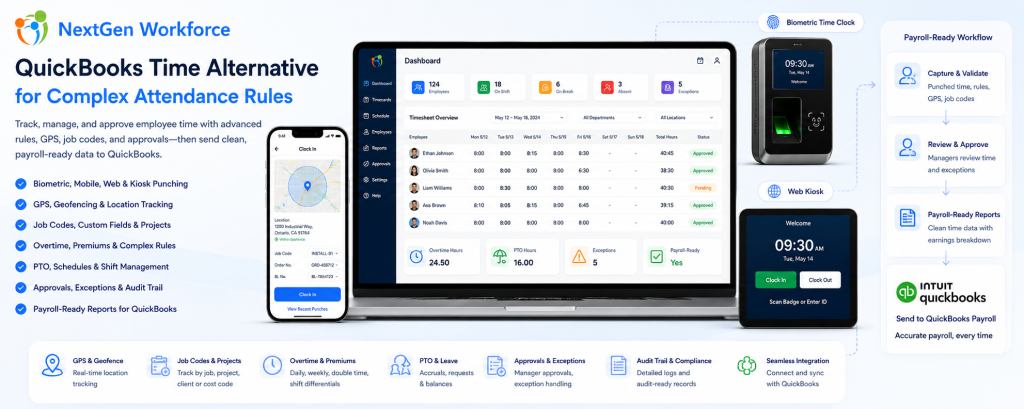
QuickBooks Time Alternative for Complex Attendance Rules By NextGen Workforce Editorial Team Last updated: August 2026 QuickBooks users do not always need another payroll tool. Many businesses need cleaner, approved, payroll-ready time data before payroll starts. If your team is still fixing missing punches, overtime, PTO, job codes, manager approvals, geofence exceptions, or custom attendance rules before processing payroll in QuickBooks, the real issue may be the time tracking workflow before payroll. QuickBooks is strong for accounting and payroll workflows. However, payroll accuracy depends on the data that reaches QuickBooks. If employee hours are incomplete, unapproved, or categorized incorrectly, payroll teams still have to clean up the records manually. That is where NextGen Workforce helps. NextGen Workforce supports businesses that use QuickBooks but need more flexible time tracking, biometric attendance, mobile GPS clock-in, geofencing, web kiosk punching, custom punch fields, complex overtime rules, PTO, approvals, audit-ready records, and payroll-ready reports. Using QuickBooks But Still Fixing Timesheets Manually? NextGen Workforce helps businesses prepare clean, reviewed, and payroll-ready time data before payroll runs. Track punches, schedules, overtime, PTO, approvals, job codes, GPS locations, geofence exceptions, and custom rules in one connected workflow. QuickBooks Time Tracking Demo Why Businesses Look for a QuickBooks Time Alternative Quick answer: Businesses often look for a QuickBooks Time alternative when their attendance rules, field tracking needs, biometric clock requirements, job codes, approvals, or payroll workflows are more complex than a basic time tracking setup. For simple teams, basic time tracking may be enough. Employees clock in, managers review hours, and payroll processes the records. However, many businesses using QuickBooks have more complex workforce requirements. They may need to track field employee locations, enforce jobsite geofences, capture custom fields, apply daily and weekly overtime, manage PTO, approve exceptions, handle shift premiums, track web kiosk punches, or support biometric devices. When those details are not handled before payroll, QuickBooks receives data that still needs work. That creates payroll cleanup. Missing punches: Payroll has to chase employees or managers. Unapproved overtime: Extra hours are discovered too late. PTO mismatches: Approved leave does not match the timesheet. Wrong earning codes: Regular, overtime, holiday, and premium hours need correction. Job code gaps: Project, department, client, or cost code details are missing. Field punch issues: Mobile employees clock in from different locations without enough visibility. Custom rule gaps: Company-specific attendance rules still need spreadsheet work. In practice, the problem is not always payroll. The problem is that time data is not payroll-ready before it reaches payroll. QuickBooks Can Process Payroll, But It Cannot Fix Messy Time Data Quick answer: QuickBooks can help process payroll, but payroll accuracy depends on complete, approved, and correctly categorized time records. NextGen Workforce helps prepare that data before payroll starts. Payroll teams need more than total hours. They need time records that are complete, approved, categorized, and ready for payroll review. Before data reaches QuickBooks, businesses often need to confirm: Did every employee clock in and out? Did managers approve the timecard? Was overtime calculated correctly? Was PTO or sick time included? Were holiday hours categorized properly? Were shift premiums or differentials applied? Were job codes, project codes, or custom fields captured? Were GPS or geofence exceptions reviewed? Were payroll earning categories mapped correctly? If these items are not reviewed before payroll, payroll teams still need manual cleanup. NextGen Workforce helps move that cleanup earlier in the workflow. Key takeaway: The goal is not just to track time. The goal is to prepare clean, approved, payroll-ready time data before QuickBooks payroll processing. How NextGen Workforce Supports QuickBooks Payroll-Ready Workflows Quick answer: NextGen Workforce helps businesses capture employee time, apply attendance rules, review exceptions, approve timecards, and prepare payroll-ready reports before data reaches QuickBooks. NextGen Workforce is built for businesses that need more than a simple clock-in screen. The workflow can support different teams, different attendance methods, and different payroll requirements. Step 1: Employees Clock In Employees can clock in using mobile, web kiosk, biometric hardware, or other supported attendance workflows. This gives businesses flexibility based on the type of workforce. Step 2: Required Details Are Captured Where needed, the system can capture GPS location, geofence status, job code, project, department, work location, Order No., BL No., task, or notes during punch workflows. This is useful for field teams, construction crews, heavy machinery companies, service teams, and project-based businesses. Step 3: Attendance Rules Are Applied NextGen Workforce can support configurable attendance rules such as overtime, double time, shift differentials, rounding, grace periods, meal rules, auto clock-out, holiday rules, and customer-specific policies. Step 4: Exceptions Are Reviewed Managers and payroll teams can review missing punches, late clock-ins, early departures, overtime warnings, geofence issues, incomplete custom fields, or timecard exceptions. Step 5: Managers Approve Timecards Approval workflows help ensure time records are reviewed before payroll starts. This reduces the need for payroll teams to chase managers at the end of the pay period. Step 6: Payroll-Ready Reports Are Prepared After review, NextGen Workforce helps prepare regular hours, overtime, double time, PTO, sick time, holiday hours, shift premiums, job codes, and other payroll-ready data. Step 7: QuickBooks Receives Cleaner Data Payroll starts with reviewed, categorized, and more reliable time records. This helps reduce spreadsheet cleanup before payroll processing. Need More Than Basic Time Tracking for QuickBooks? NextGen Workforce helps businesses manage biometric time clocks, mobile GPS clock-in, geofencing, web kiosk punching, custom punch fields, overtime rules, PTO, approvals, and payroll-ready reports. Talk To An Expert When Basic Time Tracking Is Not Enough Quick answer: Basic time tracking is often not enough when a business needs biometric verification, mobile GPS tracking, geofencing, custom punch fields, complex overtime, PTO workflows, shift premiums, or approval rules before QuickBooks payroll. Many businesses start with simple time tracking. That works until the workforce becomes more complex. Then payroll teams need more context around each punch. Business Need Why Basic Time Tracking Struggles How NextGen Workforce Helps Biometric attendance PINs or manual entry may not verify identity strongly enough Supports biometric time clock workflows Mobile field teams
Field Time Tracking With Custom Punch Fields: Capture Order Numbers, Job Codes, and Client Data at Clock-In
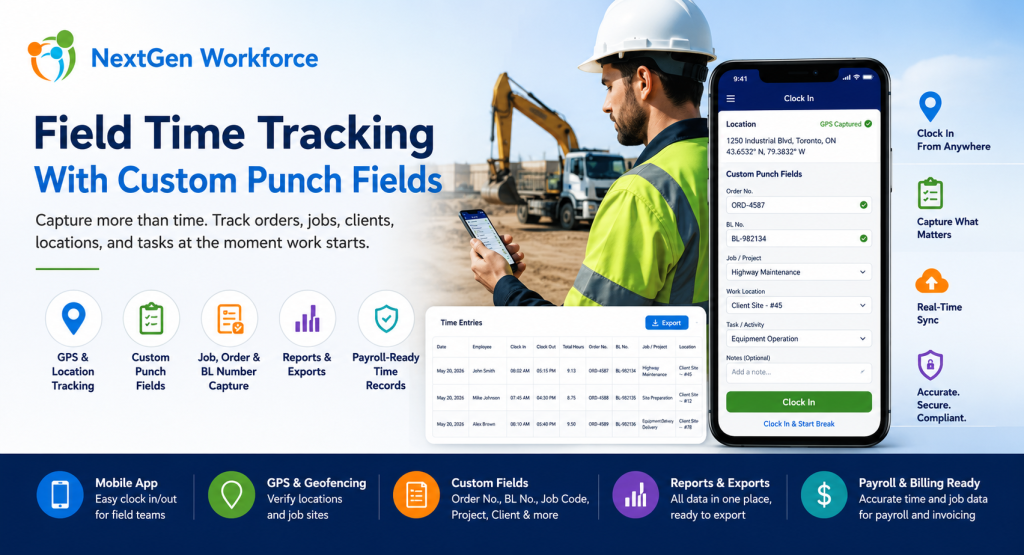
Field Time Tracking With Custom Punch Fields: Capture Order Numbers, Job Codes, and Client Data at Clock-In By NextGen Workforce Editorial Team Last updated: July 2026 Field time tracking should capture more than clock-in and clock-out time. For many field-based businesses, employees also need to capture order numbers, BL numbers, job codes, project details, customer locations, task information, and notes when they start work. If that information is not captured at the time of punch, payroll and operations teams often have to rebuild the record manually later. This is where basic time tracking software starts to fall short. A field employee may reach a customer location and receive an Order No. or BL No. before starting the job. A technician may need to select a project or task. A heavy equipment operator may need to enter a service order. A delivery team may need to capture a client reference number. A construction crew may need to clock time against a job code. Payroll needs the hours. Operations needs the job data. Management needs the report. NextGen Workforce helps businesses capture this information directly during mobile clock-in, web kiosk punch, or attendance workflows — then include it in reports and exports with the employee’s time records. Need Employees To Capture Job Data When They Clock In? NextGen Workforce helps field teams capture custom punch fields such as Order No., BL No., job code, project, client, department, work location, task, and notes during clock-in or clock-out. Track time, GPS location, custom fields, approvals, and payroll-ready records in one connected workflow. Talk To An Expert What Are Custom Punch Fields In Time Tracking? Quick answer: Custom punch fields are extra fields employees complete when they clock in, clock out, start a break, end a break, or submit time. These fields can capture business-specific details such as order numbers, BL numbers, job codes, project IDs, work locations, cost codes, task types, or notes. Most time tracking systems focus on one question: When did the employee work? For field operations, that is not enough. Businesses often need to know what the employee worked on, where the work happened, which client it belongs to, which order number applies, and how those hours should be reported or billed. Custom punch fields solve this problem by collecting operational data at the source. Instead of asking employees to write details on paper, send messages, update spreadsheets, or tell supervisors later, the required fields can be captured during the punch workflow. Examples include: Order No.: Capture the work order or service order reference. BL No.: Capture bill of lading or delivery-related reference details. Job code: Track hours against a job, project, or cost center. Client name: Identify which customer the work belongs to. Work location: Record office, branch, client site, remote site, or field location. Task type: Capture the type of work performed. Department: Assign hours to the right team or division. Notes: Let employees explain exceptions or add job details. Key takeaway: Custom punch fields turn a simple time clock into a field operations data capture tool. Why Field Teams Need More Than Basic Clock-In And Clock-Out Quick answer: Field teams need more than basic clock-in and clock-out because work often happens at customer locations, job sites, routes, branches, or remote locations. Payroll, billing, job costing, and operations may all need extra details connected to each time record. A basic clock-in record tells payroll when work started. However, it may not tell operations enough. For example, it may not show which customer the employee visited, which job number should be charged, which order number was completed, or which BL number should appear in the export. That creates manual work after the shift. Supervisors may need to call employees. Payroll may need to check messages. Operations may need to match attendance records with job records. Finance may need to connect hours to billing or job costing. As a result, the business loses time even though employees technically “clocked in.” The issue is not only attendance. The issue is missing context. NextGen Workforce helps businesses capture that context at the time of punch, when the employee is closest to the work and the information is most accurate. A Real-World Example: Field Employees Entering Order No. And BL No. Quick answer: A field employee may receive an Order No. or BL No. only after reaching the client location. With NextGen Workforce, the employee can enter those details during mobile clock-in so the information stays connected to the time record. Here is a common field workforce scenario. An employee travels to a client location. After reaching the site, they receive the Order No. and BL No. from the customer or site contact. Before starting work, they need to record those values. In a manual process, this usually means the employee writes the details down, sends a message, updates a sheet, or tells a supervisor later. That creates risk. The number may be entered incorrectly. The information may arrive late. Payroll may not see it. Operations may not be able to match hours with the correct order. Reports may need manual cleanup. With NextGen Workforce, the workflow can be cleaner: The employee reaches the client location. The employee opens the NextGen Workforce mobile app. The app can capture GPS location if enabled. The employee enters or selects the required Order No. and BL No. The employee clocks in. The time record stores the punch time, employee, location, and custom field values. Managers and admins can review the record. Reports and exports can include the custom fields with the attendance data. This is where NextGen Workforce becomes especially useful. It helps field teams capture real operational data at the moment work begins. How NextGen Workforce Mobile App Helps Field Employees Quick answer: The NextGen Workforce mobile app helps field employees clock in from client locations, capture GPS details where enabled, complete custom punch fields, submit job-related information, and create cleaner time records for payroll and operations. Mobile time tracking should be simple for employees
Web Kiosk Time Clock: Flexible Attendance Tracking Without Extra Hardware
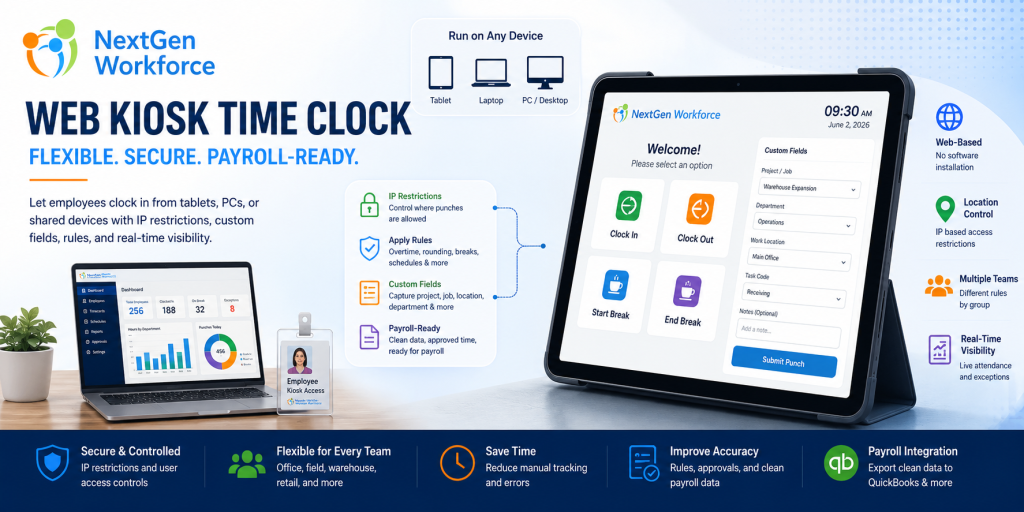
Web Kiosk Time Clock: Flexible Attendance Tracking Without Extra Hardware By NextGen Workforce Editorial Team Last updated: July 2026 Not every business needs a fingerprint device or mobile GPS clock-in for every employee. A web kiosk time clock gives businesses a flexible way to let employees clock in from a shared tablet, office PC, front desk system, warehouse station, or approved device. With the right controls, it can support IP restrictions, attendance rules, custom punch fields, approvals, and payroll-ready reporting. This matters because workforce tracking is not one-size-fits-all. Some teams need mobile GPS clock-in. Some need geofencing. Some need hardware biometric clocks with fingerprint or face reader options. Others simply need a controlled web kiosk that employees can use from a shared location. NextGen Workforce supports all of these options. The goal is simple: give businesses the right attendance method for each workforce group while keeping payroll data clean, reviewed, and ready before payroll runs. Need A Time Clock Setup That Fits Your Workforce? NextGen Workforce supports web kiosk, mobile GPS clock-in, geofencing, biometric hardware clocks, scheduling, attendance rules, custom fields, approvals, and payroll-ready reporting. If your current system cannot support different attendance methods for different teams, our team can review your workflow. Talk To An Expert What Is A Web Kiosk Time Clock? Quick answer: A web kiosk time clock lets employees clock in and out through a browser on a shared tablet, computer, laptop, or approved device. It is useful for workplaces that want controlled attendance tracking without installing dedicated hardware for every location. A web kiosk is simple in concept. The employer opens the kiosk time clock on an approved device. Employees use that shared device to clock in, clock out, start breaks, end breaks, or submit punch information. That device could be: a tablet at the front desk a PC in the office a laptop at a job site trailer a shared warehouse workstation a system used by supervisors a personal device if the employer allows it For many businesses, this is easier than buying and installing hardware at every location. However, a kiosk should not be just a basic clock-in screen. It should still support attendance rules, punch controls, custom fields, approvals, and payroll-ready reporting. Key takeaway: A web kiosk works best when it is connected to the full attendance-to-payroll workflow, not used as a standalone punch screen. Why Businesses Need More Than One Time Clock Option Quick answer: Businesses often need multiple time clock options because employees work in different environments. Office employees may use a web kiosk, field teams may use mobile GPS, and on-site teams may use biometric hardware clocks. A single time clock method rarely works for every workforce group. For example, office employees may not need GPS tracking. Field employees may not have access to a shared kiosk. Warehouse teams may need a biometric device. Remote workers may need mobile clock-in with location visibility. That is why NextGen Workforce supports multiple attendance methods. Instead of forcing every employee into one model, businesses can choose the best method by team, location, role, or policy. Attendance Method Best For Main Benefit Web kiosk Shared offices, warehouses, clinics, retail stores, job site trailers Flexible browser-based clock-in without extra hardware Mobile GPS clock-in Field teams, remote workers, mobile employees Location visibility when employees clock in Geofencing Job sites, branches, customer locations Controls or validates clock-ins by approved location Fingerprint device On-site hourly teams Stronger employee identity verification Face reader hardware Hands-free or faster on-site clock-in environments Convenient biometric attendance option This flexibility matters for payroll. When the time capture method fits the workforce, attendance records are easier to trust and easier to approve before payroll. How A Web Kiosk Helps Reduce Manual Attendance Work Quick answer: A web kiosk helps reduce manual attendance work by giving employees a controlled clock-in point while allowing managers to apply rules, capture required punch details, review exceptions, and prepare payroll-ready records. Manual attendance tracking creates problems quickly. Employees forget to write down time. Supervisors collect paper notes. Payroll enters hours manually. Managers approve late. Project or department details go missing. A web kiosk helps create a cleaner process. Employees use the kiosk to clock in and out. The system records time, employee identity, punch type, and any required fields. Managers can then review exceptions before payroll. For businesses that do not want hardware at every location, this can be a practical option. It gives employees a simple way to punch while still keeping the data inside the attendance system. IP Restrictions For Controlled Web Kiosk Attendance Quick answer: IP restrictions help employers control where web kiosk punches can happen. Businesses can allow clock-ins only from approved office, branch, warehouse, or job site network locations. A web kiosk should be flexible, but it also needs controls. One important control is IP restriction. With IP restriction enabled, a business can limit web kiosk punching to approved network locations. For example, employees may only be allowed to clock in from the office internet connection, warehouse network, branch location, or another approved IP address. This helps reduce unauthorized off-site punching when the kiosk should only be used at a specific location. For some companies, IP restriction is the right balance. They may not need GPS for every employee, but they still want to know that web kiosk punches are happening from an approved workplace network. Custom Fields At Punch: Capture More Than Time Quick answer: Custom fields allow employers to capture extra information when employees punch, such as project, job, department, work location, meal confirmation, safety response, task, or cost code. Clock-in time alone is often not enough. Many businesses need more context. For example, an employee may need to select a project, job code, department, work location, shift type, cost center, or reason code when clocking in or out. NextGen Workforce can support custom punch fields so businesses capture required information at the time of the punch. This can help with: Project tracking: Capture which project or job the employee
Canada Overtime Rules: Why Time Tracking Software Needs Flexible Attendance Rules
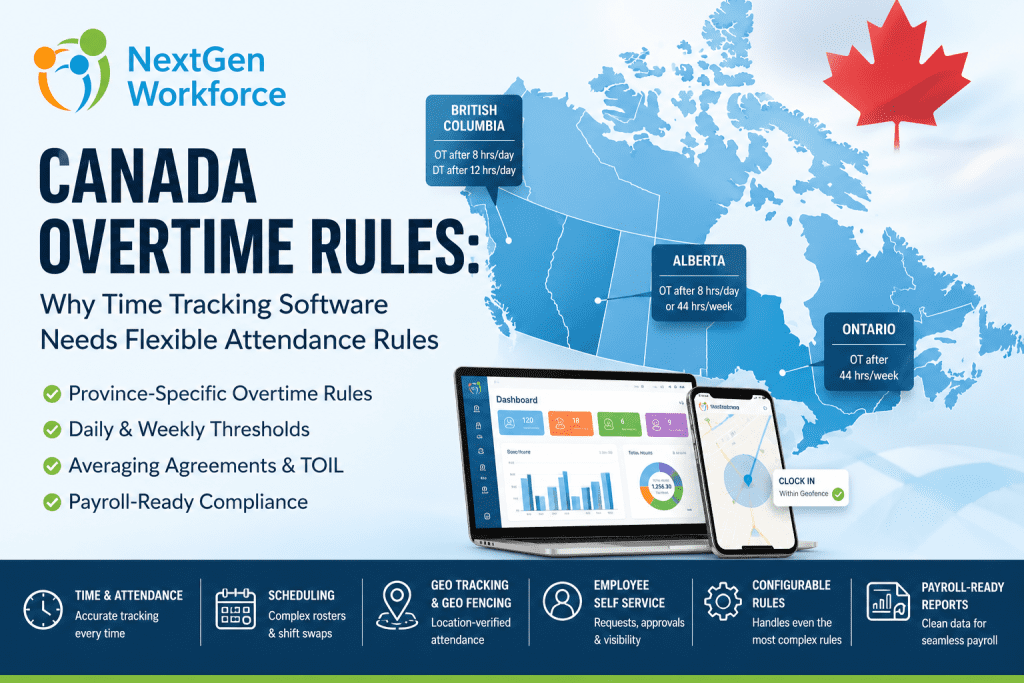
Canada Overtime Rules: Why Time Tracking Software Needs Flexible Attendance Rules By NextGen Workforce Editorial Team Last updated: June 2026 Canada overtime rules are not one-size-fits-all. Canada overtime rules depend on jurisdiction, province, industry, employee classification, union agreements, averaging agreements, and employment contracts. A rule that works for Ontario may not work for Alberta, British Columbia, or a federally regulated workplace. That creates a real problem for HR and payroll teams. In practice, they are not only tracking hours. They are also tracking the rule behind those hours. One employee may trigger weekly overtime. Another may trigger daily overtime. A third may work under an averaging agreement. Meanwhile, another employee may bank overtime as time off in lieu. For field teams, the workflow can get even more complex. A mobile employee may need GPS validation, while a manager may approve a schedule change that creates overtime without realizing it. When this is handled manually, payroll becomes reactive. That is why NextGen Workforce helps businesses manage this complexity with configurable attendance rules, time tracking, scheduling, geofencing, alerts, approvals, employee self-service, and payroll-ready reporting. Still Tracking Canadian Overtime Manually? NextGen Workforce helps businesses configure attendance rules by province, policy, employee group, location, and payroll setup. Track time, manage schedules, apply complex overtime rules, review exceptions, approve timecards, and prepare cleaner payroll-ready reports before payroll runs. Talk To An Expert There Is No Single Standard Canada Overtime Rule Quick answer: Canada does not have one universal overtime rule for every employer. Federal labour standards apply to federally regulated workplaces, while most employers follow provincial or territorial employment standards based on where employees work. This is the first mistake many employers make. They try to configure one overtime rule for every Canadian employee. That may work for a very small team in one province. However, it does not work well for businesses with multi-province teams, field employees, different employee groups, union agreements, or multiple pay policies. Federally regulated workplaces follow federal labour standards. These may apply to industries such as banking, airlines, telecommunications, broadcasting, and interprovincial transportation. Most other employers follow provincial or territorial employment standards. As a result, the system must first know which rule applies before it can calculate overtime correctly. Key takeaway: Canadian overtime configuration should start with jurisdiction. Federal and provincial rules cannot be treated as one standard setup. Canada Overtime Rules By Province: Why Thresholds Change Quick answer: Canadian overtime thresholds vary by province. Ontario commonly applies overtime after 44 hours in a work week, Alberta uses an 8/44 rule, and British Columbia applies daily overtime after 8 hours and double time after 12 hours in a day. This is why flexible attendance rules matter. If the system only checks weekly hours, it may miss daily overtime in provinces where daily overtime applies. However, if the system only checks daily overtime, it may miss weekly overtime. In addition, if the system checks both without proper logic, it may double-count hours. Jurisdiction Common Overtime Trigger Why It Matters Federal Standard hours generally reference 8/day and 40/week Applies to federally regulated workplaces Ontario Generally after 44 hours in a work week Weekly overtime tracking is critical Alberta Over 8/day or 44/week, whichever is greater Daily and weekly thresholds must both be reviewed British Columbia After 8/day; double time after 12/day Daily overtime and double time need automation These are only examples. Rules can also vary by industry, role, agreement, exemption, and specific working arrangement. Therefore, employers should always confirm current requirements using official sources or qualified counsel. Why Manual Overtime Tracking Breaks Down In Canada Quick answer: Manual overtime tracking breaks down when payroll teams manage different rules across provinces, schedules, agreements, employee types, and locations. Spreadsheets cannot reliably apply daily overtime, weekly overtime, averaging periods, banked time, statutory holiday premiums, and approvals together. Manual tracking usually starts with good intentions. However, the process becomes harder as the workforce grows. A manager changes a shift. An employee works in another province. A team uses an averaging agreement. A holiday falls inside the pay period. Meanwhile, another employee chooses banked time instead of paid overtime. A field employee clocks in from the wrong location. Each exception creates another payroll review item. Province rules: Payroll checks each location manually. Daily overtime: Long shifts need separate review. Weekly overtime: Totals must be checked before payroll. Double time: Premium hours need correct categories. Averaging: Multi-week cycles create manual math. Banked time: Overtime may become paid time off. Stat holidays: Holiday premiums need separate tracking. Approvals: Managers must review exceptions early. Payroll teams should not be rebuilding the rule logic every pay period. Instead, they need a system that applies the right rule at the right time. How NextGen Workforce Helps Solve HR And Payroll Concerns Quick answer: NextGen Workforce helps HR, payroll, and operations teams manage complex workforce rules in one connected system. Instead of tracking schedules, attendance, overtime, leave, approvals, GPS records, and payroll data manually, businesses can configure workflows that match their real policies. Canadian workforce management is rarely simple. One company may have employees in different provinces. Another may manage union rules, averaging agreements, banked overtime, statutory holidays, rotating schedules, field teams, and different pay periods. That is where many standard systems become difficult to use. They may work for basic time tracking. However, they often struggle when a customer has complex attendance rules, custom overtime logic, special approvals, shift premiums, or multi-location scheduling requirements. NextGen Workforce is built with flexibility at the center. The platform supports HRMS workflows, employee self-service, time and attendance, scheduling, shift swapping, geo-tracking, geo-fencing, alerts, approvals, and payroll-ready reporting in one connected workflow. Complete HRMS And Employee Self-Service Employees should not need to contact HR for every basic request. With NextGen Workforce, employees can access self-service tools for attendance, schedules, time-off requests, approvals, and personal workforce information. As a result, HR teams reduce manual follow-up while employees get better visibility. Time And Attendance With Payroll Accuracy Payroll accuracy starts with clean attendance data. NextGen Workforce time