California Overtime Rule | OT Law

California has a set of overtime laws that are more favorable to employees than federal laws. The state’s overtime laws require employers to pay eligible employees overtime pay for all hours worked over 8 hours in a single workday and over 40 hours in a workweek. This is different from the federal overtime laws, which require overtime pay for hours worked over 40 hours in a workweek. Additionally, California law requires employers to pay double time for hours worked over 12 hours in a single workday and for the first 8 hours worked on the seventh consecutive day of a workweek. Employers must also provide a 30-minute meal break and a 10-minute rest break for every 4 hours worked. If the employer fails to provide these breaks, they must pay the employee one hour at the employee’s regular rate of pay. There are some exemptions to California’s overtime laws. For example, certain employees, such as outside salespersons and executives, are exempt from overtime pay. Additionally, employees in certain industries, such as agriculture and domestic work, may be exempt from overtime pay under certain conditions. It’s important to note that California law also requires employers to keep accurate records of employee’s hours worked and overtime pay. Employers that violate California’s overtime laws can be subject to penalties, including fines and back pay for affected employees. In recent years, California has made further changes to its overtime laws to increase the salary threshold for certain employees to qualify for the exemptions. The new rule increases the salary threshold for certain executive, administrative, and professional employees from $33,280 to $62,400 annually and from $45,760 to $125,000 for certain computer software employees, effective January 1, 2022. This means that employees who earn less than this threshold must be paid overtime. The new rule also increases the minimum salary for the highly compensated employee exemption to $100,000. These changes are expected to significantly increase the number of employees who are eligible for overtime pay in California, particularly in industries such as technology, finance, and healthcare. Employers should review their payroll and timekeeping practices to ensure compliance with the new regulations. It’s also important for employers to be aware that California’s overtime laws are subject to change, and it’s essential to stay informed about any updates or changes to the law. Employers should consult with legal counsel to ensure compliance with California’s overtime laws and to avoid penalties for non-compliance. In conclusion, California’s overtime laws are more favorable to employees than federal laws. They require employers to pay eligible employees overtime pay for all hours worked over 8 hours in a single workday, and over 40 hours in a workweek. California law also requires employers to pay double time for hours worked over 12 hours in a single workday, and for the first 8 hours worked on the seventh consecutive day of a workweek, and provides for meal and rest breaks. Employers should stay informed about any updates or changes to the law and consult with legal counsel to ensure compliance with California’s overtime laws to avoid penalties for non-compliance.
NextGen Workforce Goes Global- Multilanguage Support Now Available!

Biometric technology is revolutionizing the way we authenticate identity. With biometric authentication, users can verify their identity by presenting unique physical characteristics or behavioral patterns, such as fingerprints, facial recognition, or iris scans. However, as the world becomes more connected and globalized, the need for biometric systems that can support multiple languages and cultural contexts becomes more pressing. Fortunately, the NextGen WorkForce management software is now available, offering Multilanguage support to help companies address these challenges. With this new capability, businesses can better support employees in different regions, helping to improve collaboration and streamline communication. In this blog post, we’ll take a closer look at Multilanguage support and its benefits for businesses in a globalized world. What is Multilanguage Support? Multilanguage support is the capability of a software application to display content in multiple languages. This means that users can switch between languages within the application, allowing them to access information and communicate with others in their preferred language. Multilanguage support is becoming increasingly important as companies expand globally and work with teams in different countries. It allows for better communication and collaboration between employees, reducing the risk of miscommunication or misunderstandings due to language barriers. For example, time and attendance tracking systems can now support multiple languages, making it easier for employees to clock in and out regardless of their native language. This eliminates the need for manual entry or translation, reducing the risk of errors and increasing accuracy. Additionally, HR processes, such as onboarding and training, can also be streamlined through the use of multi-language biometric technology, improving the overall employee experience. Multilanguage support in biometrics has several benefits, including: The benefits of multi-language support in biometric software and hardware are significant. One of the main benefits is increased accuracy in identification and authentication, especially in multicultural and multilingual environments. Users who speak different languages can also benefit from biometric systems that support multiple languages, as they can use the system in their native language, making the process more accessible and user-friendly. Finally, multi-language support can enhance security by ensuring that only authorized users are granted access to sensitive information and systems. Challenges of Implementing Multilanguage Support: One of the biggest challenges in implementing multi-language support in biometric systems is language compatibility. Different languages use different character sets, grammatical structures, and fonts, which can make it difficult for biometric systems to recognize and process data accurately. Another challenge is recognizing dialects and accents within a language, which can lead to errors and inaccuracies in identification and authentication. Finally, storing biometric data in multiple languages can be challenging, especially if the system uses different algorithms and data structures to process data in different languages. While Multilanguage support offers many benefits, there are also some challenges to implementing it effectively. Here are a few: When it comes to Implementing Biometric Hardware in a Multilanguage Environment, there are a few things to consider: Implementing multi-language support for biometric hardware can be achieved in several ways. One option is to provide users with a menu or list of language options when they first use the device. Users can then select their preferred language, which will be used throughout the authentication process. When it comes to Implementing Biometric Software in a Multilanguage Environment, there are a few things to consider: Implementing multi-language support for biometric software can help make your software more accessible to users who speak different languages. Here are some steps to consider when implementing multi-language support for biometric software: CONCLUSION Building a platform for multi-language support biometrics requires both hardware and software to be designed to recognize and process data from a wide range of languages. This can be a challenging task that requires collaboration between different experts and stakeholders. However, with the right approach and expertise, biometric technology can provide a high level of accuracy and security, regardless of the selected language by the user. As the world becomes more connected and globalized, the need for multi-language support biometrics will only continue to grow, making it an exciting area of research and development.
Staying Compliant with California’s Meal Breaks Using NextGen Workforce
As an employee in California, you have certain rights that are protected by state law. One of those rights is the right to meal breaks. Meal breaks are an important part of the workday, as they provide employees with the opportunity to rest and recharge. In this blog, we’ll take a closer look at how to meal breaks work in California and what you need to know to ensure that your employer is complying with the law. What is a Meal Break? A meal break is a period of time during the workday in which an employee is relieved of all work duties and is free to leave the work premises. In California, meal breaks are unpaid, meaning that the employer is not required to pay the employee during this time. Meal breaks are an important part of the workday, as they provide employees with the opportunity to eat, rest, and recharge. Meal Break Laws in California Under California law, employees who work for more than 5 hours in a day are entitled to a meal break of at least 30 minutes. Employees who work more than 10 hours a day are entitled to a second meal break of at least 30 minutes. These laws apply to most employees in California, but there are a few exemptions. For example, employees who work for fewer than six hours a day, employees who are on-call, and certain types of employees in the healthcare industry may be exempt from these laws. Scheduling Meal Breaks Employers are responsible for scheduling meal breaks for their employees. Meal breaks should be scheduled as close to the middle of the workday as possible, and should not be scheduled at the beginning or end of the shift. Employers should also ensure that employees are relieved of all duties during their meal breaks and that they are free to leave the work premises. Recording Meal Breaks Employers are required to keep accurate records of meal breaks. This includes the start and end times of the meal break. Remedies for Missed Meal Breaks If an employer fails to provide a meal break to an eligible employee, they are required to pay the employee one hour of pay at their regular rate for each missed meal break. This is known as a “meal break premium.” Employers should make every effort to provide meal breaks to their employees, as failing to do so can result in costly penalties. How to prevent meal break penalties through an automated attendance management system An automated attendance management system can help prevent meal break penalties by ensuring that employees take their meal breaks within the required time frame and documenting their compliance. Here are some steps you can take: By implementing an automated attendance management system with meal break tracking, you can help prevent meal break penalties and ensure that your employees are taking the breaks they are entitled to. NextGen WorkForce could implement features for automated attendance management solutions that include meal alerts and notifications as well as automated lunch deductions. Here are some potential approaches: Here are some features for meal alerts and notifications in an automated attendance management system that can be part of a NextGen WorkForce solution: here are some features for automated lunch deductions in an automated attendance management system that can be part of a NextGen WorkForce solution: Retaliation Protections Employers are prohibited from retaliating against employees who exercise their right to take meal breaks. This includes terminating, demoting, or otherwise discriminating against an employee who takes a meal break or complains about a violation of the law. Employees who believe that they have been retaliated against for exercising their right to take a meal break should contact an employment law attorney. Training Managers and Supervisors Employers should train their managers and supervisors on the laws surrounding meal breaks. This includes how to schedule meal breaks, how to keep accurate records, and how to avoid retaliation. Managers and supervisors should also be trained on how to handle employee complaints and concerns regarding meal breaks. Staying Up-to-Date on the Law Finally, employees and employers should stay up-to-date on any changes to the law regarding meal breaks. The laws surrounding meal breaks can change, and it’s important to be aware of any updates or changes that may affect compliance. In conclusion, meal breaks are an important part of California labor law, and employees should be aware of their rights surrounding meal breaks. By understanding the law, employees can ensure that they are receiving the meal breaks that they are entitled to.
Attendance Management with Custom Features for Workforce Empowerment: NextGenWorkForce

Attendance management is crucial for optimizing workforce management efficiency, reducing labor costs, and improving employee satisfaction. NextGen Workforce provides businesses with attendance management solutions that enable them to streamline their attendance management processes, improve schedule management, comply with labor laws and regulations, and enhance overall productivity. With features such as time and attendance tracking, leave management, overtime management, schedule management, compliance reporting, integration, mobile app, alerts, and notifications, attendance management software provides businesses with the tools they need to maximize attendance management efficiency. Time and Attendance Tracking: one of the core features of attendance management software, allowing businesses to track employee work hours accurately. This feature eliminates the need for manual data entry and reduces errors, making the attendance management process more efficient. Attendance management software offers several methods for time and attendance tracking, including biometric scanning, facial recognition, swipe cards, and web-based timesheets. Biometric scanning and facial recognition methods use employee fingerprints or facial features to clock in and out, while swipe cards require employees to swipe their cards to record their attendance. Web-based timesheets allow employees to clock in and out using their computers or mobile devices. Time and attendance tracking software record employee work hours, break times, and attendance data in real time. The software also tracks employee overtime hours and calculates overtime pay, making it easier for managers to manage employee work hours and comply with labor laws. By using time and attendance tracking software, businesses can accurately track employee work hours, eliminate manual data entry, reduce errors, and comply with labor laws. Additionally, this feature allows managers to monitor attendance data in real time, identify attendance issues before they become major problems, and make informed decisions regarding scheduling and resource allocation. Overall, time and attendance tracking is a crucial feature of attendance management software that helps businesses optimize their attendance management process and improve overall productivity. Leave Management: Leave management software allows employees to apply for leave, and managers can approve or reject leave requests based on business needs. The software can track various types of leaves, including vacation, sick leave, maternity/paternity leave, and more. The software provides real-time updates on leave requests, approvals, and rejections, making it easier for employees to plan their work schedules accordingly. Leave management software also helps businesses comply with labor laws and regulations by tracking employee leave data and generating compliance reports. Reporting: Attendance management software provides managers with detailed attendance reports, including employee attendance, absenteeism, late arrivals, early departures, and more. These reports can be generated in real time and can be customized to fit the business’s needs. Attendance management reporting features help businesses make informed decisions based on attendance data, optimize employee scheduling, and reduce absenteeism. Additionally, the reporting feature allows businesses to track employee performance and identify attendance-related issues before they become major problems. Overall, attendance management reporting is a crucial feature that provides businesses with actionable insights, improves attendance management efficiency, and enhances overall productivity. **// NextGenWorkForce can be customized according to client requirements, which may include Weekly Summary Report, Consolidated Report, Tardiness Report, Punch Exception Report, Time Off Transaction Report, Time Off Balance Report, Geo-Punch Report, Raw Logs Report, Overtime Report, Daily Attendance Report, and Time Card Report. //** Overtime Management: Attendance management software tracks employee overtime hours and calculates overtime pay, making it easier for managers to manage employee work hours and comply with labor laws. The software alerts managers when employees reach the overtime threshold and automatically calculates overtime pay based on the employee’s hourly rate. Overtime management features help businesses optimize employee work hours, reduce labor costs, and comply with labor laws and regulations. Additionally, by tracking employee overtime hours, businesses can identify patterns of overworking or underutilization of employees and take necessary actions to optimize their workforce. **// NextGenWorkForce can be customized for Overtime Management according to State Rules, Policies, and Client Requirements, which may include OT 40, OT 40 8 Hours, OT 40 12 Hours, etc.//** 5. Schedule Management: Attendance management software provides schedule management features that help businesses manage employee schedules efficiently. The software allows managers to create and assign shifts, manage time-off requests, and make adjustments to schedules in real time. Schedule management features enable businesses to optimize their workforce, reduce labor costs, and improve employee satisfaction by ensuring proper shift coverage and minimizing over or under-staffing. Additionally, the software provides managers with real-time attendance data that can be used to adjust schedules, manage overtime, and improve overall productivity. Overall, schedule management features in attendance management software help businesses streamline the scheduling process and improve overall workforce management. 6. Compliance: Attendance management software offers compliance features that help businesses comply with labor laws and regulations. The software tracks employee attendance data, leave requests, overtime hours, and more to ensure that businesses are adhering to labor laws and regulations. Compliance features also generate compliance reports that can be used to verify compliance with labor laws and regulations. By using attendance management software compliance features, businesses can reduce compliance risks, avoid penalties, and improve their overall compliance posture. Overall, compliance features in attendance management software provide businesses with the tools they need to ensure that they are meeting their legal obligations and operating ethically. 7. Integration: Attendance management software offers integration features that allow businesses to integrate with other software and systems. Integration features enable businesses to streamline their attendance management processes by automating data transfer between systems. For example, attendance management software can integrate with payroll software to automate employee wage calculations based on attendance data. Other examples of software that can be integrated with attendance management software include HR management software, time tracking software, and project management software. Overall, integration features in attendance management software improve process efficiency, reduce administrative tasks, and enhance overall productivity. 8. Mobile App: Attendance management software offers mobile app features that enable employees to clock in and out, apply for leave, view schedules, and access attendance data from their mobile devices. Mobile app features enable businesses to optimize employee productivity by providing access to attendance data on the go. Additionally, mobile app features improve employee satisfaction by giving them the flexibility to manage
Web Kiosks: The Future of Employee Time Tracking and Management

Introduction Time tracking is a critical aspect of managing employee productivity and workload. With the rise of remote work and the need for more flexible working arrangements, companies are looking for more efficient and cost-effective ways to track employee time. Web kiosks are emerging as a popular solution for employee time tracking and management. What are Web Kiosks? Web kiosks are self-service stations that allow employees to clock in and out of work using their employee ID. These kiosks are connected to the company’s network and can be accessed through any web-enabled device, including smartphones and tablets. Web kiosks are an excellent solution for companies looking for a more streamlined and automated way to track employee time. They are designed to be user-friendly, which means that employees can easily use them without requiring any training. This reduces the burden on HR departments, allowing them to focus on more critical tasks. A time and attendance kiosk is a self-service system that allows employees to clock in and out of work shifts, track their work hours, and access their attendance records. Here are some key features & Benefits commonly found in kiosks: *It is also important to note that the terminals can be customized in terms of functionality and user experience in order to meet specific customer needs. Introducing Our Versatile Employees Time Tracking Kiosk NextGen WorkForce offers kiosks that allow users to retrieve and enter information about their time and attendance. Our employee time-tracking kiosk revolutionizes the clock-in and clock-out process, offering multi-device compatibility and a range of features designed to enhance efficiency and accuracy. Here’s what you can expect from our versatile solution: With our employee time tracking kiosk, you can enjoy the convenience of multi-device compatibility, streamlined clock-in processes and customizable features. Embrace efficiency, accuracy, and ease with our comprehensive solution. Note:- NextGen Workforce can provide a customizable notes option that employees can use to add any notes they need. This feature can be beneficial for employees who need to add specific notes related to their work or any other relevant information that they want to share. *NextGen WorkForce offers customizable kiosk functionality at the employee level. Additionally, employees can use the home icon to access their time cards within the same session. Conclusion: Self-service information kiosks are transforming Time & Attendance Tracking by providing a convenient, accurate, and efficient solution. Businesses can optimise their workforce management processes with real-time visibility, reduced administrative burden, customizable features, and enhanced compliance. Implementing self-service kiosks ensures accurate attendance records, timely decision-making, and streamlined payroll processing. By embracing this technology, businesses can achieve greater efficiency, productivity, and compliance in managing their workforce.
3 Trends of Employee Time & Attendance Tracking: Fingerprint, Face Recognition, Kiosk

Introduction: In today’s fast-paced business landscape, tracking employee time & attendance efficiently and accurately is crucial for organizations of all sizes. The traditional methods of manual punch cards and time clocks are gradually being replaced by innovative technologies that offer greater convenience, reliability, and security. NextGen WorkForce explores three emerging trends in employee time and attendance tracking: fingerprint recognition, face recognition, and kiosks. We will delve into the features, and benefits of these technologies and how they contribute to shaping the NextGen Workforce. Here are three major trending solutions for effortless attendance management tracking – 1. Fingerprint Recognition: Fingerprint recognition systems have gained significant popularity in recent years due to their high accuracy and security. These systems leverage unique biometric markers to identify employees, eliminating the possibility of time theft or buddy punching. The benefits of fingerprint recognition include: a. Enhanced Security: Fingerprint recognition ensures that only authorized individuals can clock in or out, reducing the risk of unauthorized access and ensuring data integrity. b. Time Savings: With a simple touch, employees can quickly record their attendance, saving time and eliminating the need for manual entry. c. Scalability: Fingerprint recognition systems can be easily scaled to accommodate organizations of all sizes. Whether you have a small team or a large workforce, the technology can handle the volume and effectively manage attendance records. d. Cost Savings: Implementing fingerprint recognition technology can lead to cost savings in the long run. It eliminates the need for physical time cards or badges, reducing administrative tasks and associated expenses. e. Buddy Punching: Fingerprint recognition mitigates the chances of fraudulent practices such as time manipulation, ghosting employees, or identity theft. Click for more details:- FINGERPRINT BIOMETRIC SYSTEM HYGIENE AND THE RISK OF COVID-19 TRANSMISSION Fingerprint- Biometric systems utilize scanners to authenticate individuals by analyzing their unique behavioural or physiological characteristics. While some biometric systems are touchless, eliminating the need for direct physical contact, others, like fingerprint verification systems, require users to touch the scanner for a specific duration to capture and measure their biometric patterns. However, this physical contact poses potential risks, such as contamination from harmful pathogens or cross-contamination in shared environments. Additionally, the act of touching increases the likelihood of transmitting infectious diseases through respiratory pathways. In this perspective, we examine the potential transmission of infectious diseases, including COVID-19, through touch-based fingerprint biometric devices and explore preventive measures to mitigate the spread of infections. Organizations are increasingly opting for face reader time clocks over fingerprint readers due to practical issues associated with using fingerprint technology in current scenarios, particularly concerns related to the transmission of Covid within the workplace. While fingerprints are highly unique and effective for biometric validation, the use of fingerprint time clocks raises apprehensions about potential health risks. To mitigate these concerns, organizations are turning to face reader time clocks as a viable alternative. Face reader time clocks utilize facial recognition technology, eliminating the need for physical contact and reducing the risk of disease transmission. This shift allows organizations to prioritize employee safety while still maintaining accurate and efficient attendance tracking. 2. Face Recognition: Face recognition technology has seen significant advancements, offering a seamless and contactless experience for time and attendance tracking. HERE ARE THE ADVANTAGES OF USING FACE RECOGNITION: a. Contactless Convenience: Face recognition eliminates the need for physical contact with devices, providing a hygienic and efficient solution in the wake of public health concerns. b. High Accuracy: Advanced algorithms and machine learning techniques ensure the accurate identification, even in varying lighting conditions or with changes in appearance (such as wearing glasses or facial hair). c. Scalability: Face recognition systems can handle a large number of employees, making them suitable for organizations with extensive workforces or multiple locations. d. User-Friendly Experience: Face recognition is a user-friendly technology. Employees simply need to stand in front of a camera or a device equipped with facial recognition technology to authenticate their identity. It is a non-intrusive and intuitive process, requiring minimal effort from users. e. Improved Security: Face recognition provides a robust security measure. Each person’s face is unique, making it difficult to impersonate or deceive the system. This helps prevent unauthorized access and ensures that only authorized individuals can clock in or gain access to restricted areas. f. Real-Time Tracking and Reporting: Face recognition systems provide real-time tracking and reporting capabilities. Managers and administrators can access attendance data instantly, allowing for better monitoring, analysis, and decision-making regarding workforce management. 3. Kiosk: Kiosks provide a self-service approach to time and attendance tracking, empowering employees to manage their own records efficiently. The key advantages of utilizing kiosks include: a. Employee Empowerment: Kiosks enable employees to have control over their attendance data, view schedules, request time off, and access other relevant information. b. Streamlined Processes: By automating attendance management, kiosks reduce administrative burdens, minimize errors, and enhance overall efficiency. c. Real-Time Insights: Kiosks provide real-time data and analytics, allowing managers to make informed decisions, optimize workforce allocation, and identify trends or patterns. More Information Read– CONCLUSION: As the NextGen Workforce continues to evolve, the integration of advanced time and attendance tracking technologies becomes imperative for organizations seeking improved accuracy, efficiency, and employee engagement. The trends of fingerprint recognition face recognition, and kiosks offer numerous benefits, including heightened security, contactless convenience, and streamlined processes. By embracing these innovations, businesses can position themselves at the forefront of workforce management, fostering a productive and technologically advanced work environment. Click here to schedule a demo If you are looking for an Employee Time Tracking Solution that suits your operation needs.
Upgrade to NextGen WorkForce’s Time Tracking & Scheduling Software

At NextGen WorkForce, we are committed to continually enhancing our product and introducing new features to provide the best possible experience for our clients. In this blog post, we will discuss the key reasons for upgrading to our latest Feature, (Schedule Sift Add Note). We have made the upgrade process seamless to ensure a smooth transition for our long-time clients. The Role of Time Tracking & Scheduling Software The role of Time Tracking & Scheduling Software is to streamline and optimize the management of time-related activities within an organization. Here are some key roles and benefits of using such software: Introducing the Upgrading Features at NextGen WorkForce Important Characteristics of Attendance Tracking Solutions: In addition to the benefits of upgrading, this section highlights the important characteristics to consider when choosing an attendance tracking solution. These characteristics include real-time updates, easy access to attendance data, adaptation to additional tools, and configurable options. The integration with existing software and customization features ensures that the tracking system aligns with your business requirements. Conclusion: Upgrading to NextGen WorkForce’s Time Tracking & Scheduling Software offers numerous advantages for your organization. From improved communication and collaboration to optimized workforce management, this upgrade can transform your business operations. Make the decision to upgrade today and experience the benefits firsthand. Read https://www.ngworkforce.com/blog/5-most-common-employee-time-tracking-challenges/
Case study: Custom Double Time Solution

Introduction In this case study, we delve into the success story of a Lyford cay The Bahamas based company with over 200 employees that implemented a custom double time rule to optimize employee engagement and productivity. By offering enhanced monetary benefits for employees working on specific days or fixed dates, this innovative approach aimed to promote a more flexible and motivated workforce. CLIENT BACKGROUND The client, a well-established company operating in the service industry in the The Bahamas, faced challenges related to managing Double time and motivating employees to work during high-demand periods. They sought a tailored solution to address these issues, with the goal of boosting productivity and ensuring a fair compensation system for their dedicated workforce. CHALLENGES: Solution: To overcome these challenges, the client collaborated with us to develop a double time rule tailored to their unique requirements. The HR software team worked closely with the client’s HR department to understand their pain points and design a solution that aligned with the company’s goals. Key Features of the Custom Double Time Rule Implementation: Customized Double Time Criteria, Automated Payroll System and Transparent Communication to employees RESULTS: The implementation of the automated customized double time rule brought about transformative outcomes for the US-based company, positively impacting both employees and the organization as a whole: Improved Operational Efficiency: By, the client saw improved operational efficiency and responsiveness to customer needs, leading to enhanced customer satisfaction. Enhanced Employee Retention: The innovative double time rule, coupled with transparent communication, contributed to a higher employee retention rate. Employees felt valued and recognized for their dedication, leading to a stronger sense of loyalty toward the company. We firmly believe that custom requirements are the heart of successful solutions. By embracing the power of customization, we empower our clients to achieve their business objectives with precision and efficiency. Our dedication to understanding and adapting to individual needs is at the core of our success, and we look forward to continuing to deliver excellence through custom solutions that make a difference.
Case study: Custom Overtime Time Solution

Introduction: In today’s dynamic business environment, organizations strive to optimize their workforce management processes to ensure efficient operations and employee satisfaction. This case study highlights a successful implementation of customized overtime rules for a UK-based customer, enabling them to streamline their workforce management practices and ensure fair compensation for their employees. Case: Our client, Westlands Nurseries is well established company in the UK with over 100 employees, faced challenges in accurately calculating overtime pay. They sought to automate and customize their overtime rules to align with their unique business requirements. Specifically, they needed to consider work performed before 6 am and after 5 pm as overtime and provide a weekend premium for employees working on Saturdays and Sundays. Challenges Faced:Manual Calculation, Lack of Automation and Complex Overtime Rules: Solution: To address these challenges, our team proposed and implemented a comprehensive Attendance Management solution tailored to the client’s requirements. The solution leveraged advanced time and attendance software capable of customizing overtime rules. Customized Overtime Rules: The software was configured to recognize any work performed before 6 am and after 5 pm as overtime hours, ensuring accurate compensation for employees who worked during these periods. Weekend Premium Calculation: The system incorporated a separate rule to calculate a weekend premium, automatically identifying and compensating employees who worked on Saturdays and Sundays accordingly. We firmly believe that custom requirements are the heart of successful solutions. By embracing the power of customization, we empower our clients to achieve their business objectives with precision and efficiency. Our dedication to understanding and adapting to individual needs is at the core of our success, and we look forward to continuing to deliver excellence through custom solutions that make a difference.
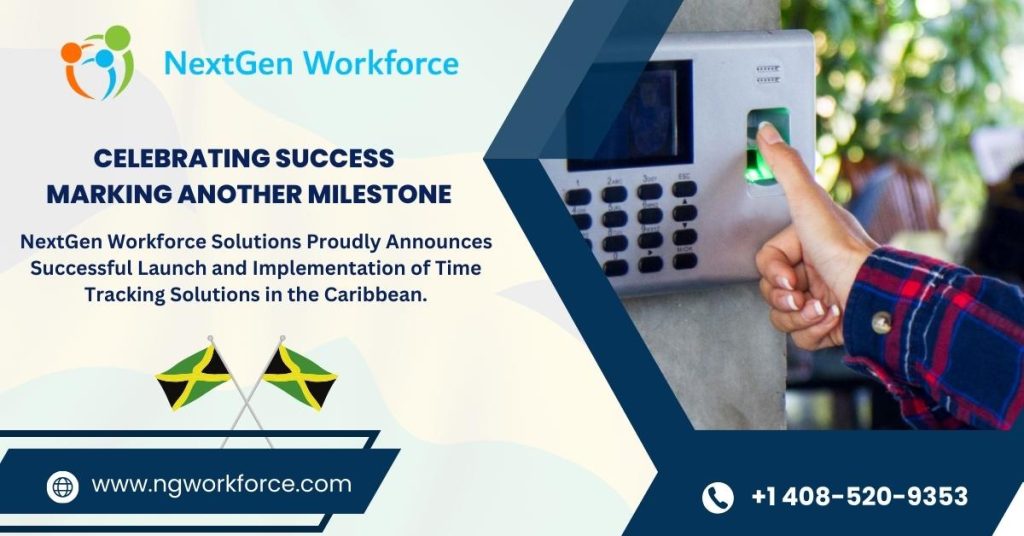
Elevating Attendance Management in the Caribbean: Cutting-Edge Biometric time tracking And Attendance Management Solutions
Introduction: In the fast-paced world of business, managing employee attendance efficiently is paramount. It ensures the smooth functioning of an organization along with plays a significant role in boosting productivity. At NextGen Workforce, we have been dedicated to providing innovative Attendance Management Software solutions that have garnered satisfaction from clients worldwide. Today, we’re thrilled to share our success story and the impact we’ve made in the Caribbean. Our Journey in the Caribbean: We took the time to understand the specific needs of Caribbean businesses. This involved close collaboration with local companies to tailor our software to their requirements. Addressing Unique Business Requirements in the Caribbean: Customized Requirement The Caribbean region is a diverse and vibrant one, home to a wide array of industries, cultures, and businesses. Each enterprise in this unique setting faces its own set of challenges and requirements when it comes to managing employee attendance. From overtime calculations to handling local holidays and leaves, businesses in the Caribbean often find themselves in need of tailored solutions. At NextGen Workforce, we understand the importance of catering to the specific needs of Caribbean businesses. Our journey in this region has been characterized by a commitment to providing customized attendance management software solutions that address these unique challenges effectively. Here are some of the key considerations that our customized solutions address: 1. Overtime Management: With a workforce that often extends beyond regular working hours, managing overtime accurately is vital. Our software is designed to calculate and track overtime based on Caribbean labor regulations, ensuring fair compensation for employees while maintaining compliance. 2. Holiday Scheduling: Holidays in the Caribbean can vary significantly depending on the island and even within regions. Our software enables businesses to create flexible holiday calendars and automate attendance adjustments accordingly. 3. Leave Management: Employee leaves, whether for personal reasons or due to regulations, are a crucial aspect of workforce management. Our software streamlines leave requests, approvals, and tracking, ensuring that businesses maintain operational continuity. 4. Extra Pay and Bonuses: Customized pay structures for bonuses, commissions, and additional compensation can be easily integrated into our software. This flexibility allows businesses to incentivize and reward employees based on individual or group performance. 5. Compliance with Labor Laws: Staying compliant with local labor laws and regulations is of utmost importance in the Caribbean. Our software takes these into account, helping businesses avoid potential legal issues and penalties. We offer custom payroll integration solutions, just like iSL, tailored to your unique business needs. We take pride in our journey of serving the Caribbean with our Attendance Management Software. Our success is a testament to our dedication to understanding local needs, providing tailored solutions, and building strong partnerships with our clients. As we look to the future, we are excited about the possibilities and opportunities to continue revolutionizing our services in the Caribbean. Thank you to our clients for trusting us on this incredible journey.