
Payroll-Ready Workforce Management Software for Complex Hourly Teams
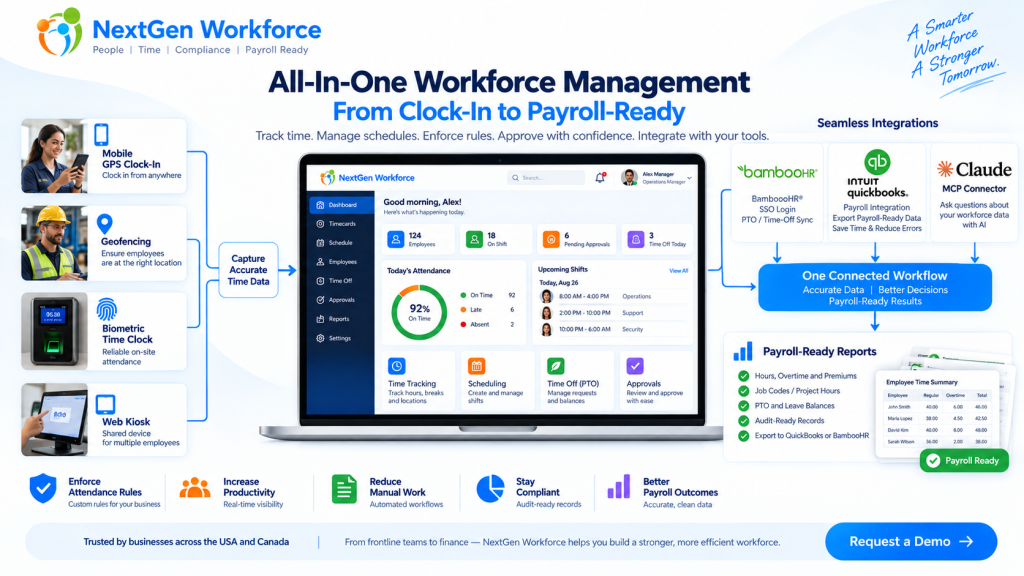
Payroll-Ready Workforce Management Software for Complex Hourly Teams You do not need another time clock. You need clean workforce data before payroll runs. That is the real problem for many growing businesses. Employees clock in. Managers adjust schedules. PTO gets approved. Overtime happens. Job codes change. Someone forgets a punch. A field employee clocks in from the wrong location. Then payroll day arrives, and the team has to clean everything manually. Sound familiar? Payroll-ready workforce management software helps businesses collect employee time, apply attendance rules, manage schedules, review exceptions, approve records, and prepare cleaner data before payroll processing. NextGen Workforce brings time tracking, attendance, scheduling, biometric clocks, mobile GPS, geofencing, PTO, approvals, custom rules, and payroll-ready reports into one connected workflow. Still Cleaning Time Data Before Every Payroll? NextGen Workforce helps your team capture accurate time, review exceptions, approve hours, and prepare payroll-ready reports before payroll runs. Talk To An Expert What Is Payroll-Ready Workforce Management? Quick answer: Payroll-ready workforce management connects the work that happens before payroll: time tracking, attendance, scheduling, PTO, overtime, approvals, job codes, and reporting. A basic time clock records hours. That is useful, but it is only the beginning. Payroll needs more than a clock-in and clock-out time. It needs clean, reviewed, categorized, and approved workforce data. That means payroll teams need to know: Did the employee work the scheduled shift? Are there missing punches? Was overtime approved? Was PTO already approved in the HR system? Did the employee work at the correct location? Which job, project, department, or client should the hours go to? Did the manager approve the timecard? Are the hours ready to send to payroll? Payroll-ready workforce management is the system that helps answer those questions before payroll day. For a business with simple office hours, this may not feel urgent. But for hourly teams, field employees, multi-location operations, manufacturing teams, hospitality groups, healthcare teams, construction crews, and businesses with custom rules, this can become a weekly problem. Why Payroll Problems Usually Start Before Payroll Quick answer: Payroll errors often start earlier in the workflow, when punches, schedules, PTO, overtime, approvals, and job data are incomplete or disconnected. Payroll software can process payroll. But it cannot magically fix messy attendance data. If an employee forgot to clock out, payroll still needs someone to fix the record. If overtime was not approved, someone has to ask the manager. If PTO is approved in one system but not visible on the timesheet, payroll has to compare records manually. Here is a simple example. A field employee visits a client site. They clock in from mobile, work for six hours, and leave. Payroll later needs to know the employee’s hours, location, client, project, order number, and approval status. If that information was not captured during the workday, someone has to reconstruct it later. That is where time gets wasted. Payroll cleanup is rarely just a payroll problem. It is usually a workforce data problem. Why Time Tracking Alone Is Not Enough Quick answer: Time tracking tells you when employees worked. Payroll-ready workforce management also tells you whether the work was scheduled, approved, categorized, compliant with company rules, and ready for payroll. A time clock answers one question: When did the employee work? A payroll-ready workforce system answers a better question: Is this record complete, correct, approved, and ready for payroll? That is a big difference. For example, a timecard may show 46 hours for the week. But before payroll processes those hours, the business may still need to review: regular hours overtime hours double-time rules where applicable holiday rules meal or break rules job codes department allocation project or client hours manager approval audit history Without that review layer, payroll teams end up doing manual checking. And manual checking does not scale well. The Core Pieces of a Payroll-Ready Workforce System Quick answer: A payroll-ready workforce system should connect time capture, scheduling, attendance rules, PTO, approvals, reporting, and payroll integrations. Each part matters on its own. But the real value comes when they work together. 1. Time Tracking Employees need a reliable way to clock in and out. NextGen Workforce supports multiple time capture workflows, including web clock, kiosk, mobile app, and biometric time clock options. This gives businesses flexibility. Office employees may use a web clock. Field employees may use mobile GPS. On-site teams may use biometric devices. Shared workstations may use kiosk workflows. 2. Attendance Management Attendance is more than recording time. Managers need visibility into late arrivals, early departures, missed punches, long shifts, exceptions, and incomplete records. NextGen Workforce helps teams review attendance issues before they become payroll problems. 3. Employee Scheduling Schedules help payroll and operations compare planned work with actual hours. When scheduling and time tracking are disconnected, managers may not notice coverage gaps, unexpected overtime, or schedule mismatches until later. NextGen Workforce connects schedules with attendance records so teams can review what was planned versus what actually happened. 4. PTO and Time-Off Visibility PTO affects payroll, scheduling, coverage, and attendance review. If PTO is approved but not visible in the timecard workflow, payroll has to check another system. NextGen Workforce supports PTO and time-off workflows, including integrations such as BambooHR time-off sync where configured. 5. Custom Attendance Rules Every business says, “Our rules are simple.” Then payroll day comes. One department has a different overtime rule. One location has holiday rules. One customer needs custom job codes. One policy requires manager approval before overtime becomes payable. Another team needs meal premium tracking or break deductions. This is where many basic time tracking tools struggle. NextGen Workforce is designed for configurable attendance rules, including overtime, breaks, rounding, holidays, premiums, exceptions, approval rules, and customer-specific workflows. 6. Approvals Payroll should not have to guess whether time is approved. A strong workflow should show whether the employee submitted the record, the manager approved it, and payroll can process it. NextGen Workforce supports manager review and approval workflows so payroll can work from clearer records. 7. Payroll-Ready Reports and Exports Payroll-ready