
Field Time Tracking With Custom Punch Fields: Capture Order Numbers, Job Codes, and Client Data at Clock-In
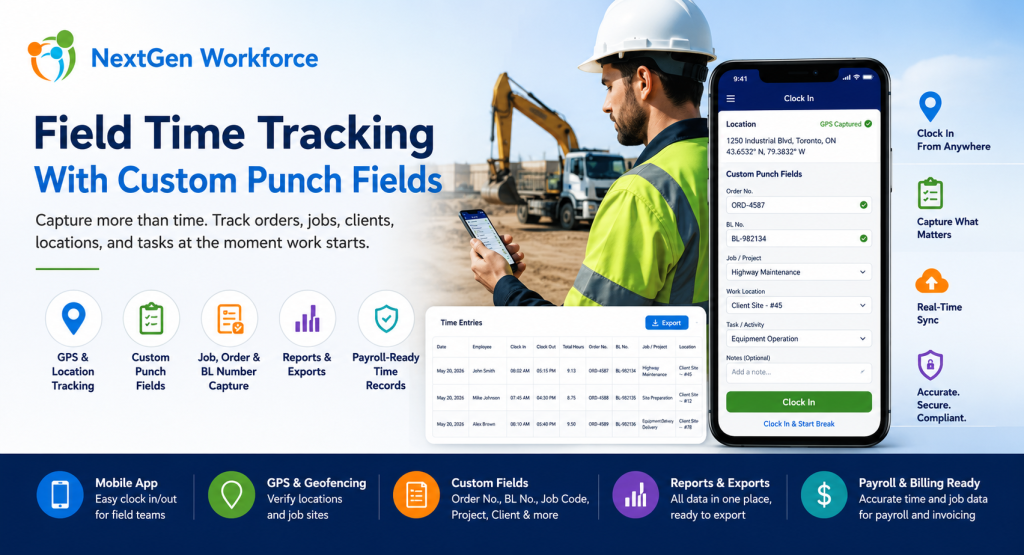
Field Time Tracking With Custom Punch Fields: Capture Order Numbers, Job Codes, and Client Data at Clock-In By NextGen Workforce Editorial Team Last updated: July 2026 Field time tracking should capture more than clock-in and clock-out time. For many field-based businesses, employees also need to capture order numbers, BL numbers, job codes, project details, customer locations, task information, and notes when they start work. If that information is not captured at the time of punch, payroll and operations teams often have to rebuild the record manually later. This is where basic time tracking software starts to fall short. A field employee may reach a customer location and receive an Order No. or BL No. before starting the job. A technician may need to select a project or task. A heavy equipment operator may need to enter a service order. A delivery team may need to capture a client reference number. A construction crew may need to clock time against a job code. Payroll needs the hours. Operations needs the job data. Management needs the report. NextGen Workforce helps businesses capture this information directly during mobile clock-in, web kiosk punch, or attendance workflows — then include it in reports and exports with the employee’s time records. Need Employees To Capture Job Data When They Clock In? NextGen Workforce helps field teams capture custom punch fields such as Order No., BL No., job code, project, client, department, work location, task, and notes during clock-in or clock-out. Track time, GPS location, custom fields, approvals, and payroll-ready records in one connected workflow. Talk To An Expert What Are Custom Punch Fields In Time Tracking? Quick answer: Custom punch fields are extra fields employees complete when they clock in, clock out, start a break, end a break, or submit time. These fields can capture business-specific details such as order numbers, BL numbers, job codes, project IDs, work locations, cost codes, task types, or notes. Most time tracking systems focus on one question: When did the employee work? For field operations, that is not enough. Businesses often need to know what the employee worked on, where the work happened, which client it belongs to, which order number applies, and how those hours should be reported or billed. Custom punch fields solve this problem by collecting operational data at the source. Instead of asking employees to write details on paper, send messages, update spreadsheets, or tell supervisors later, the required fields can be captured during the punch workflow. Examples include: Order No.: Capture the work order or service order reference. BL No.: Capture bill of lading or delivery-related reference details. Job code: Track hours against a job, project, or cost center. Client name: Identify which customer the work belongs to. Work location: Record office, branch, client site, remote site, or field location. Task type: Capture the type of work performed. Department: Assign hours to the right team or division. Notes: Let employees explain exceptions or add job details. Key takeaway: Custom punch fields turn a simple time clock into a field operations data capture tool. Why Field Teams Need More Than Basic Clock-In And Clock-Out Quick answer: Field teams need more than basic clock-in and clock-out because work often happens at customer locations, job sites, routes, branches, or remote locations. Payroll, billing, job costing, and operations may all need extra details connected to each time record. A basic clock-in record tells payroll when work started. However, it may not tell operations enough. For example, it may not show which customer the employee visited, which job number should be charged, which order number was completed, or which BL number should appear in the export. That creates manual work after the shift. Supervisors may need to call employees. Payroll may need to check messages. Operations may need to match attendance records with job records. Finance may need to connect hours to billing or job costing. As a result, the business loses time even though employees technically “clocked in.” The issue is not only attendance. The issue is missing context. NextGen Workforce helps businesses capture that context at the time of punch, when the employee is closest to the work and the information is most accurate. A Real-World Example: Field Employees Entering Order No. And BL No. Quick answer: A field employee may receive an Order No. or BL No. only after reaching the client location. With NextGen Workforce, the employee can enter those details during mobile clock-in so the information stays connected to the time record. Here is a common field workforce scenario. An employee travels to a client location. After reaching the site, they receive the Order No. and BL No. from the customer or site contact. Before starting work, they need to record those values. In a manual process, this usually means the employee writes the details down, sends a message, updates a sheet, or tells a supervisor later. That creates risk. The number may be entered incorrectly. The information may arrive late. Payroll may not see it. Operations may not be able to match hours with the correct order. Reports may need manual cleanup. With NextGen Workforce, the workflow can be cleaner: The employee reaches the client location. The employee opens the NextGen Workforce mobile app. The app can capture GPS location if enabled. The employee enters or selects the required Order No. and BL No. The employee clocks in. The time record stores the punch time, employee, location, and custom field values. Managers and admins can review the record. Reports and exports can include the custom fields with the attendance data. This is where NextGen Workforce becomes especially useful. It helps field teams capture real operational data at the moment work begins. How NextGen Workforce Mobile App Helps Field Employees Quick answer: The NextGen Workforce mobile app helps field employees clock in from client locations, capture GPS details where enabled, complete custom punch fields, submit job-related information, and create cleaner time records for payroll and operations. Mobile time tracking should be simple for employees