
Time and Attendance Software for Guyana Businesses
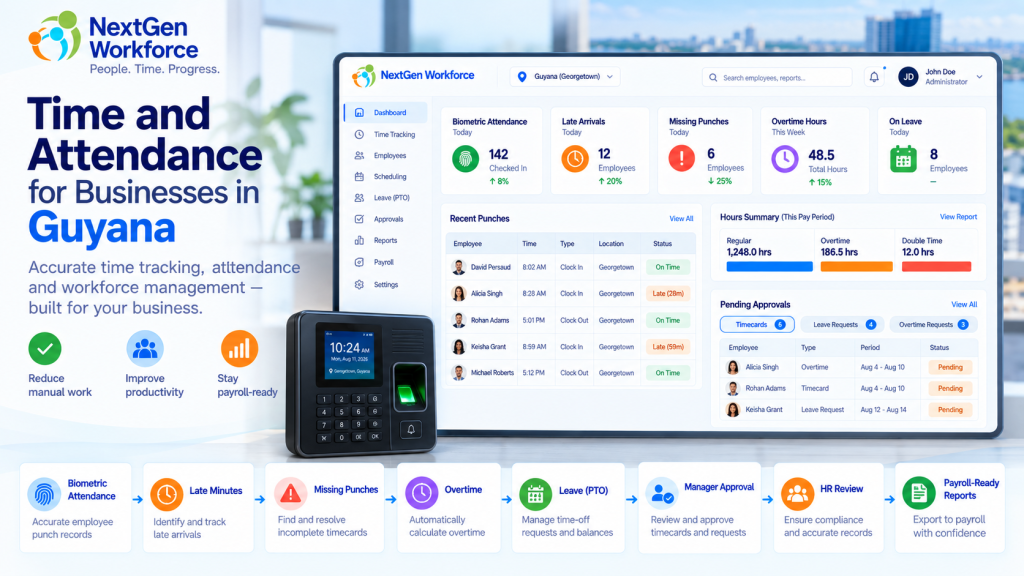
Time and Attendance Software for Guyana Businesses Employee attendance gets complicated quickly when overtime, late arrivals, missed punches, leave, approvals, and payroll all depend on the same time data. A biometric clock may record when someone arrives and leaves. But HR still needs to know whether the employee was late, whether overtime applies, whether a punch is missing, which leave category applies, and whether the record is ready for payroll. That is the gap NextGen Workforce is designed to handle. NextGen Workforce helps businesses in Guyana manage biometric time capture, attendance rules, overtime, late arrivals, leave categories, manager alerts, approvals, and payroll-ready reporting in one connected workflow. For companies with hourly employees, shift workers, multiple departments, or more complex attendance policies, that can remove a lot of manual checking before payroll. Still Checking Attendance Manually Before Payroll? NextGen Workforce helps Guyana businesses move from employee punches to reviewed, approved, payroll-ready attendance data. Talk To An Expert What Does Time and Attendance Software Need to Do for a Guyana Business? Quick answer: A useful attendance system should do more than collect clock-in and clock-out times. It should help HR and payroll review overtime, late arrivals, missed punches, leave, approvals, departments, and payroll-ready totals. Think about a normal payroll week. One employee clocks in late. Another forgets to clock out. A third works overtime. Someone else is on certified sick leave. A manager approves extra hours, but HR still wants a final review before those hours reach payroll. A simple time clock can record some of this. But someone still has to connect the pieces. NextGen Workforce helps bring those pieces into one workflow: Biometric time clock punches Web and mobile clock-in options Employee schedules Late-arrival rules Missing punch alerts Overtime calculation Manager and HR approvals Leave and attendance categories Employee and department summaries Payroll-ready reports Guyana Overtime Rules: What Employers Need to Track Quick answer: Guyana’s Ministry of Labour states that the normal work week is 40 hours over no more than five days, with normal daily working hours of eight hours. Work beyond eight hours in a day generally attracts overtime at one-and-a-half times the normal rate. Source: Guyana Ministry of Labour The same Ministry guidance says workers are generally entitled to at least 1.5× their normal rate for hours worked on Sundays and public holidays. It also sets out special rules for factory workers, including 2× pay on Sundays and certain named public holidays. Source: Guyana Ministry of Labour For factory workers, the Ministry separately notes that Sundays and certain public holidays can attract double time, while other public holidays may attract 1.5×. Source: Guyana Ministry of Labour factory overtime guidance That means employers should not treat every overtime situation as one simple rule. Industry, employee category, company policy, and applicable legislation all matter. NextGen Workforce can be configured around the overtime rules that apply to the business. For example, one employer may configure: Daily overtime after a defined threshold Saturday overtime rules Sunday premium rates Public holiday premium rates Manager approval before overtime is accepted HR review before approved overtime reaches payroll Important: Company-configured attendance rules should always be reviewed against the employer’s applicable Guyana labour requirements. The software can apply the configured rule, but the employer remains responsible for confirming which legal rule applies. Why a Biometric Time Clock Is Only the First Step Quick answer: A biometric time clock gives you reliable punch data. The attendance system still needs to interpret that data for schedules, lateness, overtime, leave, exceptions, and payroll. Biometric devices are useful because they help confirm that the right employee is making the punch. That matters in environments where employees work on-site and businesses want tighter control over attendance records. But the clock itself does not answer questions such as: Was the employee late? How many minutes late? Did overtime apply? Was the overtime approved? Is a punch missing? Was the employee on vacation or sick leave? How many hours did the department work? Is the timecard ready for payroll? NextGen Workforce connects the biometric punch to the attendance workflow. That is where the value becomes much bigger than simply replacing a paper timesheet. Track Late Employees Automatically Quick answer: NextGen Workforce can compare an employee’s actual clock-in time with the scheduled shift start and flag late arrivals based on the company’s configured tolerance. For example, a company may decide that an employee is considered late when they clock in more than five minutes after the scheduled start time. Shift Start Clock-In Attendance Result 8:00 AM 8:03 AM Within configured tolerance 8:00 AM 8:05 AM Within configured tolerance 8:00 AM 8:07 AM Late — 7 minutes 8:00 AM 8:18 AM Late — 18 minutes The system can then report: Late status Late minutes for the day Total late minutes for the month Late occurrences by employee Total late minutes by department This gives HR something more useful than a simple “late” flag. They can see the pattern. Alert Managers When an Employee Is Late or Misses a Punch Quick answer: Attendance alerts can notify managers or supervisors when an employee has not clocked in after the allowed tolerance or when an expected punch is missing. That is much more useful than discovering the problem at the end of the pay period. A typical late-arrival workflow might look like this: The employee is scheduled for 8:00 AM. The company allows a five-minute tolerance. No clock-in exists after the configured threshold. The system flags the attendance exception. The manager or supervisor receives an alert. A missing punch can work in a similar way. For example, an employee may clock in correctly but forget to clock out. Instead of payroll discovering the problem days later, the exception can be surfaced earlier for review. Manager Approval Is Not Always the Final Payroll Approval Quick answer: Some businesses need more than one approval level. A manager may approve overtime first, while HR performs a final review before overtime becomes payroll-ready. This is a common example of why