
Custom Time Tracking Software for Complex Workforce Rules
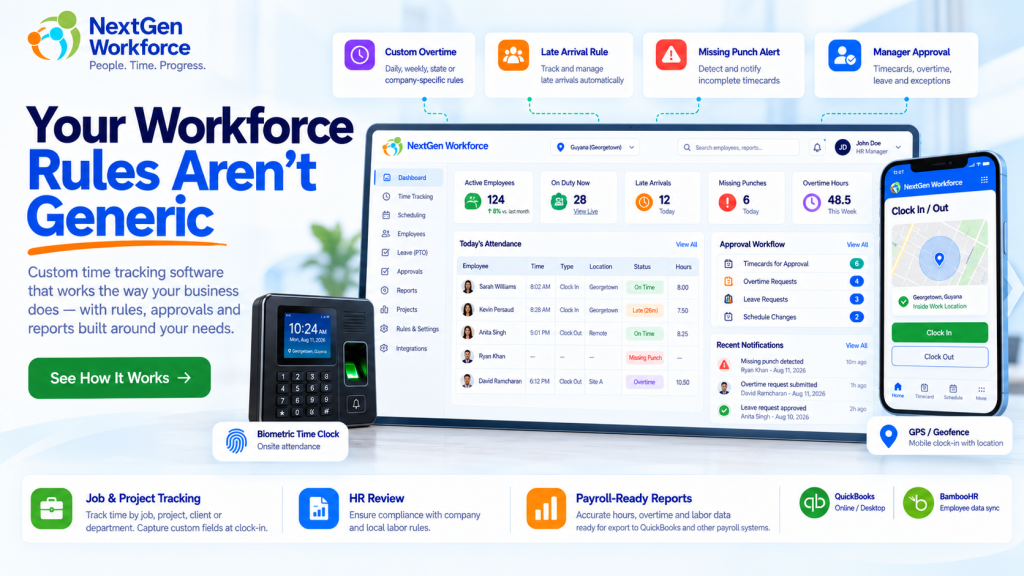
Custom Time Tracking Software for Complex Workforce Rules Most businesses do not struggle because employees cannot clock in. They struggle because the rules around that clock-in are more complicated than the software expects. An employee works overtime after a specific daily threshold. Another department follows a different schedule. A manager approves overtime, but HR must review it before payroll. Field employees need GPS and job information at clock-in. One customer needs travel time. Another needs Saturday, Sunday, or holiday premiums. That is where basic time tracking starts to break down. NextGen Workforce is built for businesses that need more than a standard clock-in and clock-out workflow. It helps companies manage time tracking, attendance, overtime, scheduling, approvals, location rules, custom punch information, and payroll-ready reporting around the way the business actually operates. Your Workforce Rules Aren’t Generic If your team is still adjusting timesheets manually because your software cannot handle the way your business works, let’s review the workflow. Talk To An Expert Image Placeholder: Custom Workforce Rules Hero What Is Custom Time Tracking Software? Custom time tracking software allows a business to define how employee time should be captured, validated, approved, categorized, and reported instead of forcing every employee into one fixed workflow. Basic systems usually answer a simple question: When did the employee start and stop working? Businesses with more complex operations need the system to answer much more: Was the employee scheduled to work? Did they arrive late? Did overtime start after the correct threshold? Does the day qualify for a premium rate? Was the employee at the correct location? Which client, project, job, or order did they work on? Did a manager approve the extra hours? Does HR need to review the approval? Is a punch missing? Is the record ready for payroll? The punch itself is only the starting point. The time clock records what happened. The workforce rules determine what it means. Why Standard Time Tracking Often Stops Being Enough A small business may start with one simple rule: Clock in. Clock out. Calculate the hours. Then the business grows. It adds departments. Different shifts. Field employees. Client sites. Overtime rules. Approval levels. Paid and unpaid leave. Holidays. Mobile workers. Payroll integrations. Before long, payroll is fixing exceptions every pay period. The system may still be collecting punches correctly, but the people around it are doing the real work manually. That usually shows up in spreadsheets, emails, supervisor notes, payroll adjustments, or repeated questions from HR. If the same corrections happen every payroll cycle, the problem may not be employee behavior. The workflow may simply be too rigid. 1. Custom Overtime Thresholds Not every company calculates overtime using the same rule. Some businesses may apply overtime after a daily threshold. Others may use a weekly threshold. Some may need both. Another company may have a customer-specific rule based on the employee group, workday, or agreement. For example: Worked Hours Configured Rule Result 8.00 OT after 8.5 hours 8.00 Regular 8.50 OT after 8.5 hours 8.50 Regular 9.25 OT after 8.5 hours 8.50 Regular + 0.75 OT Another employer may require daily overtime after eight hours and double time after twelve. The important point is that the software should apply the configured rule consistently and keep the calculation reviewable. NextGen Workforce supports configurable overtime logic for businesses that need more than one generic overtime setting. 2. Saturday, Sunday, and Holiday Rules Weekend and holiday hours can create another layer of complexity. A company may need rules such as: Saturday hours at a premium rate Sunday hours at double time Public holiday hours at a separate rate Holiday rules that override normal daily overtime Different weekend treatment by employee or location These are exactly the kinds of rules that become difficult when payroll has to identify and recalculate them manually. A configurable system can classify the hours automatically before they reach payroll. 3. More Than One Approval Level In some organizations, manager approval is enough. In others, it is only the first step. A business may require: Employee Works Extra Hours ↓ Manager Reviews ↓ Manager Approves ↓ HR Reviews ↓ Payroll Ready This matters because operational approval and payroll approval are not always the same thing. A supervisor may confirm that an employee worked the hours. HR may still need to check policy, overtime eligibility, documentation, or pay treatment before payroll receives the record. NextGen Workforce can support multi-step approval workflows where customers need more control over that process. 4. Late Rules With Configurable Grace Periods “Late” sounds simple until you ask what late actually means. One company may flag an employee one minute after the scheduled start. Another may allow five minutes. Another may want the late minutes reported but not treated as an exception until a separate threshold is reached. For example: Shift Start Clock-In Configured Grace Result 8:00 AM 8:03 AM 5 minutes Within tolerance 8:00 AM 8:05 AM 5 minutes Within tolerance 8:00 AM 8:09 AM 5 minutes Late The system can then track: Late occurrences Late minutes by day Total late minutes by employee Department late totals Attendance trends That gives HR something more useful than a simple red icon next to a punch. 5. Missing Punch Alerts Before Payroll Missing punches are one of the simplest problems in attendance management, but they still create a surprising amount of payroll cleanup. An employee clocks in but forgets to clock out. Another employee is scheduled but never records a clock-in. If those exceptions are discovered at the end of the pay period, payroll has to chase people for answers. A better workflow surfaces the problem earlier. For example: Scheduled Shift Starts ↓ No Clock-In Detected ↓ Configured Tolerance Expires ↓ Attendance Exception Created ↓ Manager / Supervisor Alerted NextGen Workforce can support alerts and exception workflows so managers can act before payroll day. 6. Different Rules for Different Employees or Departments One of the biggest limitations of rigid attendance systems is assuming every employee follows the same rule. That is often