Employee Scheduling Tool: Fast, Fair, and Built for Real-World Teams
Save Time, Cut Costs, and Boost Coordination with NextGen Workforce
NextGen’s employee scheduling software helps managers build reliable rosters in minutes and gives employees a clear view of their shifts, time-off, and availability. New updates add powerful filters, pending-request visuals (gray lines), and request timestamps for quicker decisions—across multiple locations and departments.
Who Uses What
Shift Planner (Manager)—Create and publish team shifts.
Work Schedule & Availability (Employee) — View personal & team schedules, time-off, and availability.
At-a-Glance Scheduling You Can Trust
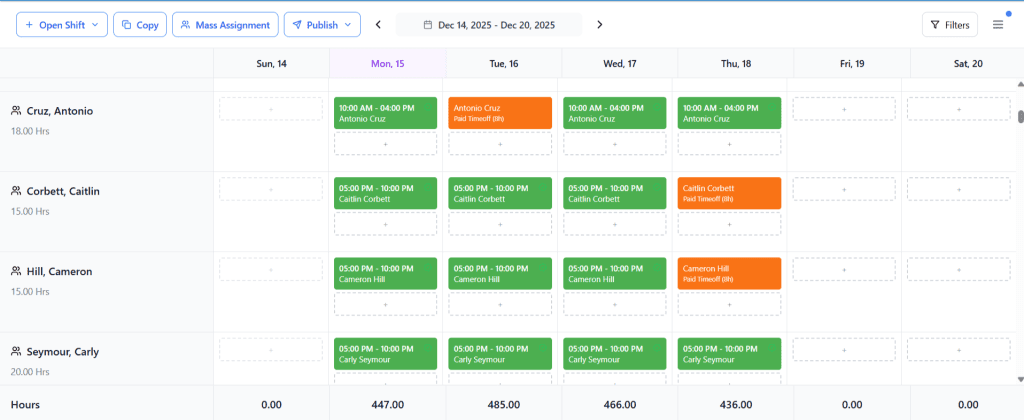
Color-Coded Scheduling Across Locations
Shift color-coded blocks for multiple locations make coverage obvious at a glance.
Filter by department, location, role, or employee to avoid cross-site overlap.
Pre-Filled Schedules to Save Hours
Pre-filling shifts* reuses proven patterns (last week/period), so most schedules start 80% done.
Drag to adjust; publish when ready. *Pre-filling = duplicating a prior schedule as a starting point.
Precision Views with One-Click Filters
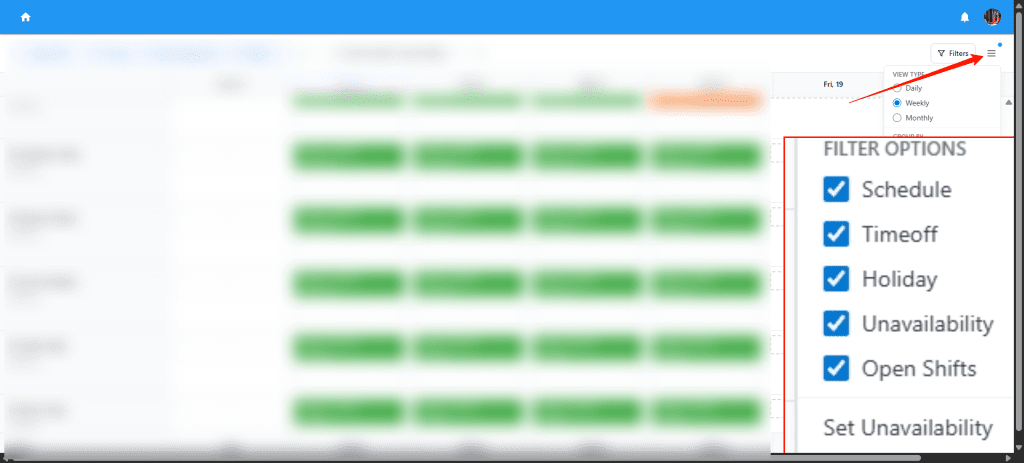
Quickly focus your grid with Show:
Schedule – see shifts only
Time-off – approved & pending
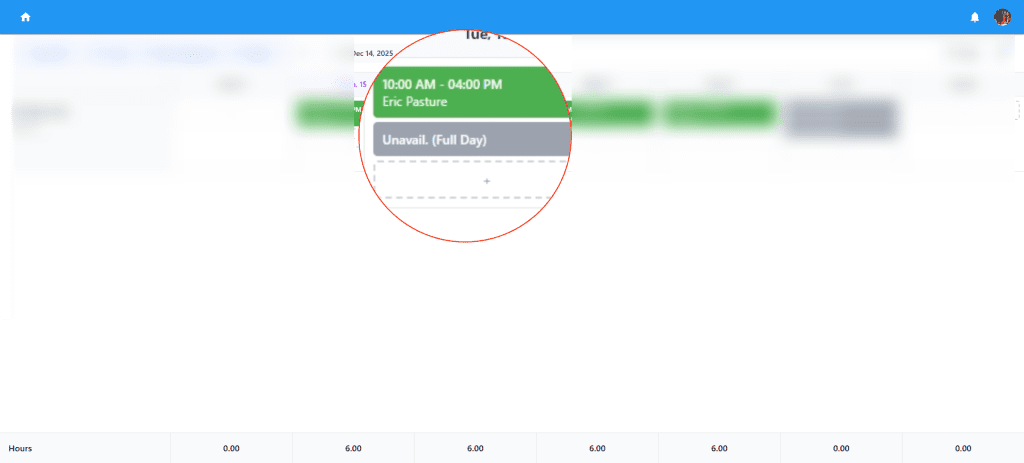
Unavailable – approved & pending
Holiday – company/site calendars
Combine filters (e.g., Schedule + Unavailable) to spot conflicts and fix them before you publish.
Pending Requests That Stand Out
Pending time-off and pending unavailability now display with gray dashed lines for instant recognition.
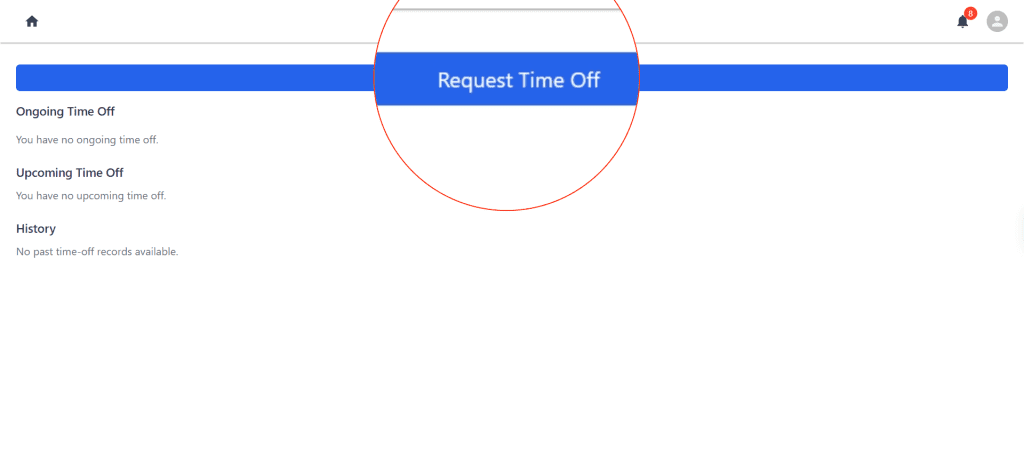
Each time-off card shows “Requested on {date} at {time}” so managers can triage urgent items first.
Fill Every Gap: Open Shift
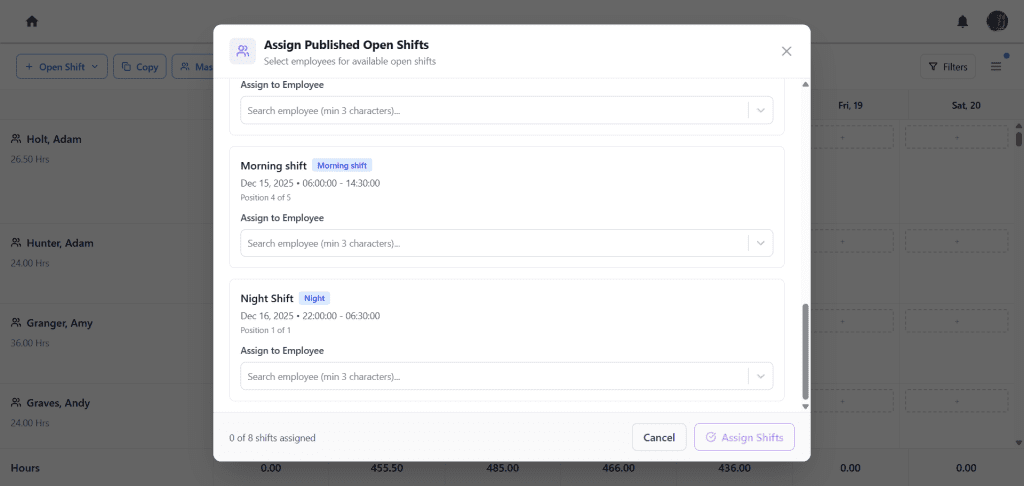
Post open shift opportunities to eligible staff.
Employees can claim from the web or mobile; managers approve in one click.
Prioritize by skills, seniority, site, or certifications to keep coverage strong.
Flex Without the Chaos: Shift Swap
Employees request a shift swap with a qualified coworker.
System auto-checks conflicts and eligibility.
Managers approve/decline with a tap; schedules and shift reminders update in real time.
Unavailability Settings That Prevent Mistakes
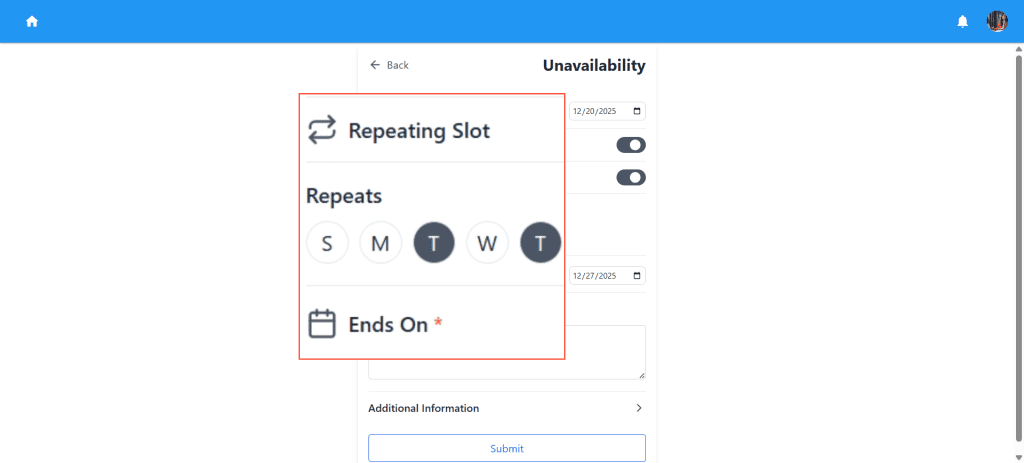
Employees set one-time or recurring unavailability.
Scheduler flags conflicts before assignment.
Pending items (gray lines) keep managers aware until approved.