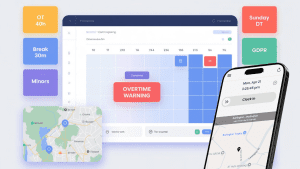
If you manage people across cities, states, or countries, you already know: compliance isn’t one-size-fits-all. Overtime thresholds, break rules, youth restrictions, and paid leave entitlements vary by jurisdiction and are subject to frequent changes. The difference between a regular time clock and a smart time-tracking platform is straightforward: one records hours, while the other protects your business.
Below is a practical guide to what truly matters in a time-tracking tool when local labor law compliance is the goal.
1) A Localized Rule Engine (Not Just Generic Settings)
Why it matters: California has daily overtime, Michigan has 40-hour weekly OT, the Bahamas has Sunday double-time, and Switzerland has rest periods. Your tool should encode local rules, not force HR to remember them.
What good looks like
-
Configurable rules by country/state/city/site
-
Daily and weekly overtime thresholds, double-time, and premium differentials
-
Meal/break logic (length, timing, auto-deduct with safeguards)
-
Minor labor protections (max hours, mandatory breaks)
Win: Managers schedule confidently; payroll exports are already law-aligned.
2) Effective-Dated Policies (Because Laws Change)
Why it matters: Minimum wage bumps, new sick leave rules, and union agreement policies evolve. Re-keying settings mid-pay period creates disputes.
What good looks like
-
Effective-dated pay rules and policies
-
“From/To” windows for grandfathered agreements
-
Historical recalculation that preserves audit trails
Win: Smooth transitions with audit-ready records.
3) Schedule-Aware Timekeeping
Why it matters: Compliance issues often come from the gap between schedule and reality, unapproved early starts, short rest between shifts, and accidental OT.
What good looks like
-
Time entries validated against the schedule
-
Warnings for clopening (close-then-open) and insufficient rest
-
Overtime forecasts before publishing schedules
Win: Prevents violations upstream, not after payroll.
4) Location Controls: Geofencing and Job-Site Validation
Why it matters: Some laws and client contracts require on-site presence. Location spoofing or off-site punches create compliance risk.
What good looks like
-
Geofencing to allow clock-ins only within approved zones
-
Auto clock-out when a worker leaves the site (optional, policy-based)
-
Route history and location tags in the timecard
Win: Verifiable attendance and fewer disputes about where work happened.
5) Built-In Leave & Sick Time Compliance
Why it matters: Many regions require paid sick leave accruals with carryover limits and protected reasons. Penalizing protected absences risks legal trouble.
What good looks like
-
Accrual engines (e.g., 1 per 30/35 hours worked)
-
Front-load or accrual models with caps and carryover
-
Protected leave exclusion rules (no points, no attendance penalties)
-
Manager workflows with balances visible at approval time
Win: No double-booking; no accidental penalties for protected time.
6) Exception Handling With Documentation & Appeals
Why it matters: Real life happens with illness, transit issues, and system outages. A fair process protects both the business and the employee.
What good looks like
-
Reason codes and attachments on exceptions
-
The manager approves/denies with notes
-
All changes are audit-logged (who, what, when, why)
Win: Transparent, defensible decisions and fewer grievances.
7) Data Privacy, Consent, and Access Controls
Why it matters: GDPR, nFADP, and local privacy rules govern how you store time, location, and biometric data.
What good looks like
-
Role-based permissions, data minimization, and encryption
-
Clear consent flows for biometrics/location (where applicable)
-
Region-specific data retention policies
Win: Compliance isn’t only labor law, it’s privacy law too.
8) Multilingual UX & Policy Communication
Why it matters: Compliance fails when people can’t understand the rules.
What good looks like
-
Multilingual UI and policy labels
-
Plain-language prompts (“Meal break due in 10 minutes”)
-
Mobile notifications that explain what to do
Win: Better adherence because instructions are clear and local.
9) Payroll-Ready, Audit-Ready Reporting
Why it matters: The best time data is useless if payroll can’t consume it or if inspectors can’t verify it.
What good looks like
-
Exports with regular/OT/DT, premiums, paid leave, differentials
-
Effective-dated pay rates and cost centers
-
Reports that show scheduled vs. worked vs. overtime, exceptions, and break compliance
-
Tamper-evident audit logs for every edit
Win: Faster payroll, fewer corrections, and confident audits.
10) Integrations That Actually Reduce Risk
Why it matters: Re-typing data between systems creates errors that become compliance issues.
What good looks like
-
HRIS sync for people/teams/locations
-
Payroll integrations (ISL, ADP, QuickBooks, etc.) with mapped codes
-
Calendar and scheduling integrations to prevent overlaps
-
Webhooks or APIs for downstream compliance reporting
Win: One source of truth, less manual work, and fewer mistakes.
Red Flags to Avoid
-
“One policy for all locations” with no local overrides
-
No visibility into break compliance or rest periods
-
No effective dates for changing policies
-
Lack of appeals or documentation on exceptions
-
No audit log (or editable histories)
-
Only mobile punches with no location control
-
Exports that don’t separate OT/DT/premiums clearly
A Short, Practical Checklist
Use this list when you evaluate tools:
-
Can I configure overtime, breaks, minors, and premiums per location?
-
Are policies effective-dated with audit-safe history?
-
Does scheduling predict overtime and enforce rest periods?
-
Are there geofencing and auto clock-out options?
-
Does leave management exclude protected absences from points/discipline?
-
Are exceptions documented with reasons and attachments?
-
Is the platform privacy-aware (consent, retention, encryption)?
-
Do I get payroll-ready OT/DT/premiums and clean cost center mapping?
-
Are reports audit-ready with a tamper-proof log?
-
Do integrations remove manual entry across HRIS, scheduling, and payroll?
How NextGen Workforce Checks the Boxes
-
Local rule engine for OT, premiums, breaks, minors; site-level overrides
-
Effective-dated policies with historical recalculation
-
Schedule-aware timekeeping and overtime forecasts
-
Geofencing and optional auto clock-out with violation alerts
-
Leave accruals (front-load or per-hour) with protected-leave exclusions
-
Exception workflows with evidence, reason codes, and audit trails
-
Privacy-first design: access control, encryption, regional retention
-
Payroll-ready exports + HRIS integrations (e.g., BambooHR)
-
Reporting: scheduled vs. worked vs. OT, break compliance, exception trends
Result: A single system that helps HR and operations stay compliant by default, reduces admin effort, and keeps employees informed.
Final Thought
Compliance is not a checkbox; it’s a living process. Choose a time-tracking platform that treats local labor law as a first-class citizen, not an afterthought. When rules are embedded, schedules are aware, and data is audit-ready, you get what you actually need: clarity, control, and confidence.
[Connect with NextGen Workforce] to see how the Smart-timetracking can streamline your HR operations, simplify compliance, and empower your team with data that works as hard as they do.